
Thanks for your feedback.
 Feedback?
About Vidcast
Vidcast is a video messaging tool that makes recording, editing, and sharing videos easy. It helps distributed teams collaborate more effectively and get time back in their day. Vidcast is free to use — simply sign in using your Webex credentials, or register for a free account at app.vidcast.io.
Embed Vidcast videos in Webex Events
It's easy to embed Vidcasts in many areas of your Event App to enrich the attendee experience with video messages from you and your sponsors, presenters, and speakers.
-
We include Vidcast as a selectable streaming provider in Sessions and Live Stream features, and as a 'Content Provider' when building speaker and sponsor profiles or creating Custom List items.
-
External Links are another great way to incorporate a Vidcast embed link in many features and items.
When you include a link to a Vidcast in any of these places, attendees using the web experience access it within your Event App so they don't have to open a new browser tab.
The next section shows you how to embed Vidcast in your Event App. Let's go!
Copy the Vidcast embed link
-
In Vidcast, click Library.
-
On the My Videos tab, click the video you want to use in your Event App.
-
Click the Share button below the video.
-
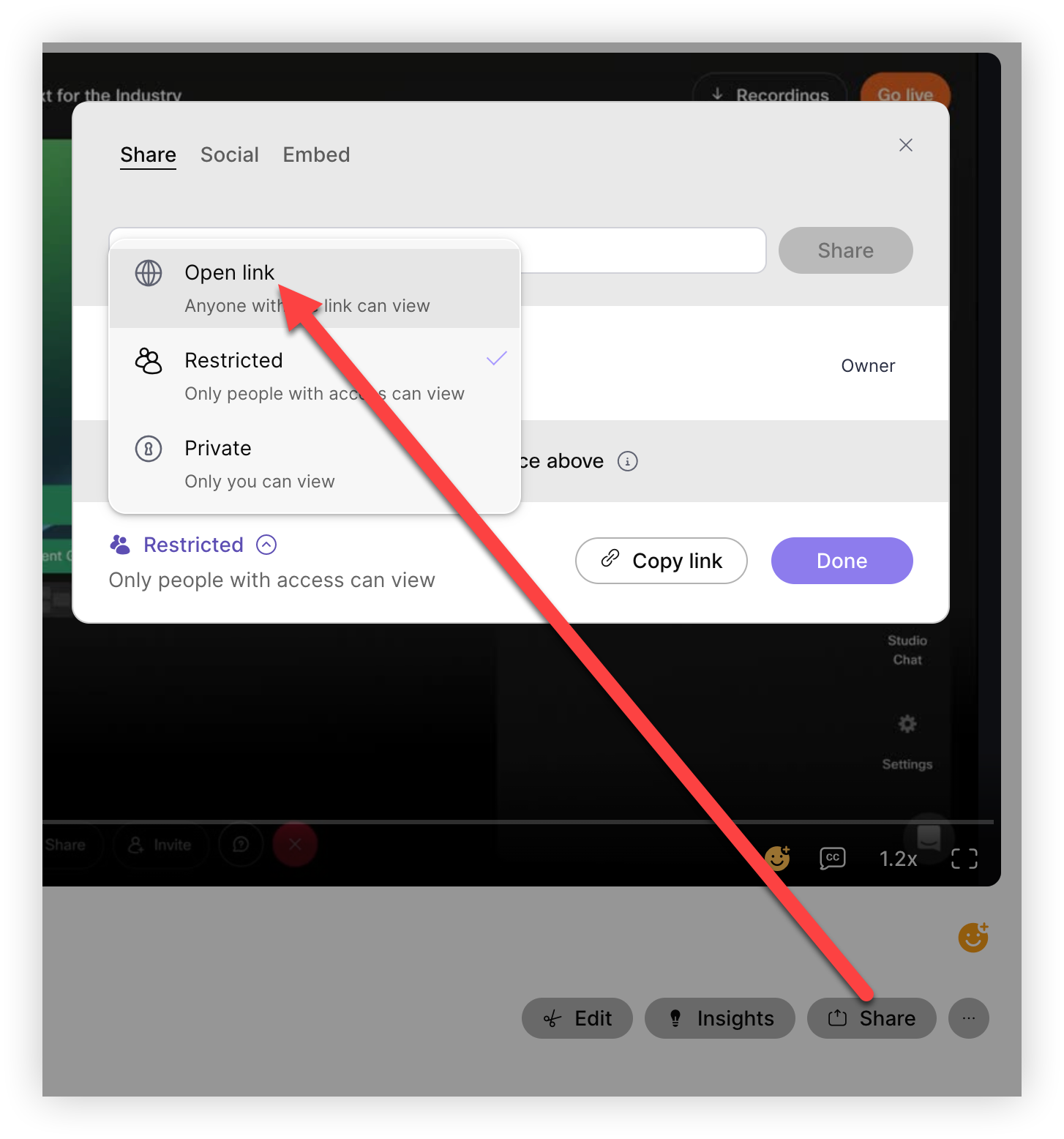
In the modal that appears, click the word Restricted in the bottom left corner, and select Open link so that anyone can access the video.
-
Now, click the Embed tab.
-
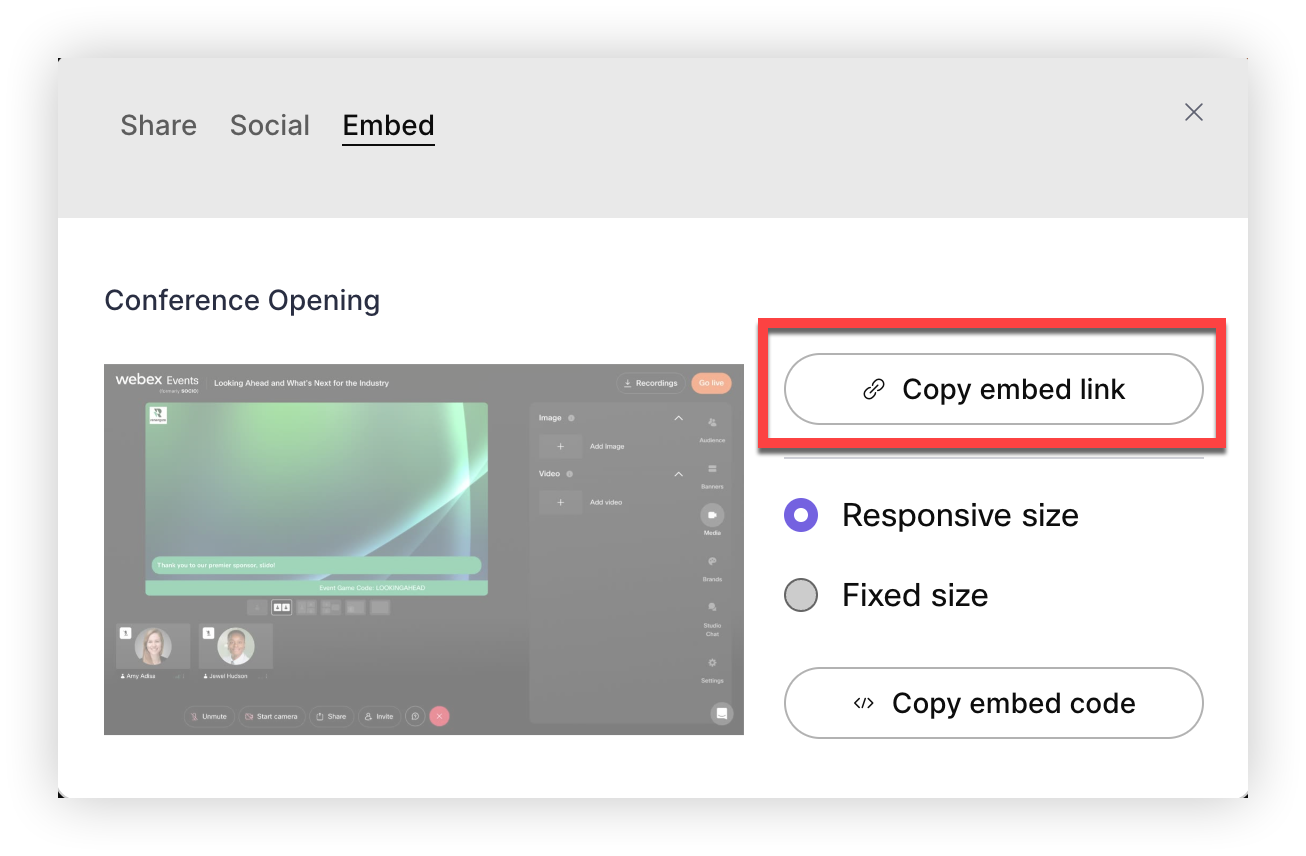
Select Responsive size , then click the Copy embed link button.
Now you’re ready to put the link to use!
Paste the link into Webex Events
If you want to let viewers comment on and react to the video, access its AI-generated highlights, or read its transcript, remove "embed/" from the URL after pasting it into Webex Events.
Live Stream feature and Sessions
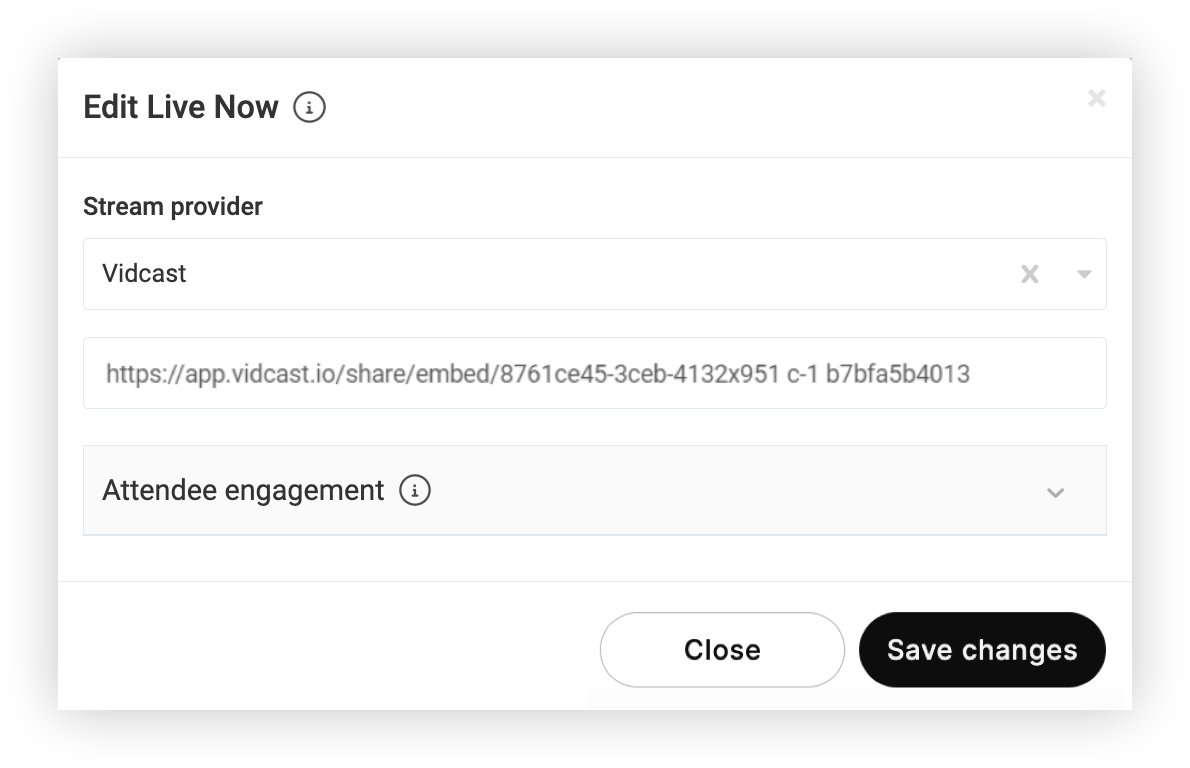
When editing a Live Stream feature or creating a Session in the Webex Events platform, select Vidcast from the 'Stream provider' or 'Video Recording' drop-down, then paste the embed link in the Vidcast URL field. Make any other needed changes, then click Save changes. It’s that simple!
Keep in mind, in the Agenda feature, the button attendees click on says 'Join Live Stream' or 'View Recording', depending on which field you pasted the link into. The 'Join Live Stream' button appears 15 minutes before the Session’s scheduled start time. The 'View Recording' button appears 15 minutes after the Session’s scheduled end time.
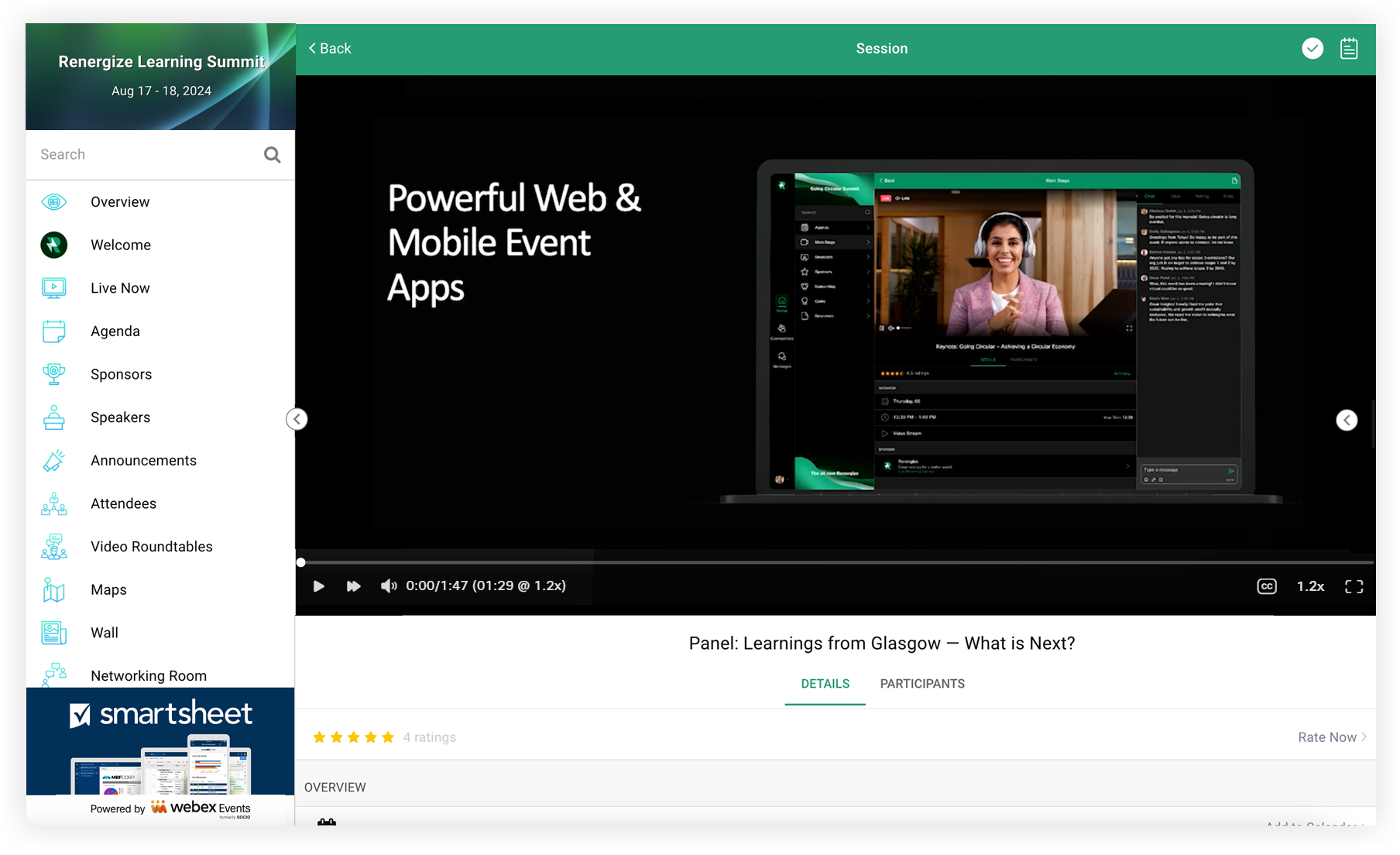
When attendees using the Web App click the Live Stream feature or the 'Join Live Stream' button for a Session, they simply click the Play button to start watching. Viewers can even use Vidcast's playback speed setting and closed captions, all without leaving the Event App!
Keep in mind, Vidcasts viewed on a mobile device open in the device’s default web browser.
Read our Live Stream feature guide to learn how to set up the Live Stream feature. For instructions on using Sessions, read our article about Sessions.
Sponsor, Exhibitor, Speaker, and Custom List features
This section provides instructions on adding a Vidcast video to a feature item. For complete instructions on setting up each of these features, refer to the following links for each feature:
No matter which of these features you use, the process for adding a Vidcast video is the same.
-
First, edit the feature's settings and set it to 'Grid View' so the Content Provider field is available when creating a new item.
-
Create a new feature item or edit an existing one.
-
In the Edit modal, select Vidcast from the 'Content Provider' drop-down, then paste the embed link into the Add Video URL field.
-
Make any other needed changes, then click Save changes.
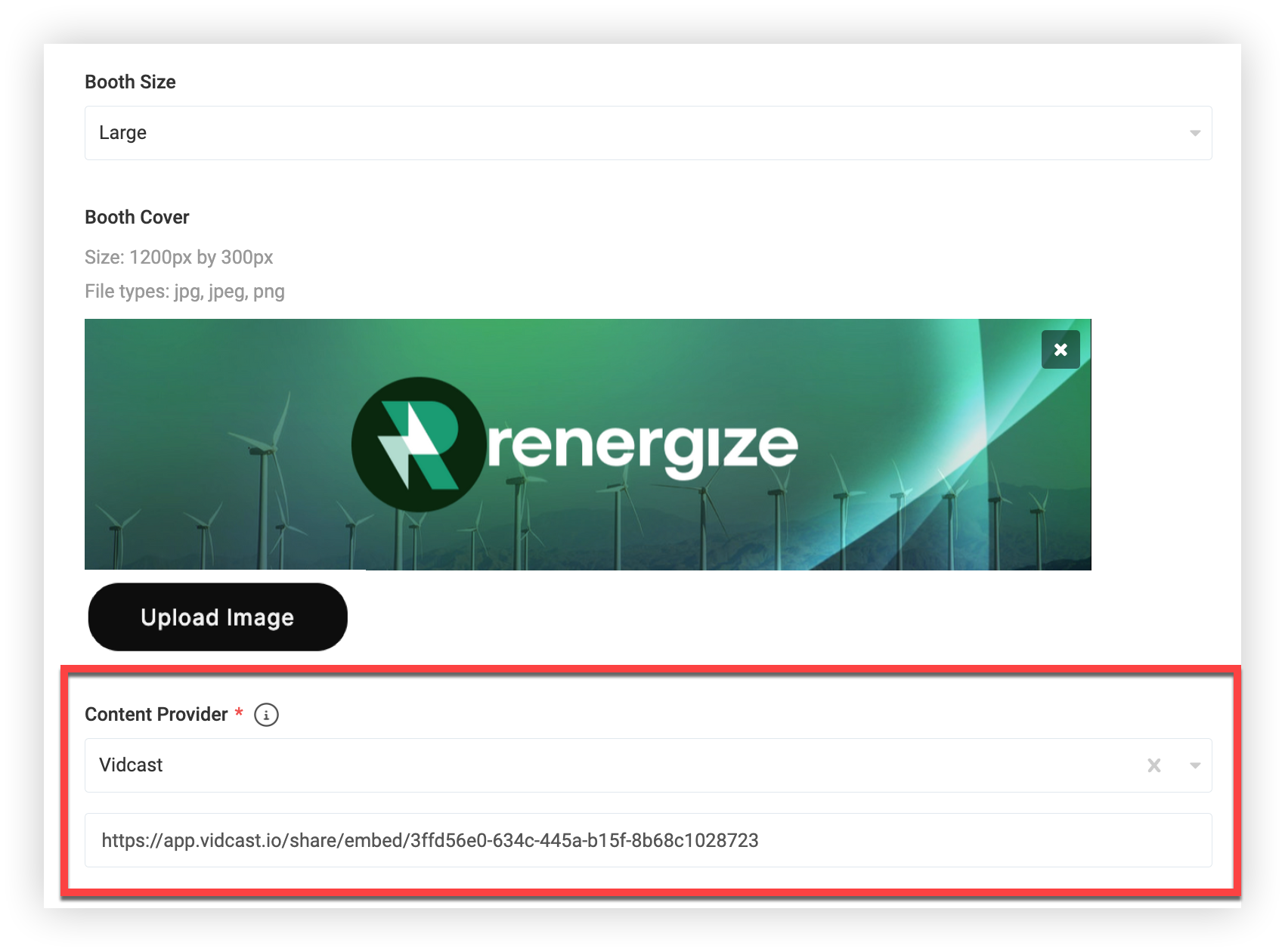
When attendees using the Web App click on an item in one of these features, the Vidcast video appears in the middle of the screen.
Keep in mind, Vidcast videos viewed on a mobile device will open in the device’s default web browser.
External Links
There are many more places you can embed a Vidcast video into your Event App! Find the complete list of each of these places in our External Links article.
Send to Vidcast from Webex Events
If you login to the Webex Events platform using SSO with your Cisco account (which is the case if you’re a Suite Enterprise customer), we've made it easy to send videos up to 5 GB from your Event App's Video Center to your Vidcast account. From your Event App’s Uploads or Recordings page, click a video’s three-dot (⋯) icon, then Send to Vidcast. Or, check multiple videos then click the top bulk action button with three dots, then Send to Vidcast. Click Yes to confirm sending and begin processing.
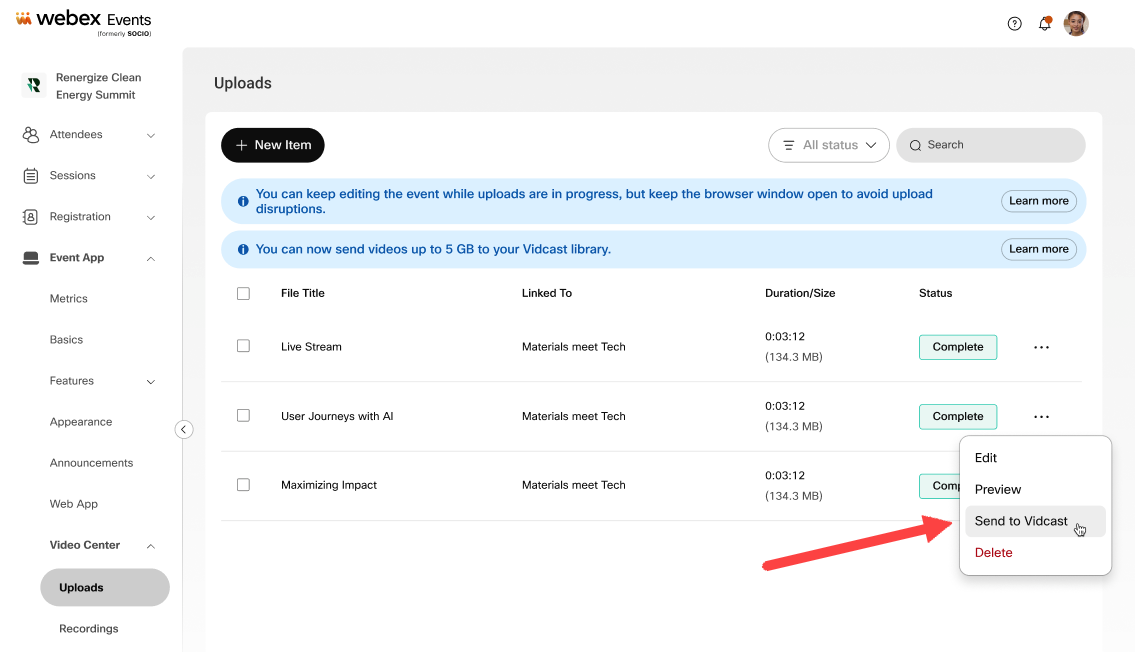
From there, use Vidcast’s AI-powered platform to make your videos even more engaging, discoverable, and memorable.
Keep in Mind, in our platform’s Video Center, we recommend uploading videos with a resolution of 1920x1080. Recordings from Production Studio are 1920x1080 as well. However, videos sent to Vidcast will automatically be downscaled to 1080x720 resolution.
Need help using Vidcast?
Visit the Vidcast Help Center, or send them a chat message or email ( help@vidcast.io).
Now you know all about using Vidcast in your Event App. Interested in using Webex Meetings in your event? Read Webex & Webex Events for more information!


