How can we help you?

Trying to join a meeting?


Oct 5-8, 2026, Austin, TX & Virtual | Save the date and get 75% off your tickets when registration opens.
Oct 5-8, 2026, Austin, TX & Virtual | Save the date and get 75% off your tickets when registration opens.


Get started
Everything you need to know to get started with Webex.


Help by product
Get help specified for each of our various products.

Administration
Webex management in Control Hub and Partner Hub.

Webex AI
The most advanced generative AI-powered platform for hybrid work and customer experience.


What’s new
Discover what’s new in Webex. Learn about new features, issues, fixes, and other updates.

Popular articles
Sign-in issues with Webex


Webex Suite
Configure Local Gateway on Cisco IOS XE for Webex Calling

Calling
Port Reference Information for Webex Calling
Calling
Use virtual backgrounds in Webex Meetings and Webex Webinars
Webex Suite
Build and manage flows with Flow Designer

Customer Experience
Webex AI Agent Studio Administration guide
Customer Experience
Connect to a Webex App device

Devices

Video resources


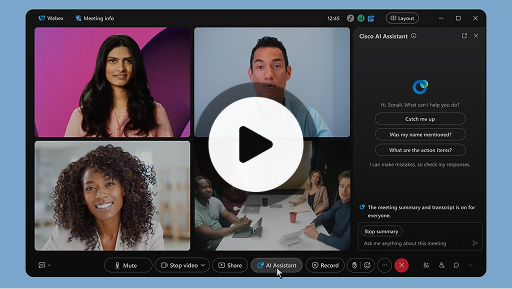
Cisco AI Assistant in meetings
Webex Suite
Sometimes you may join a meeting late, need to step away for a moment, or you're multitasking and get distracted. With AI Assistant meeting summaries, you can quickly catch up on what you’ve missed, understand the discussion, ask questions without disturbing the meeting, and stay on top of the conversation. You also receive a summary and transcript after the meeting, without having to record.
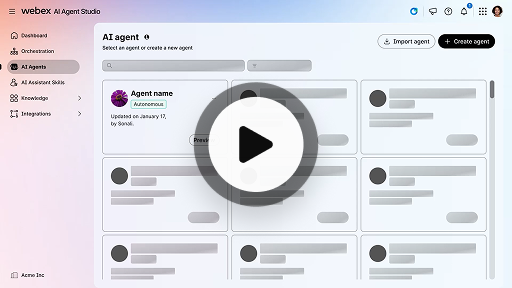
Create an autonomous AI agent
Customer Experience
Autonomous AI agents operate independently without direct human intervention. Autonomous agents can access and use a knowledge repository to provide informative and accurate answers to user queries. These agents use advanced algorithms and machine learning techniques to analyze data, learn from their environment, and adapt their actions to achieve specific goals.
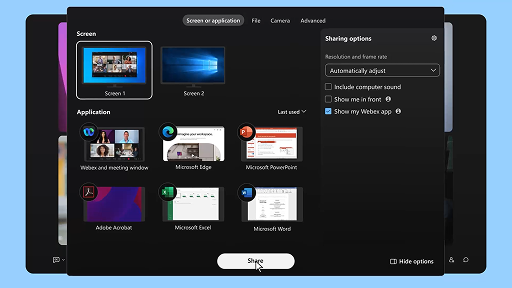
Share content in a meeting
Webex Suite
When you share content in Webex App, everyone in the meeting can easily see what's being discussed. Anyone can share content, but only one person can share at a time.
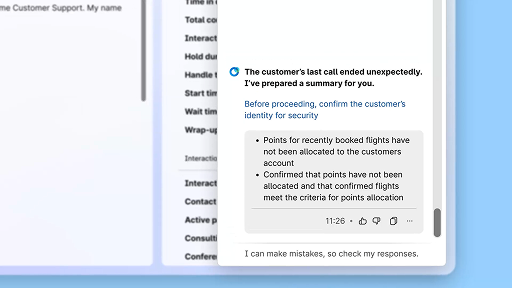
Enhance efficiency using AI-generated summaries
Customer Experience
The Cisco AI Assistant offers concise summaries of prior interactions, allowing agents to continue conversations seamlessly without needing to re-collect information. This immediate access enables agents to focus on delivering effective solutions, leading to faster resolutions and a more cohesive customer experience.
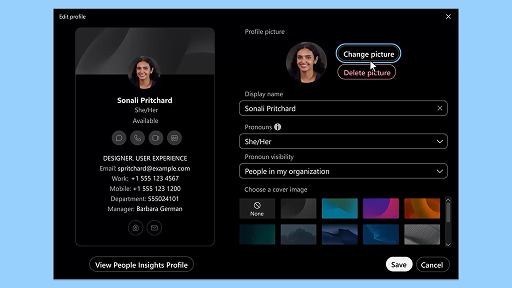
Webex App | Add your profile picture
Webex Suite
Make it easier for people to recognize you in Webex App by adding a picture to your profile. Until you upload one, your profile only shows your initials inside a circle.
AI Assistant wellness break notifications
Customer Experience
When the AI Assistant recommends a wellbeing break, a toaster notification will appear: Accepting a break: Click Take a break to accept the break. The Cisco AI Assistant widget opens automatically to confirm your choice. After you wrap up the current interaction, your 1-minute wellbeing break begins automatically. Your status changes to Wellbeing Break to prevent the next interaction from being queued to you. A 5-second countdown appears on the screen as your 1-minute break concludes. Once complete, the break window closes automatically, and your status changes to Available, readying you for the next interaction.
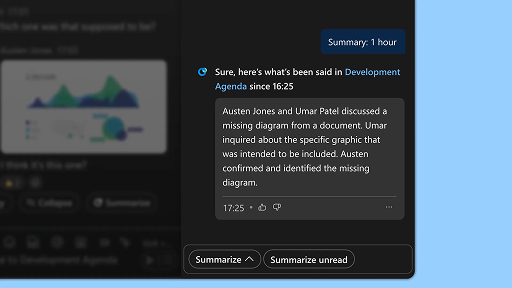
Generate space summaries
Webex Suite
When you're busy, or you've been away from the office, catching up with all your spaces can be challenging. AI Assistant can generate space summaries to help you quickly catch up on missed messages and conversations in the space. Stay informed on decisions, key points, and get up to date with the discussion at a glance.
Enhance efficiency with real-time transcripts
Customer Experience
Real-time transcripts is designed to help you optimize communication efficiency during customer interactions. By providing live transcriptions directly on your Agent Desktop, it can help enhance your focus, clarity, and response accuracy. It is aimed at enhancing your understanding and efficiency during calls, reducing misunderstandings, and supporting you in delivering high-quality interactions that improve performance and customer satisfaction.
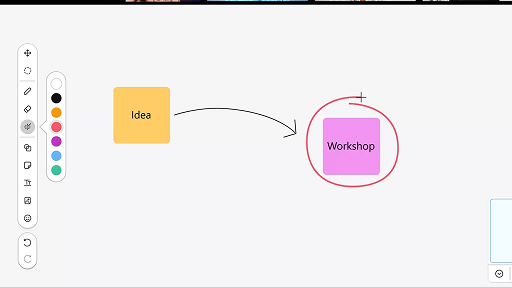
Use the whiteboard in meetings
Webex Suite
When you're busy, or you've been away from the office, catching up with all your spaces can be challenging. AI Assistant can generate space summaries to help you quickly catch up on missed messages and conversations in the space. Stay informed on decisions, key points, and get up to date with the discussion at a glance.
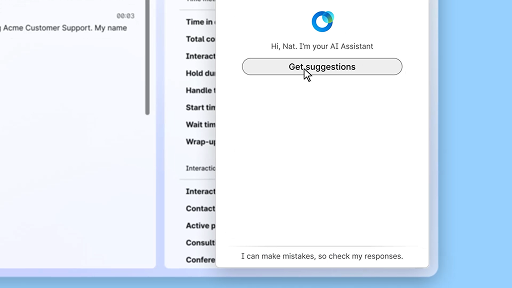
Respond with confidence using Real-time assist
Customer Experience
Real-time assist is a Cisco AI Assistant feature designed to support you during live customer interactions by continuously understanding the conversation context, identifying customer intent, and instantly providing relevant recommendations. It guides you in real time by suggesting what to say or do, helping you navigate complex procedures, and even initiating workflows automatically.
Cisco AI Assistant in meetings
Webex Suite
Sometimes you may join a meeting late, need to step away for a moment, or you're multitasking and get distracted. With AI Assistant meeting summaries, you can quickly catch up on what you’ve missed, understand the discussion, ask questions without disturbing the meeting, and stay on top of the conversation. You also receive a summary and transcript after the meeting, without having to record.
Create an autonomous AI agent
Customer Experience
Autonomous AI agents operate independently without direct human intervention. Autonomous agents can access and use a knowledge repository to provide informative and accurate answers to user queries. These agents use advanced algorithms and machine learning techniques to analyze data, learn from their environment, and adapt their actions to achieve specific goals.
Share content in a meeting
Webex Suite
When you share content in Webex App, everyone in the meeting can easily see what's being discussed. Anyone can share content, but only one person can share at a time.
Enhance efficiency using AI-generated summaries
Customer Experience
The Cisco AI Assistant offers concise summaries of prior interactions, allowing agents to continue conversations seamlessly without needing to re-collect information. This immediate access enables agents to focus on delivering effective solutions, leading to faster resolutions and a more cohesive customer experience.
Webex App | Add your profile picture
Webex Suite
Make it easier for people to recognize you in Webex App by adding a picture to your profile. Until you upload one, your profile only shows your initials inside a circle.
AI Assistant wellness break notifications
Customer Experience
When the AI Assistant recommends a wellbeing break, a toaster notification will appear: Accepting a break: Click Take a break to accept the break. The Cisco AI Assistant widget opens automatically to confirm your choice. After you wrap up the current interaction, your 1-minute wellbeing break begins automatically. Your status changes to Wellbeing Break to prevent the next interaction from being queued to you. A 5-second countdown appears on the screen as your 1-minute break concludes. Once complete, the break window closes automatically, and your status changes to Available, readying you for the next interaction.
Generate space summaries
Webex Suite
When you're busy, or you've been away from the office, catching up with all your spaces can be challenging. AI Assistant can generate space summaries to help you quickly catch up on missed messages and conversations in the space. Stay informed on decisions, key points, and get up to date with the discussion at a glance.
Enhance efficiency with real-time transcripts
Customer Experience
Real-time transcripts is designed to help you optimize communication efficiency during customer interactions. By providing live transcriptions directly on your Agent Desktop, it can help enhance your focus, clarity, and response accuracy. It is aimed at enhancing your understanding and efficiency during calls, reducing misunderstandings, and supporting you in delivering high-quality interactions that improve performance and customer satisfaction.
Use the whiteboard in meetings
Webex Suite
When you're busy, or you've been away from the office, catching up with all your spaces can be challenging. AI Assistant can generate space summaries to help you quickly catch up on missed messages and conversations in the space. Stay informed on decisions, key points, and get up to date with the discussion at a glance.
Respond with confidence using Real-time assist
Customer Experience
Real-time assist is a Cisco AI Assistant feature designed to support you during live customer interactions by continuously understanding the conversation context, identifying customer intent, and instantly providing relevant recommendations. It guides you in real time by suggesting what to say or do, helping you navigate complex procedures, and even initiating workflows automatically.

Explore our learning tools

Adoption resources
Everything you and your team need to get up and running.

Webex Academy
Learn anytime with self-paced courses and quick video tutorials.

Admin launch kits
Launch kits to help make your Webex rollout a success.

Live events
Learn with Webex: Events, webinars, and daily demos.
Other resources

Download Webex
One platform, with all the ways to connect.


Webex Community
The Community is a hub for connecting with your peers and Cisco specialists to ask for help, share your expertise, build your network, and grow professionally.

Webex Insider
Connect with people who share your passion for Webex and gain inside access to the new concepts from the Webex portfolio product and experience teams.

Webex for Developers
Build the future of business collaboration with Webex. Learn more about the Webex API and SDKs to create the next great collaboration app on the Webex Platform.

Still need help?
Choose from a variety of support resources to get the help you need.
How would you rate your experience on this page?


Unhelpful
Helpful
How could we make this page more useful for you?
Thanks for your feedback.


