Was this article helpful?

Thanks for your feedback.
Webex App | Turn off the beep you hear when you mute or unmute yourself
 Feedback?
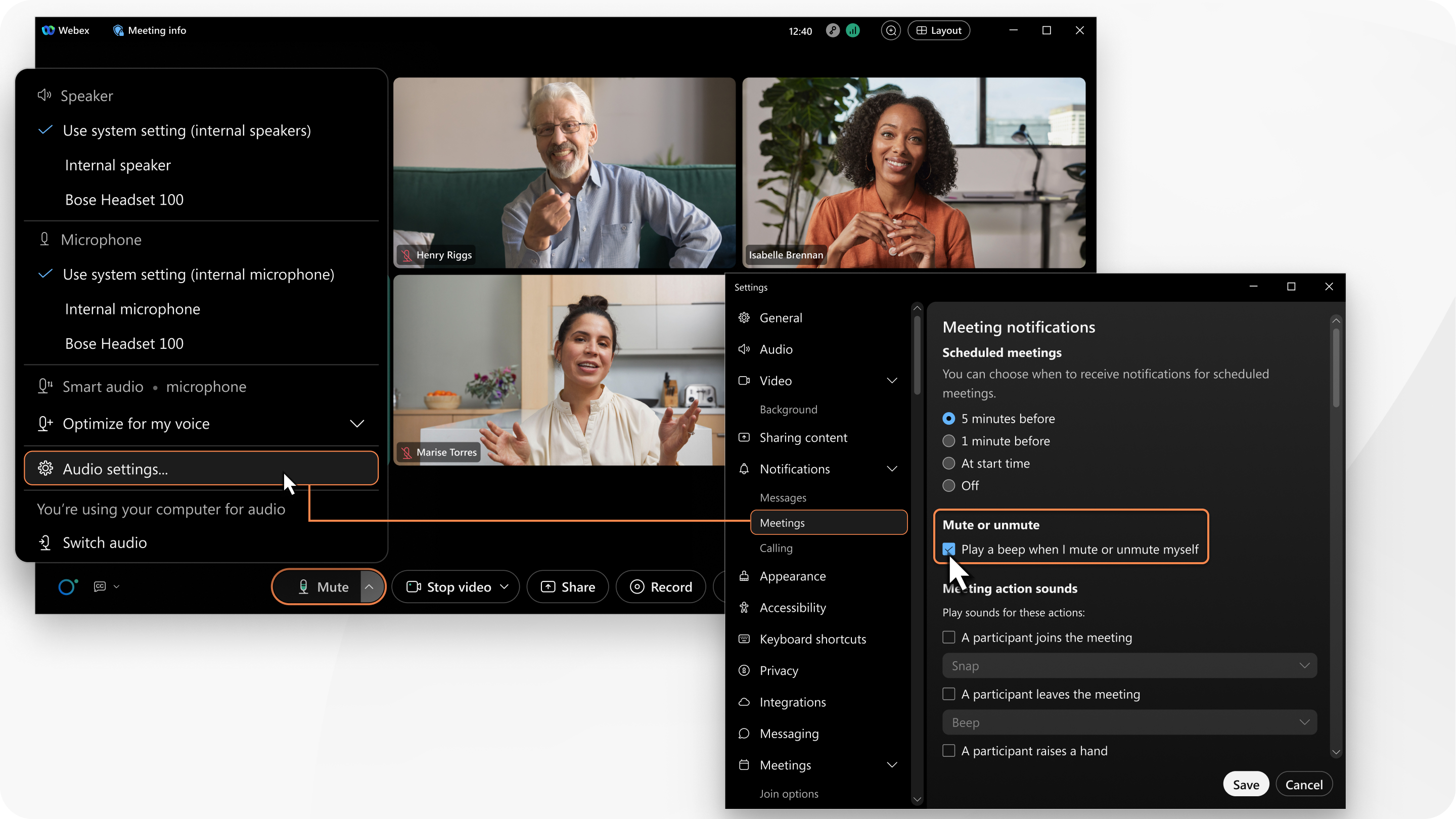
When you mute or unmute your audio during a meeting, an audible beep notification plays. The beep provides confirmation that you muted or unmuted yourself. Only you can hear the sound. Not other meeting participants. If you prefer, turn off the beep.
Before you begin
This feature is available on our Webex Suite meeting platform. Find out if your meetings use the Webex Suite meeting platform.
| 1 |
When you're in a meeting, click Audio options When you're not in a meeting, click Settings
 in the navigation
sidebar. in the navigation
sidebar. |
| 2 |
Click . |
| 3 |
Under In-meeting notification sounds, uncheck Play a beep when I mute or unmute myself. |

Was this article helpful?


