- Home
- /
- Article

Thanks for your feedback.

 In this article
 Feedback?
Customer administrators can use Private Line Automatic Ringdown (PLAR) in Control Hub to configure a device to automatically dial a pre-defined number when it goes off-hook. This feature creates a direct hotline for ATAs, desk phones, individual users, and workspaces.
Once PLAR is configured on a line, E911 dialing no longer works from that line. Phones set up with the PLAR feature can’t dial any other numbers from the line that is configured for PLAR.
Configure a hotline for ATA
Enabling PLAR for any port disables T.38.
| 1 |
Sign in to Control Hub. |
| 2 |
Go to Devices. |
| 3 |
Select the device to modify. |
| 4 |
Click Configure Ports from the Device Management section. |
| 5 |
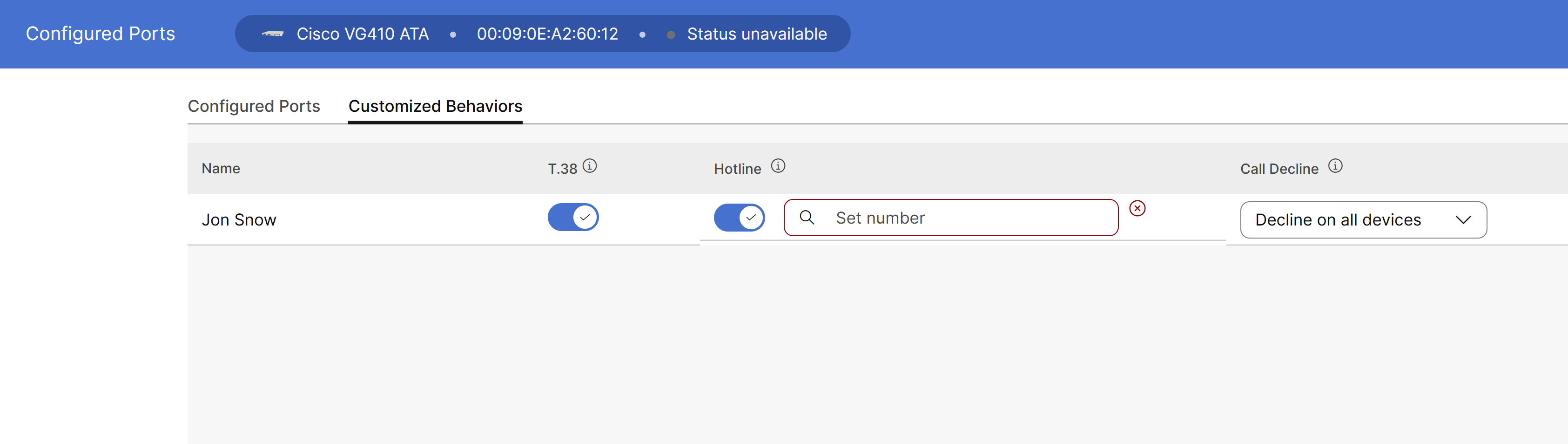
In the Customized Behaviors tab, toggle on the hotline configuration. You can’t configure a hotline in the same port that uses a T.38. |
| 6 |
Enter the extension or phone number to dial automatically when the line goes off-hook.
|
| 7 |
Click Save. |
| 8 |
Click . |
Configure hotline for desk phones
A hotline can be configured only on a desk phone, if its primary line is configured as a hotline.
Once a primary line is configured as a hotline, its shared lines will also be reconfigured as hotlines.
| 1 |
Sign in to Control Hub. |
| 2 |
Go to Devices. |
| 3 |
Select the device to modify. |
| 4 |
Click Configure Lines from the Device Management section of the device. |
| 5 |
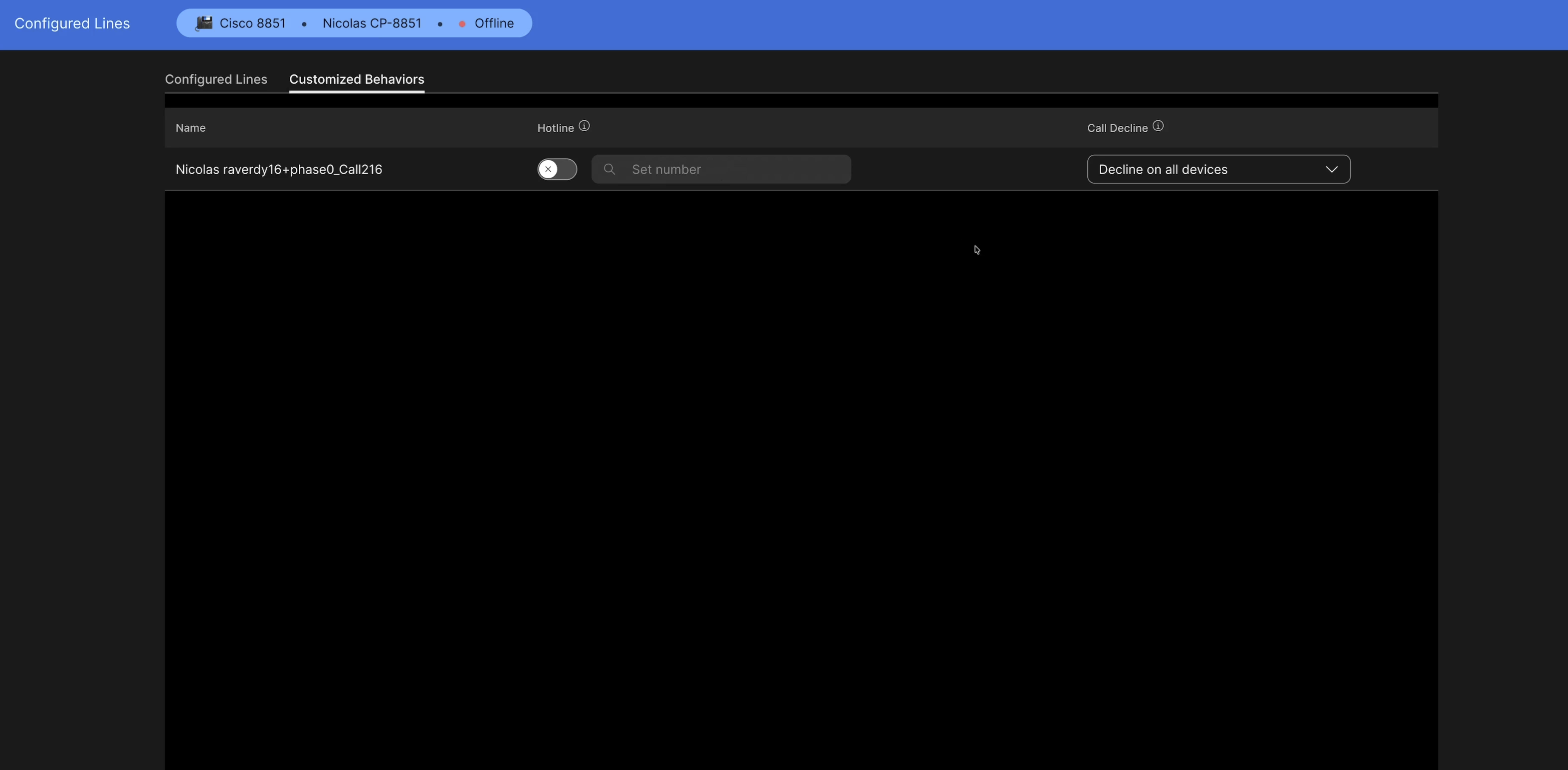
In the Customized Behaviors tab, toggle the hotline configuration. |
| 6 |
Enter the extension or phone number to dial automatically when the line goes off-hook. Set the destination to any number that you manually enter, or choose from the existing extensions and phone numbers. You can use extensions for destinations located in the same area as the device. Otherwise, specify the destination's full E.164 number or the Location Code with Extension to route calls properly.
|
| 7 |
Click Save. |
| 8 |
Click . |
Configure a hotline (PLAR) for third-party devices
The Private Line Automatic Ringdown (PLAR) feature, or Hotline, allows a device to automatically initiate a call to a pre-configured destination number immediately after the device goes off-hook, bypassing the need for manual dialing.
The PLAR feature is ideal for emergency phones, lobby kiosks, or simplified user interfaces where only a specific contact is reachable.
Pre-requisite- Verify that the specific model is listed in the Cisco Supported Devices List.
- Ensure to onboard the third-party devices in Control Hub using the Generic SIP or Third-Party device profile to receive the necessary configuration strings.
- Confirm the destination number that the device must call.
Follow these steps to configure a hotline for third-party devices:
| 1 |
Sign in to Control Hub. |
| 2 |
Go to Devices. |
| 3 |
Select the device to modify. |
| 4 |
Open the device line settings and locate the Hotline configuration field. |
| 5 |
Enter the extension or phone number to dial automatically when the line goes off-hook. Set the destination to any number that you manually enter, or choose from the existing extensions and phone numbers. You can use extensions for destinations located in the same area as the device. Otherwise, specify the destination's full E.164 number or the Location Code with Extension to route calls properly. |
| 6 |
Click Save, then apply the configuration changes. |
When a user answes the call either using the handset or the speakerphone button, the device sends an invite request to the configured destination.
If the device is set with a dial delay, then there is a grace period before the call is automatically placed.
What to do next
- Older firmware might not interpret the SIP header required for PLAR correctly.
- Control Hub changes might take several minutes to reach the device, depending on the device's local polling interval.
- Confirm whether Hotline restricts supplementary services such as Call Transfer and Hold.
- Confirm whether the device supports local extensions, full E.164 routing, or both.


