- Home
- /
- Article

Thanks for your feedback.

Allow users to change their profile fields for meetings
 In this article
 Feedback?
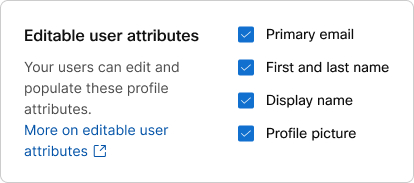
Are you concerned about unprofessional and inappropriate changes to user profiles? Administrators can allow or prevent Webex users who are not administrators from changing their primary email, first and last names, display names, and profile pictures.
Control Hub
If you sync your organization's users with Active Directory, then users can't change their profiles in Webex App. The controls for enabling users to edit their profiles are inactive in Control Hub.
If your organization has the custom attributes feature enabled, refer to this article on how to configure user editable profile fields.
| 1 |
Sign in to Control Hub. |
| 2 |
Go to . |
| 3 |
Click Edit user attributes and check the boxes for the profile fields you want users to be able to edit:
|
| 4 |
Click Save. |