Czy ten artykuł był pomocny?

Dziękujemy za opinię.
Webex App | Stop automatically connecting to a Webex device
 Opinia?
Your Webex App automatically connects with Board, Desk, and Room Series devices when you're near them. If your app keeps connecting to a device you don't want to use, simply turn off automatic connections.
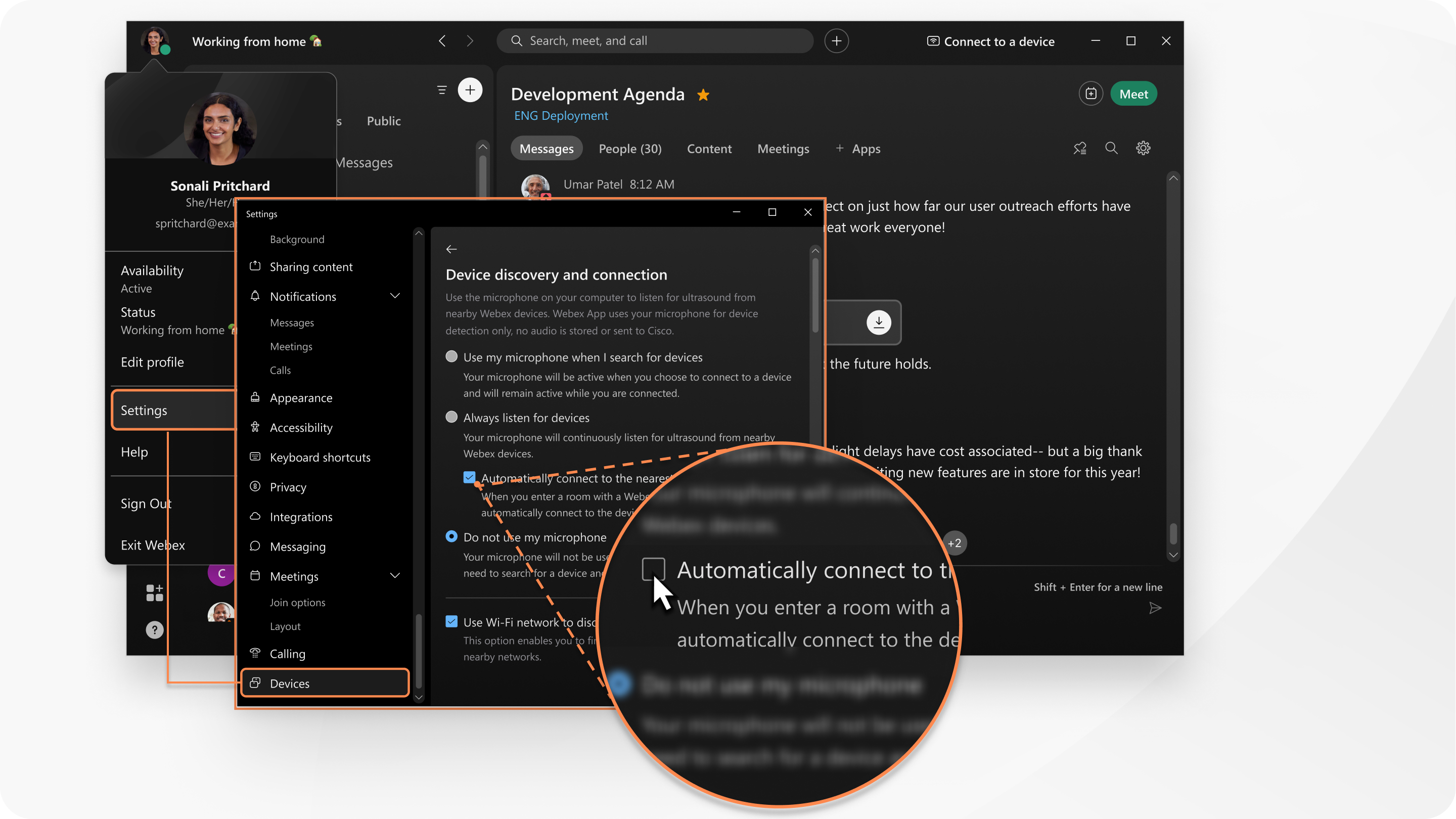
You can still manually connect to a Webex device.
|
Click Settings If you prefer, stop automatically connecting to a specific Webex device. If you recently connected to a Webex device, it's listed under My devices. Uncheck Automatically Connect next to the device that you want to stop automatically connecting to.
|

|
Open settings from your profile picture, tap Devices, and then toggle Automatically connect off. This will turn off automatic connections for all devices. |
Czy ten artykuł był pomocny?


