Thanks for your feedback.
 Feedback?
Follow the instructions below to install the Cisco Wireless Phone 9821 battery. Phone life and functions could be compromised if:
-
The battery is installed incorrectly.
-
The battery cover is not closed properly.
-
The IP54 gasket is poorly maintained or damaged.
The IP54 gasket is a sealing component on the inner edge of the battery compartment cover that is designed to meet the IP54 Ingress Protection standard, ensuring protection against limited dust ingress and water splashes from any direction.
-
The phone is frequently dropped on a hard surface.
| 1 |
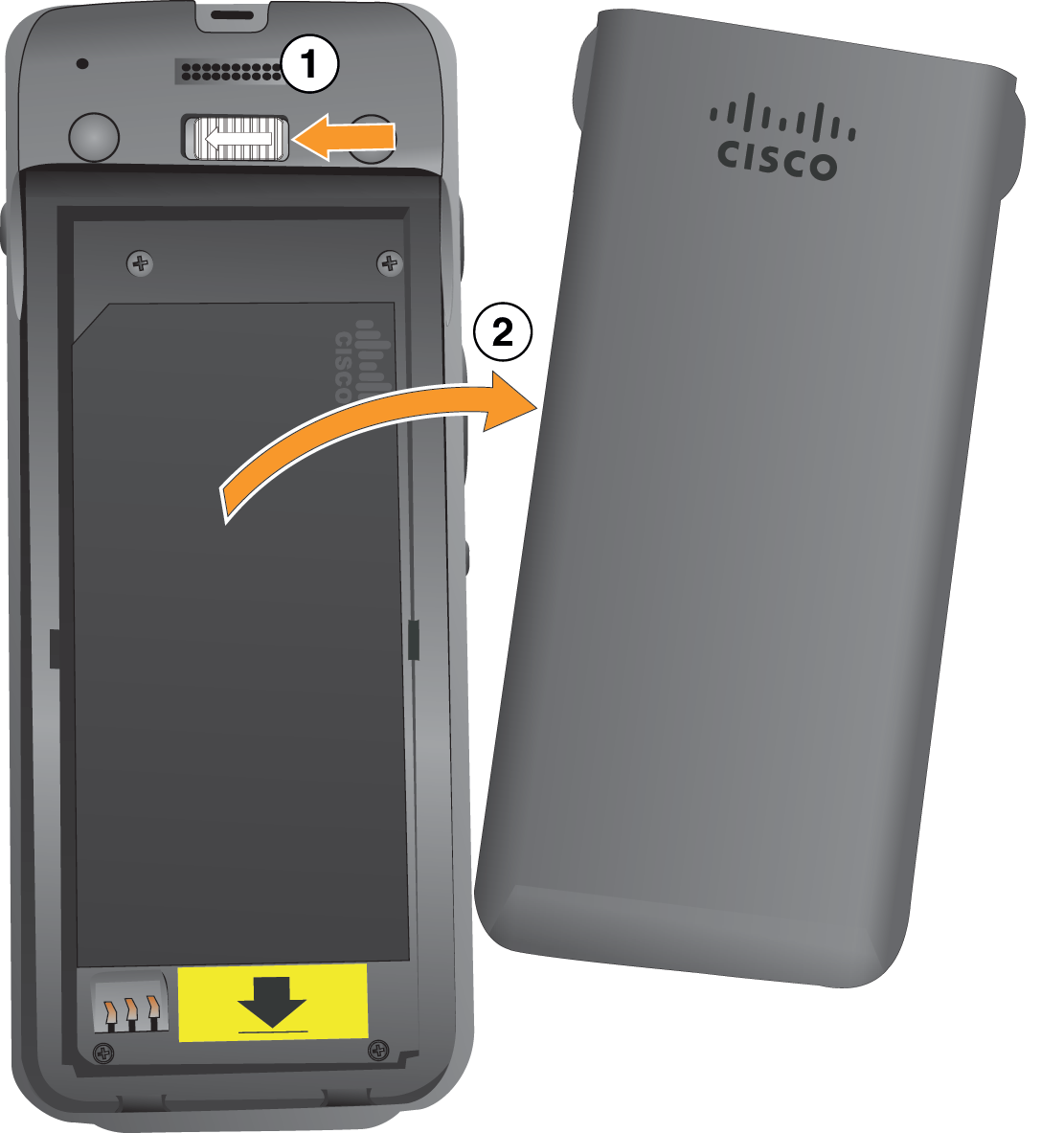
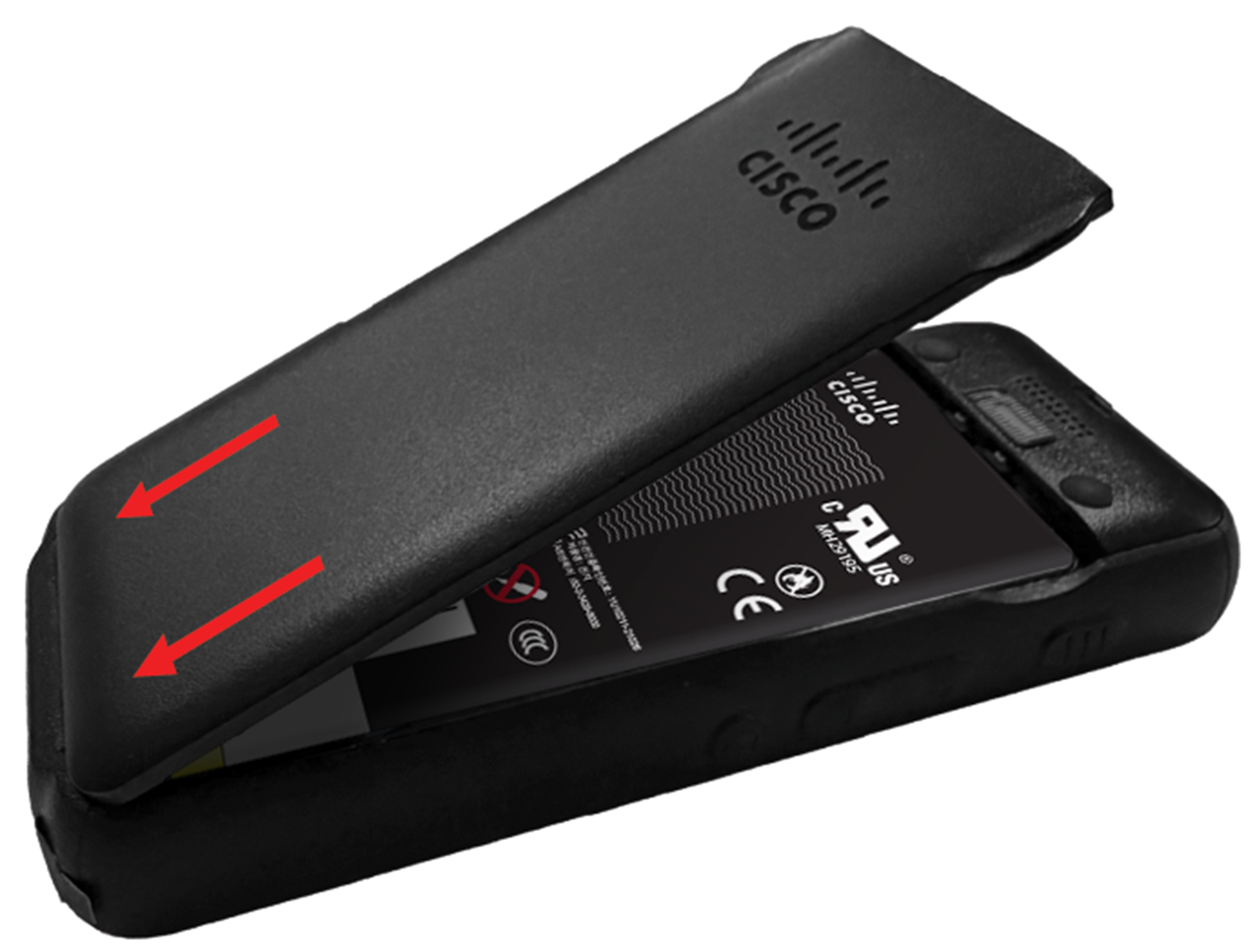
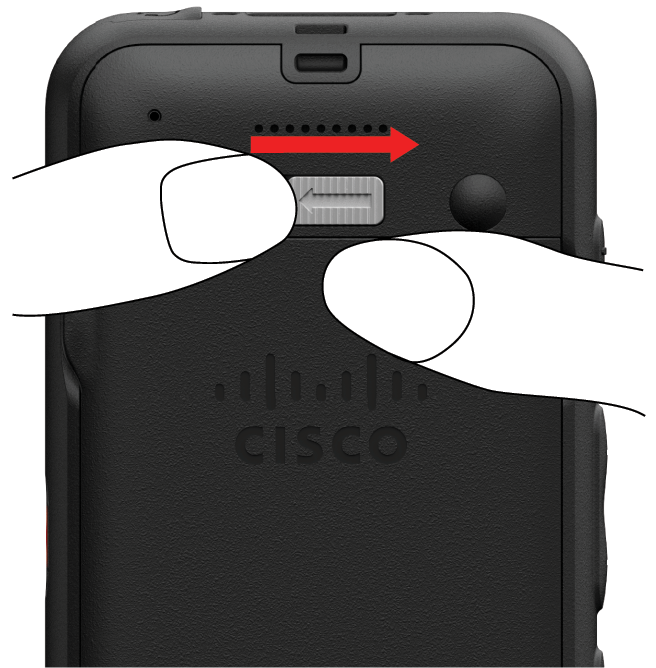
Remove the cover from the battery compartment. Your Cisco Wireless Phone 9821 is factory-sealed against dust and water. Ensure you are working in a clean, dry environment to maintain the phone's dust and water resistance. In addition, don't use tools to pry open the cover.
|
| 2 |
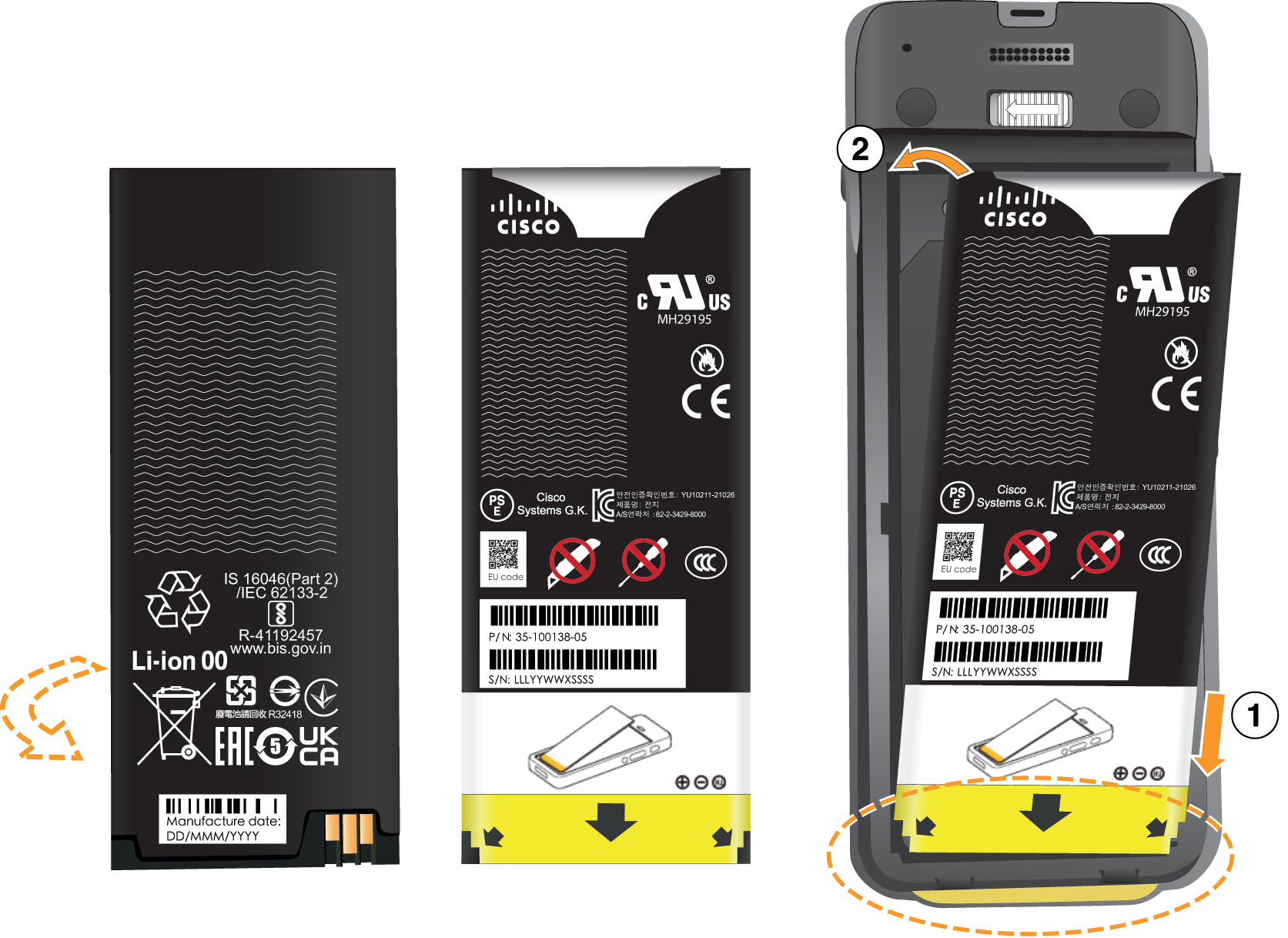
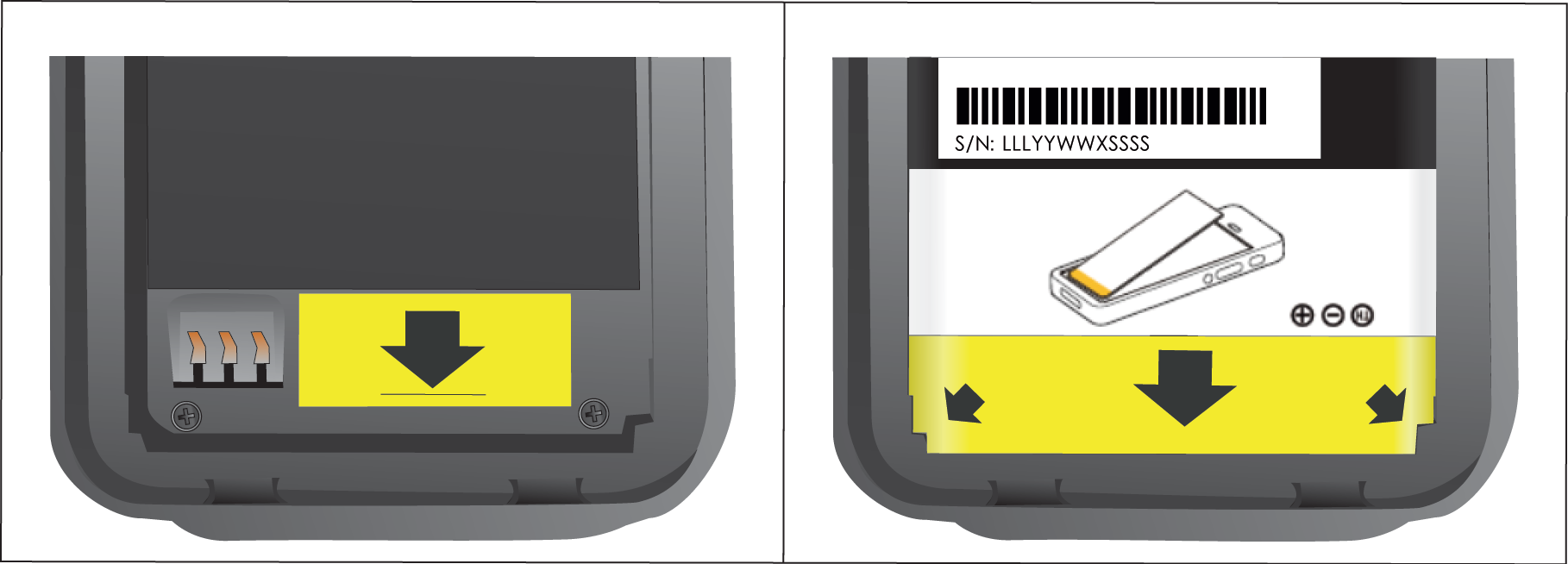
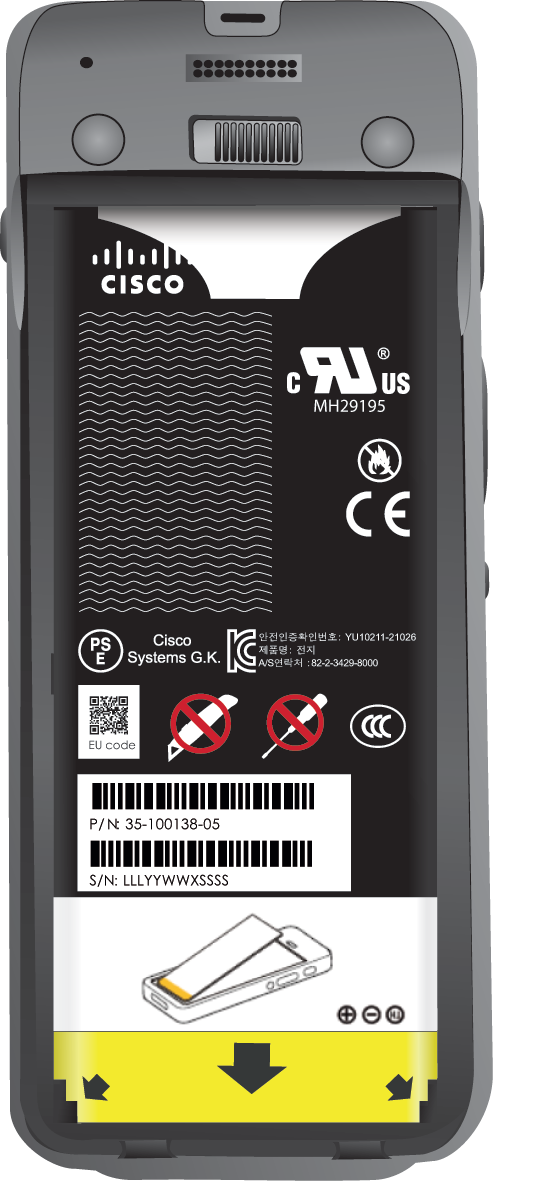
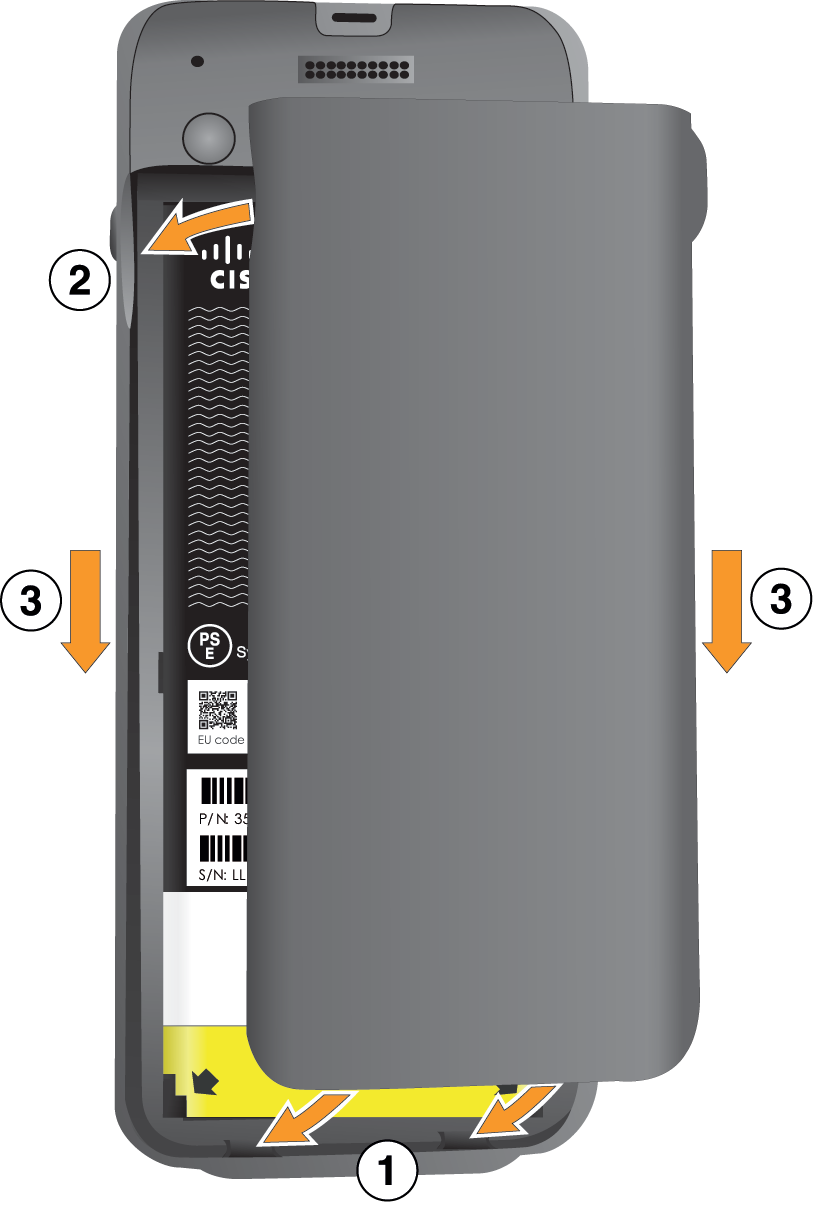
Install the battery.
|
| 3 |
The IP54 gasket on the battery cover ensures water and dust resistance. Inspect the IP54 gasket and, if necessary, clean it with a cloth dampened with water. Do not use oil-based or alcohol-based cleaners on the IP54 gasket. These cleaners will damage the IP54 gasket and void the phone warranty. |
| 4 |
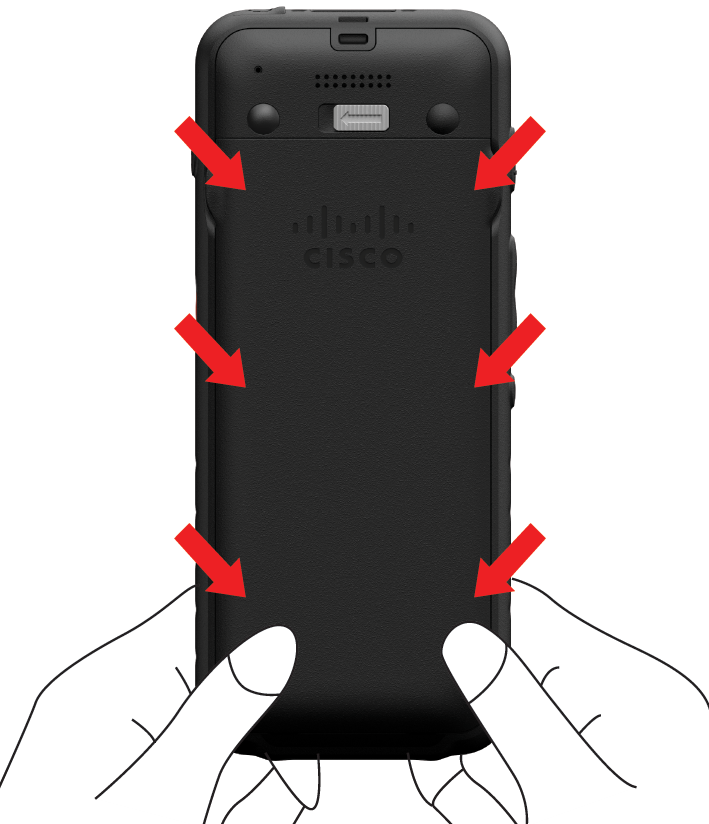
Replace the cover to the battery compartment. Make sure that it is completely closed. Otherwise dust and water can enter the battery compartment.
|