Install the Cisco Wireless Phone 9821 battery
list-menuFeedback?
This Help article provides step-by-step instructions for safely installing the battery in your Cisco Wireless Phone 9821.

Follow the instructions below to install the Cisco Wireless Phone 9821 battery. Phone life and functions could be compromised if:

  • The battery is installed incorrectly.

  • The battery cover is not closed properly.

  • The IP54 gasket is poorly maintained or damaged.

    The IP54 gasket is a sealing component on the inner edge of the battery compartment cover that is designed to meet the IP54 Ingress Protection standard, ensuring protection against limited dust ingress and water splashes from any direction.

  • The phone is frequently dropped on a hard surface.

1

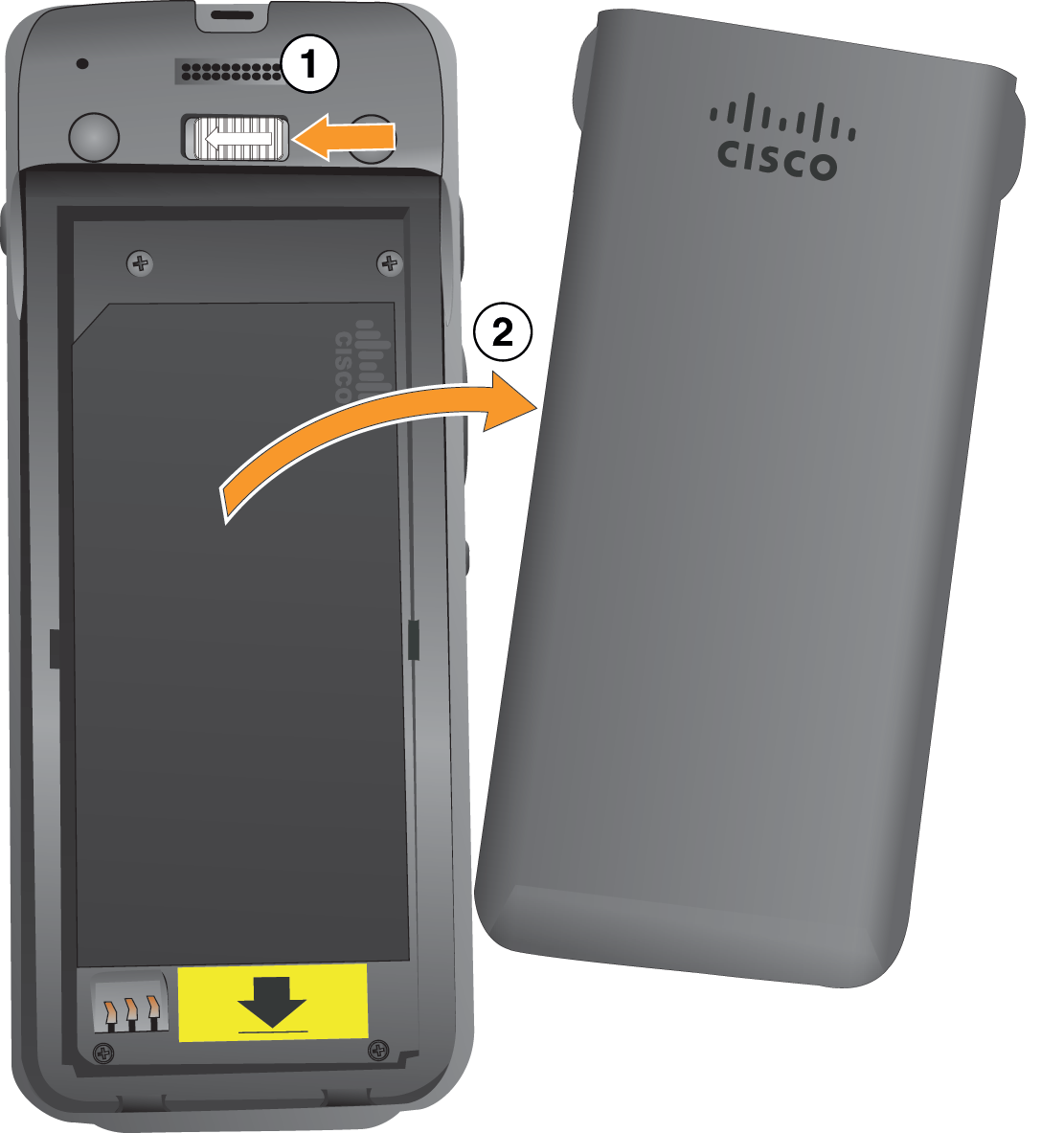
Remove the cover from the battery compartment.

Your Cisco Wireless Phone 9821 is factory-sealed against dust and water. Ensure you are working in a clean, dry environment to maintain the phone's dust and water resistance. In addition, don't use tools to pry open the cover.

graphical representation of the substeps

  1. Push and hold the locking catch to the left to release the cover.

  2. Use the tabs on the sides of the cover to lift the top of the cover and lift the cover up to unlock the bottom tabs.

2

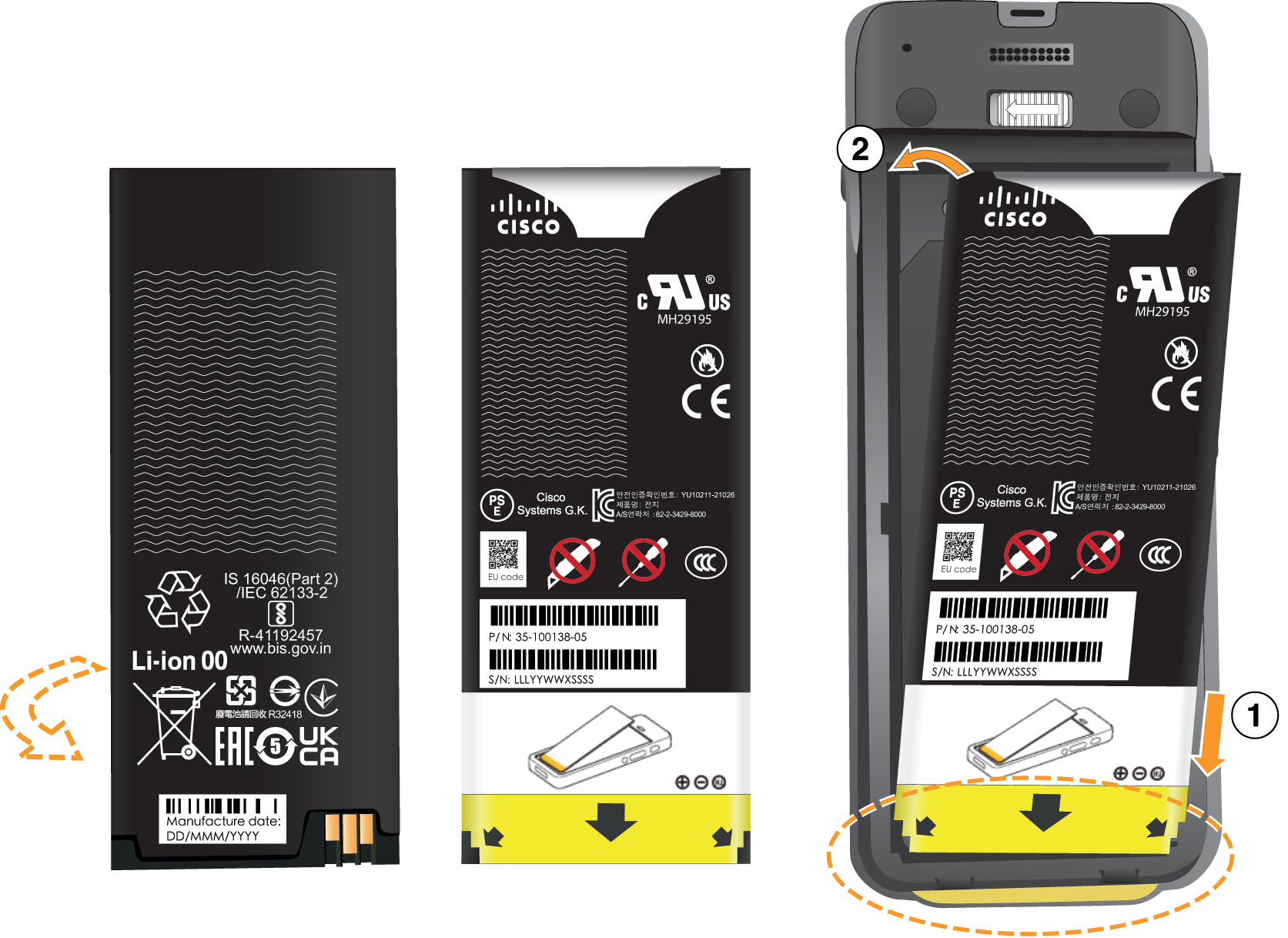
Install the battery.

graphical representation of the substeps

  1. Hold the battery so that the lower edge is close to the bottom of the compartment. Make sure that the metal contacts on the phone and battery face each other. On the battery, the Cisco logo must be near the locking catch and the arrow must point to the base of the phone.

  2. Slide the bottom of the battery under the tabs in the bottom of the battery compartment.

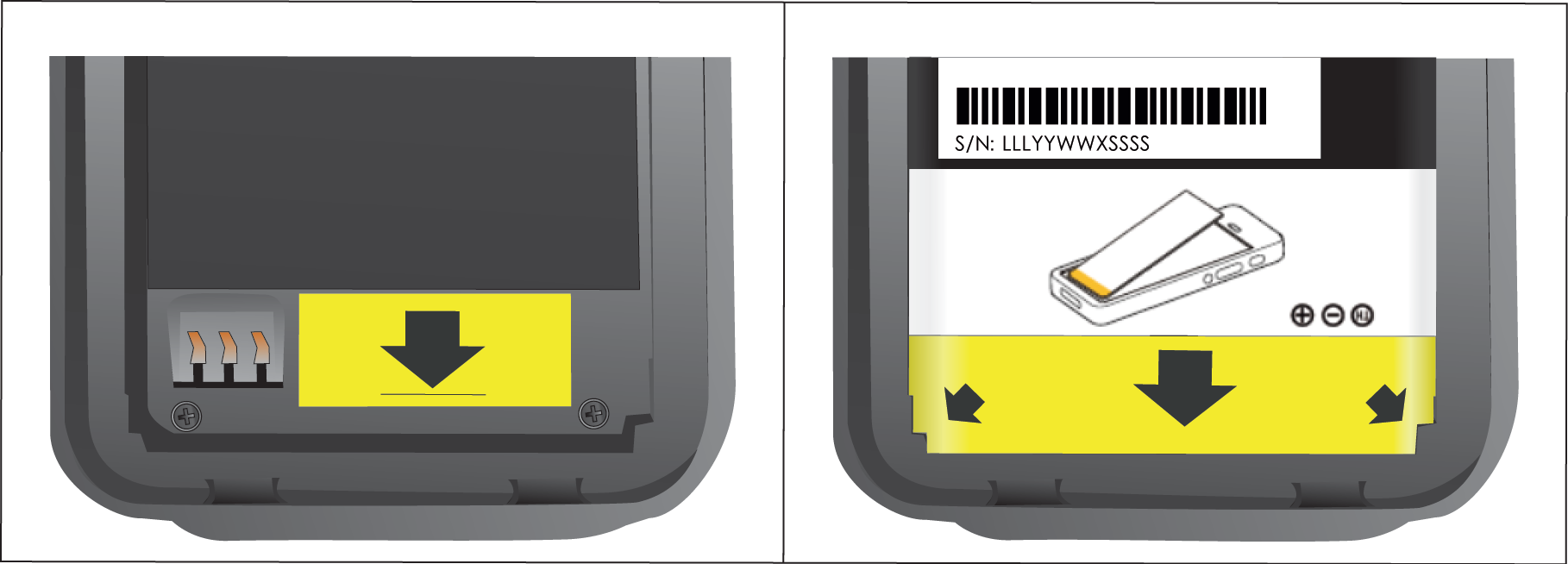
    The following graphic shows the battery compartment without and with the battery correctly installed.

    graphical representation of the substeps

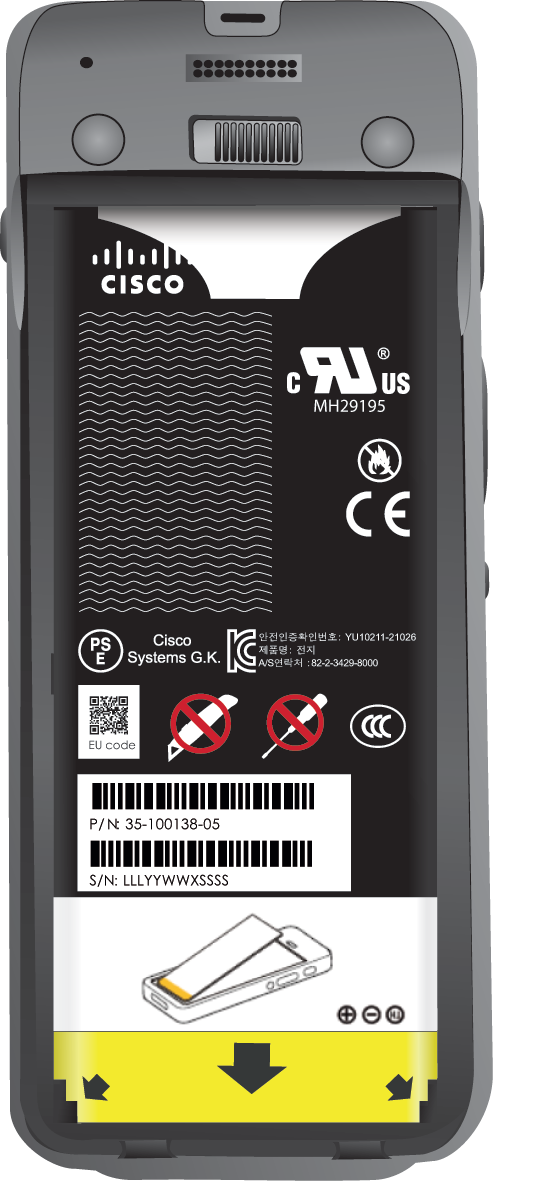
  3. Press the battery into the battery compartment until it is flat in the compartment.

    The following graphic shows a properly-installed battery.

    graphical representation of the substeps

3

The IP54 gasket on the battery cover ensures water and dust resistance. Inspect the IP54 gasket and, if necessary, clean it with a cloth dampened with water.

Do not use oil-based or alcohol-based cleaners on the IP54 gasket. These cleaners will damage the IP54 gasket and void the phone warranty.

4

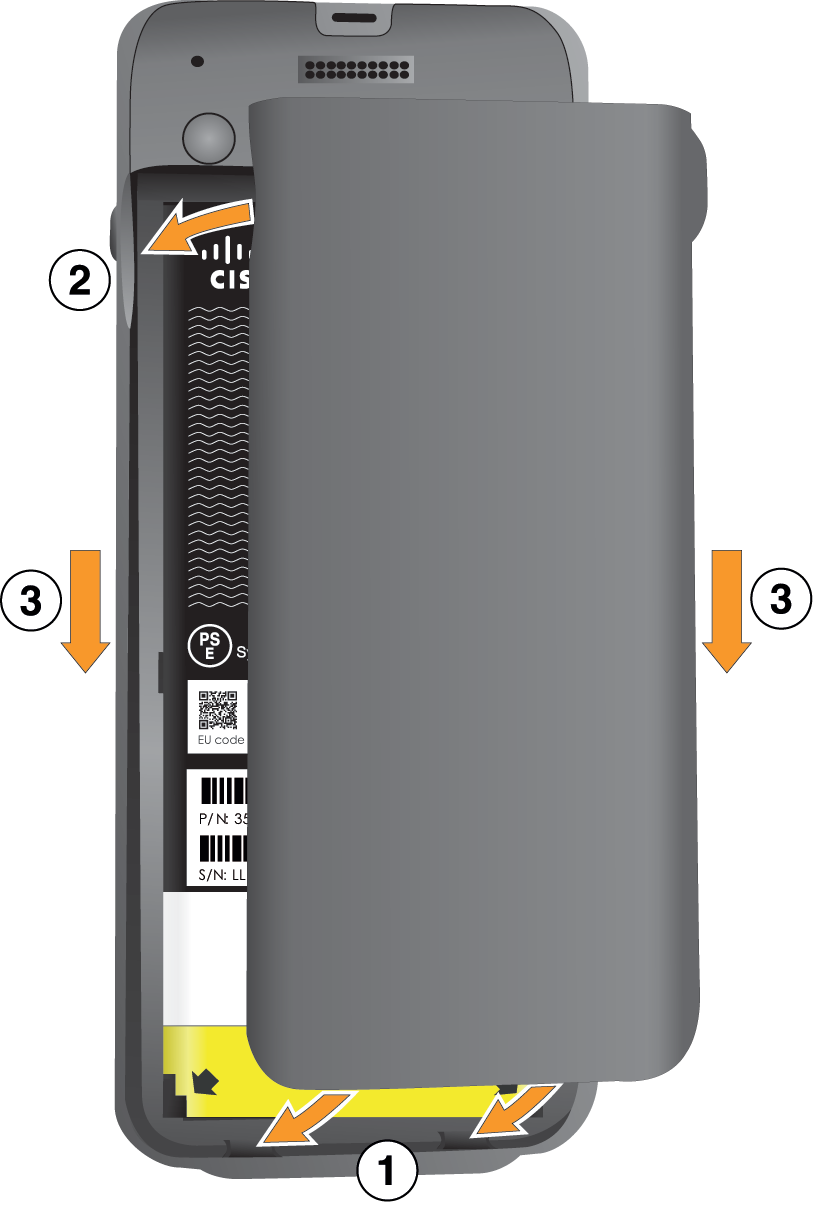
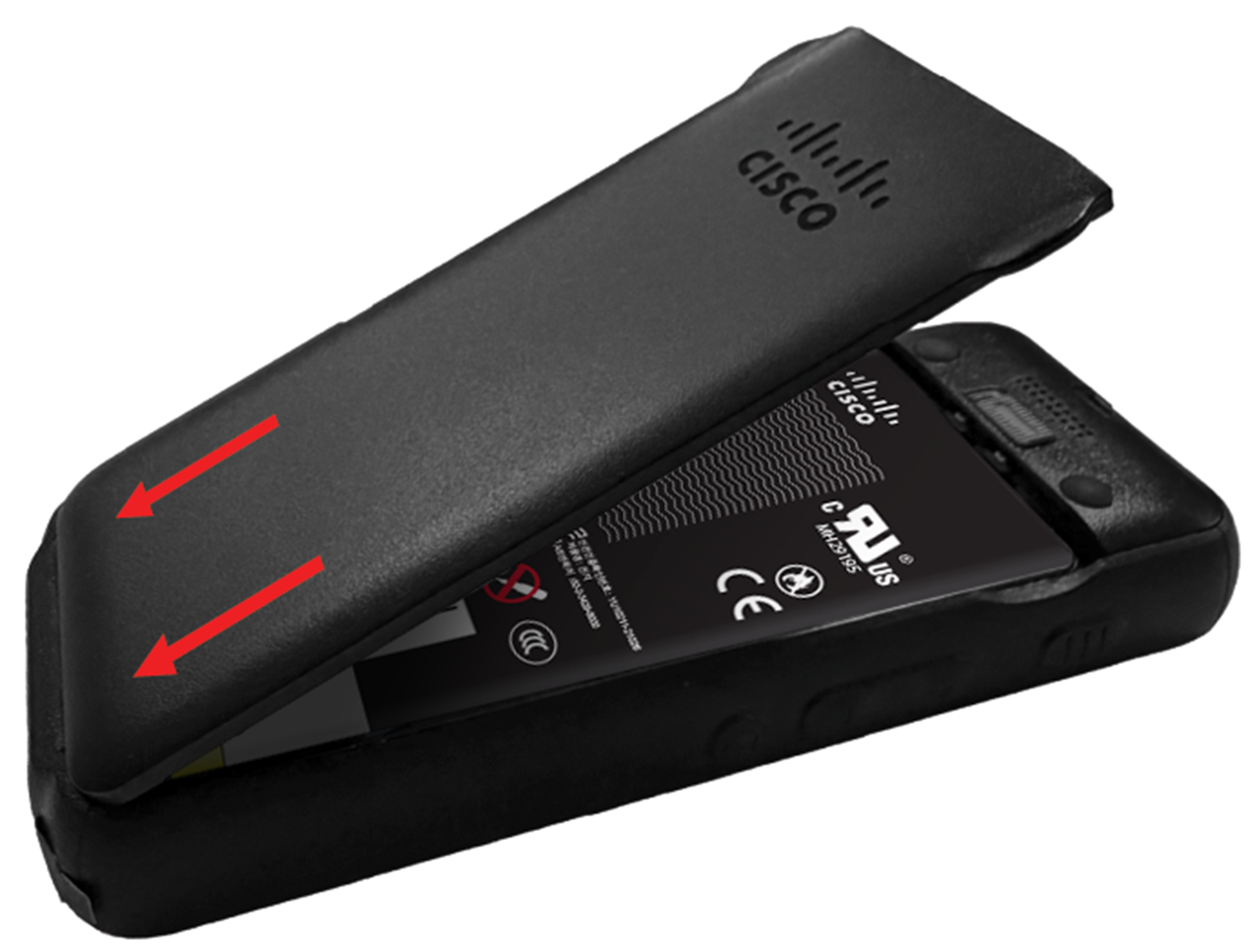
Replace the cover to the battery compartment. Make sure that it is completely closed. Otherwise dust and water can enter the battery compartment.

graphical representation of the substeps

  1. Align the tabs at the bottom of the cover into the notches on the phone.

    graphical representation of the substeps

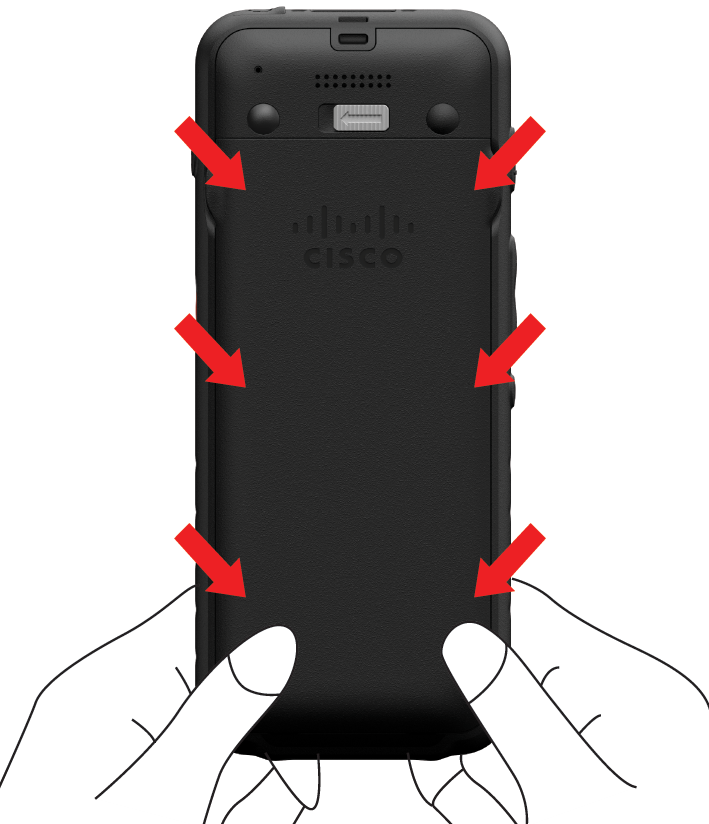
  2. Press the cover firmly against the phone until it clicks in place. Press at the top, middle, and bottom of the cover on each side.

    graphical representation of the substeps

    Do not force the cover. If it doesn't click into place easily, remove the cover and check that the battery is inserted correctly.

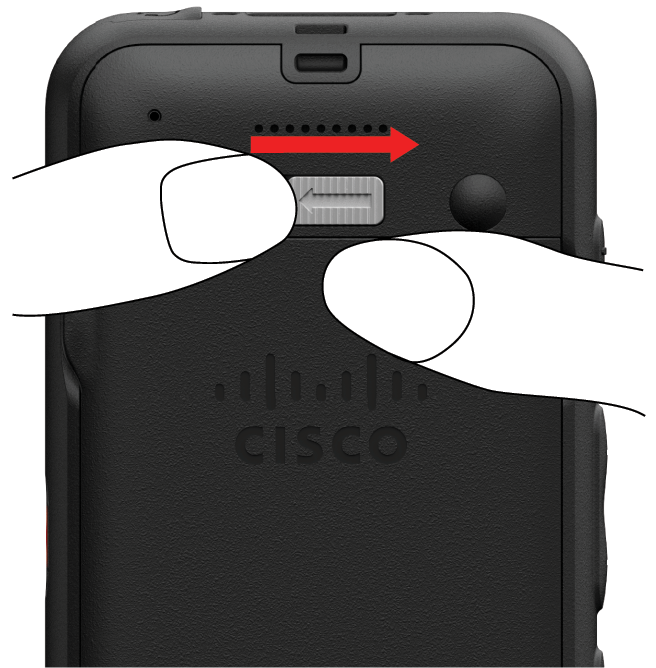
  3. Check that the cover is flush with the phone along all four sides of the cover, then slide the lock to the right to lock the cover in place.

    If the cover is not flush at the top, press the cover between the latch and the Cisco logo.

    graphical representation of the substeps

Was this article helpful?