- Home
- /
- Article

Thanks for your feedback.

 In this article
 Feedback?
This Help article provides step-by-step instructions for safely replacing the battery in your Cisco Wireless Phone 9821.
Follow the instructions below to replace a depleted battery with a charged battery. Phone life and functions could be compromised if:
-
The battery is installed incorrectly.
-
The battery cover is not closed properly.
-
The IP54 gasket is poorly maintained or damaged.
The IP54 gasket is a sealing component on the inner edge of the battery compartment cover that is designed to meet the IP54 Ingress Protection standard, ensuring protection against limited dust ingress and water splashes from any direction.
-
The phone is frequently dropped on a hard surface.
-
The expected lifecycle for a battery is two years. Based on the average usage, this corresponds to approximately 500 charges. You can check the date printed on the battery to calculate the age of the battery. We recommend you to replace the battery when it reaches its end of life.
-
Dirt, oil, alcohol, or other products can damage the IP54 gasket on the battery compartment cover, resulting in a poor seal. Every time you change the battery, inspect the gasket for damage. If the gasket is damaged, you can order a replacement cover.
-
Check the battery and battery compartment for physical signs of damage before you replace your battery. Don't use a damaged battery in your phone. Properly dispose of the damaged battery and use a new one.
| 1 |
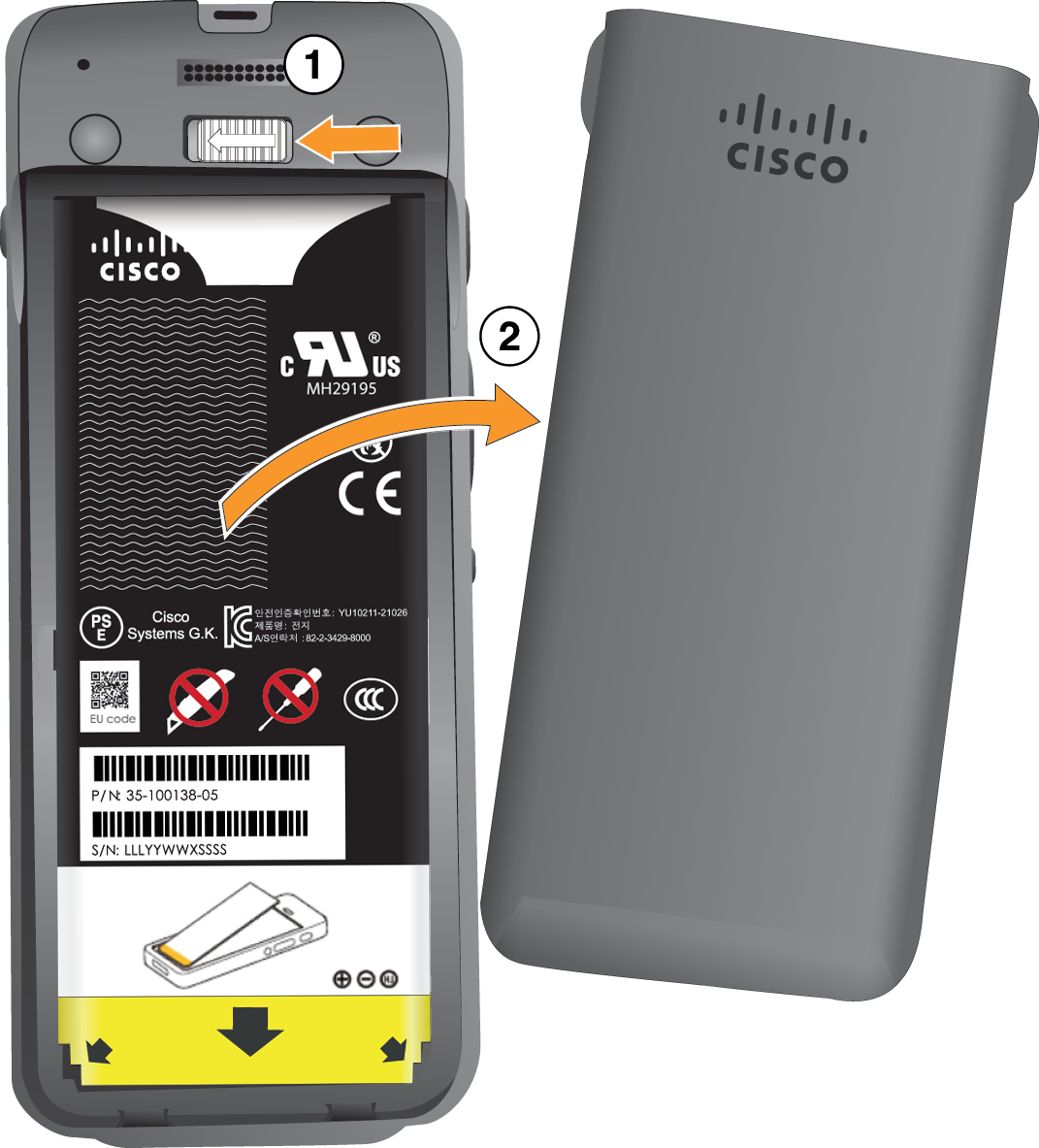
Remove the cover from the battery compartment. Your Cisco Wireless Phone 9821 is factory-sealed against dust and water. Ensure you are working in a clean, dry environment to maintain the phone's dust and water resistance. In addition, don't use tools to pry open the cover.
|
| 2 |
Do one of these actions:
|
| 3 |
Refer to Install the Cisco Wireless Phone 9821 battery for detailed instructions about how to install a new battery. |
Identify damaged battery
Inspect the battery for physical damage, such as swelling, bending, or broken end caps. If any of these signs are present, discontinue use of the battery immediately.
-
Swollen battery
-
The battery doesn't sit flat on a table. It may rock if you touch the corners.
-
The installed battery is not flat in the battery compartment.
-
The back cover won't completely close (especially in the middle of the door)
-
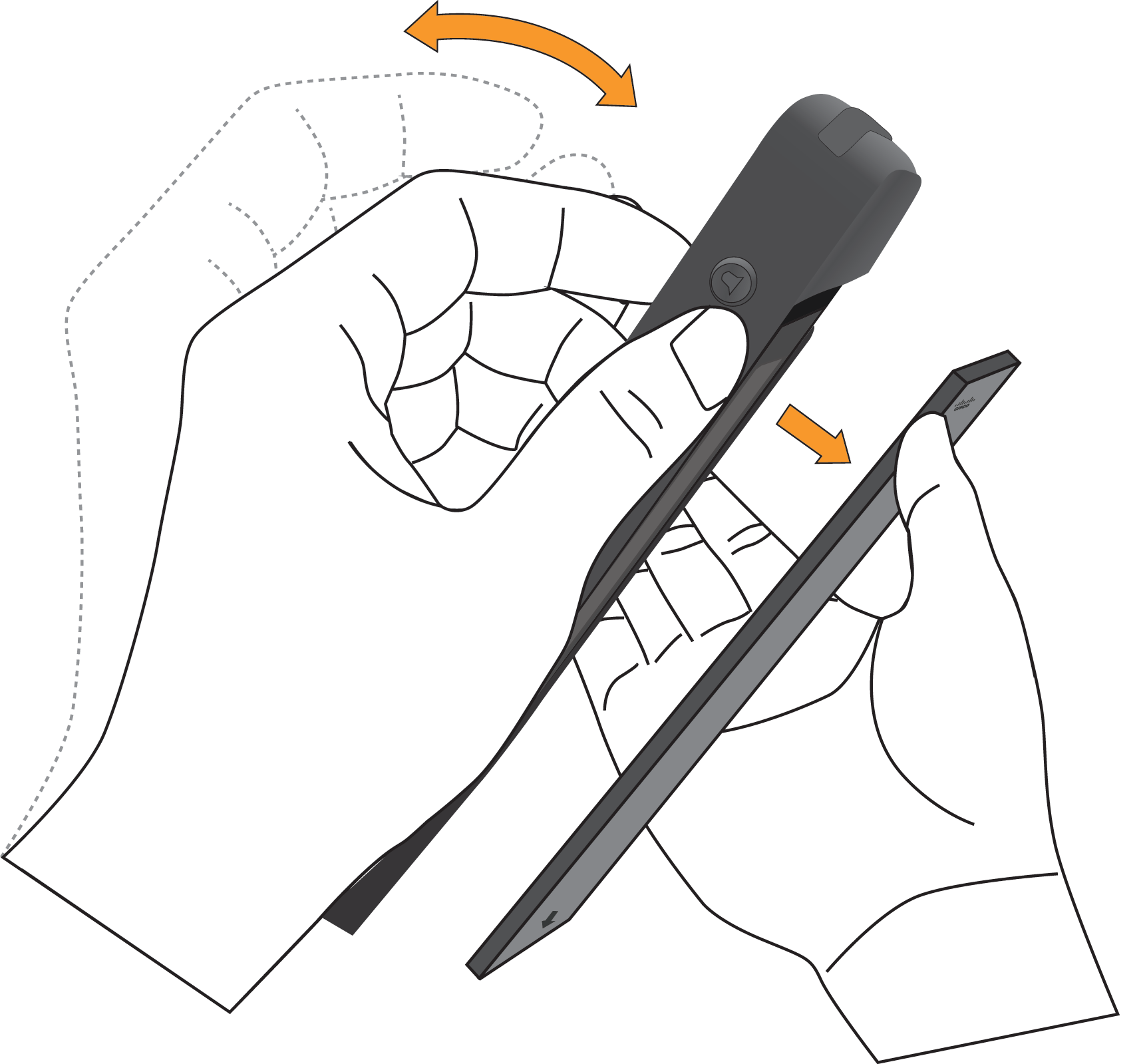
The battery doesn't fall out of the battery compartment when you try to remove it. You may think that you need to pry the battery out of the compartment.
The battery may swell along the length or width, which makes the battery hard to remove. Don't use tools to pry open the battery door or remove the battery out of the compartment.
-
-
Bent battery
The battery doesn't sit flat on a table. It may rock if you touch the corners.
-
End caps are broken or damaged
The plastic caps at the ends of the battery aren't properly attached.


