Was this article helpful?

Thanks for your feedback.
Configure speed dial in User Hub
 Feedback?
Speed dials allow you to have your most important contacts readily available for dialing. You can configure speed dial in User Hub.
Speed dials offer one-key access to contacts through the phone or Key Expansion Module (KEMs). This feature is only supported on devices that display speed dials on line keys configured as Open. Appearance may vary by phone model.
| 1 |
Sign in to User Hub. |
| 2 |
Go to . |
| 3 |
In Speed Dial section, click Add speed dial. 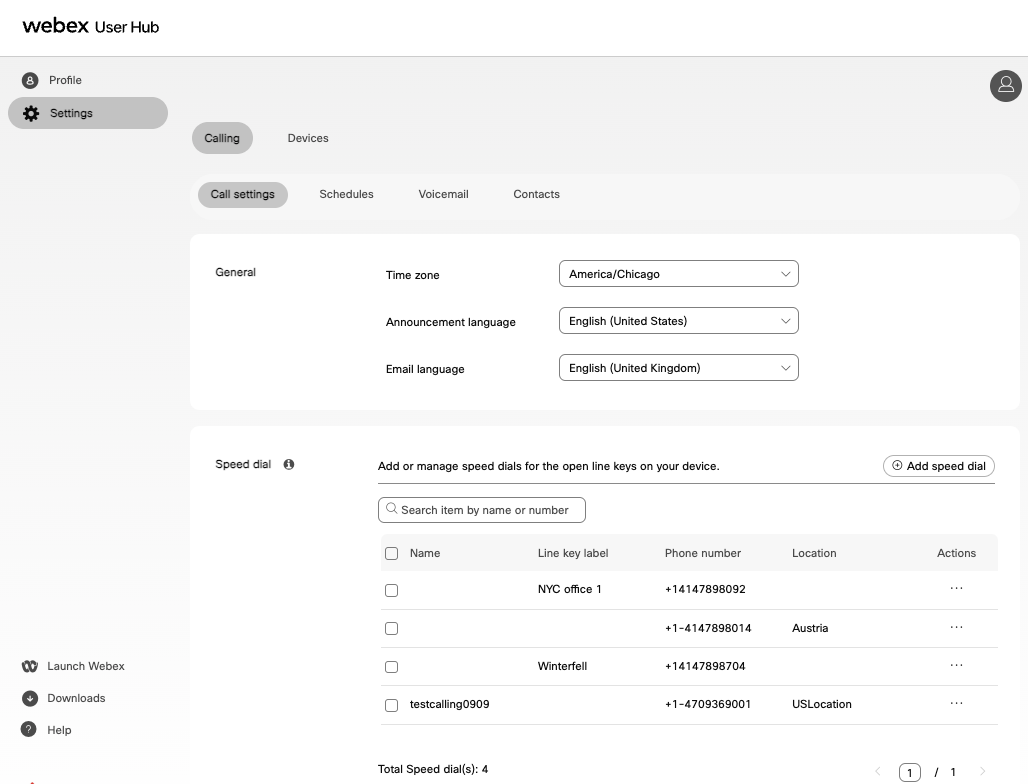
|
| 4 |
Add a speed dial by choosing the following options:
|
| 5 |
If you have selected Organization directory, perform the following steps: 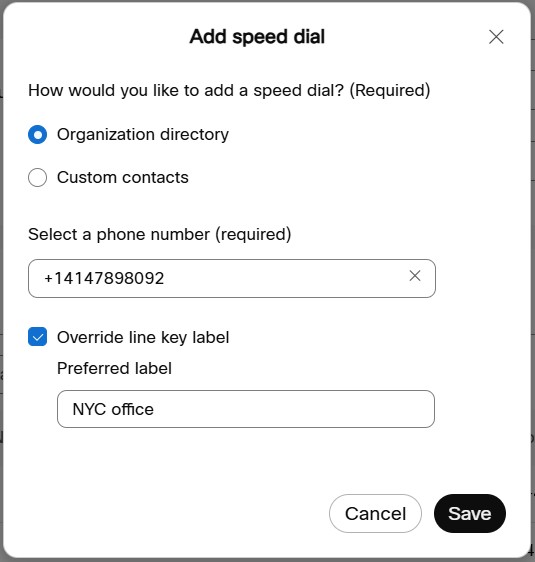
|
| 6 |
If you have selected Custom contact, perform the following steps: 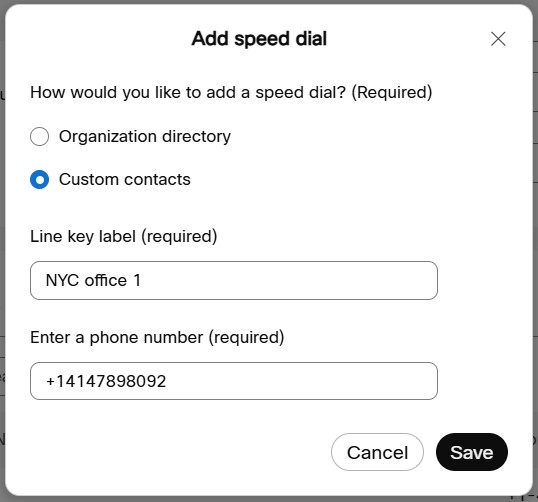
|
| 7 |
Click Save. 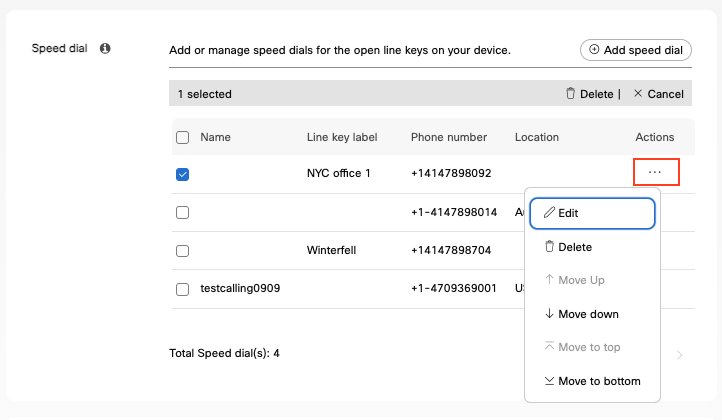
A speed dial is created. From Actions ellipses icon you
can edit, delete, or reorder the speed dials. The updates will show on the open lines on
the phone within seconds.
|
Was this article helpful?


