April 15, 2026 | 5678 view(s) | 10 people thought this was helpful
Handle your manager's calls in Webex App
Feedback?
If your administrator has set you up as an assistant with the Executive Assistant feature (also known as Boss-Admin), you can make and answer calls on your manager's behalf. If you have more than one manager, you can select the appropriate line when making a call.
Choose one of the following options:
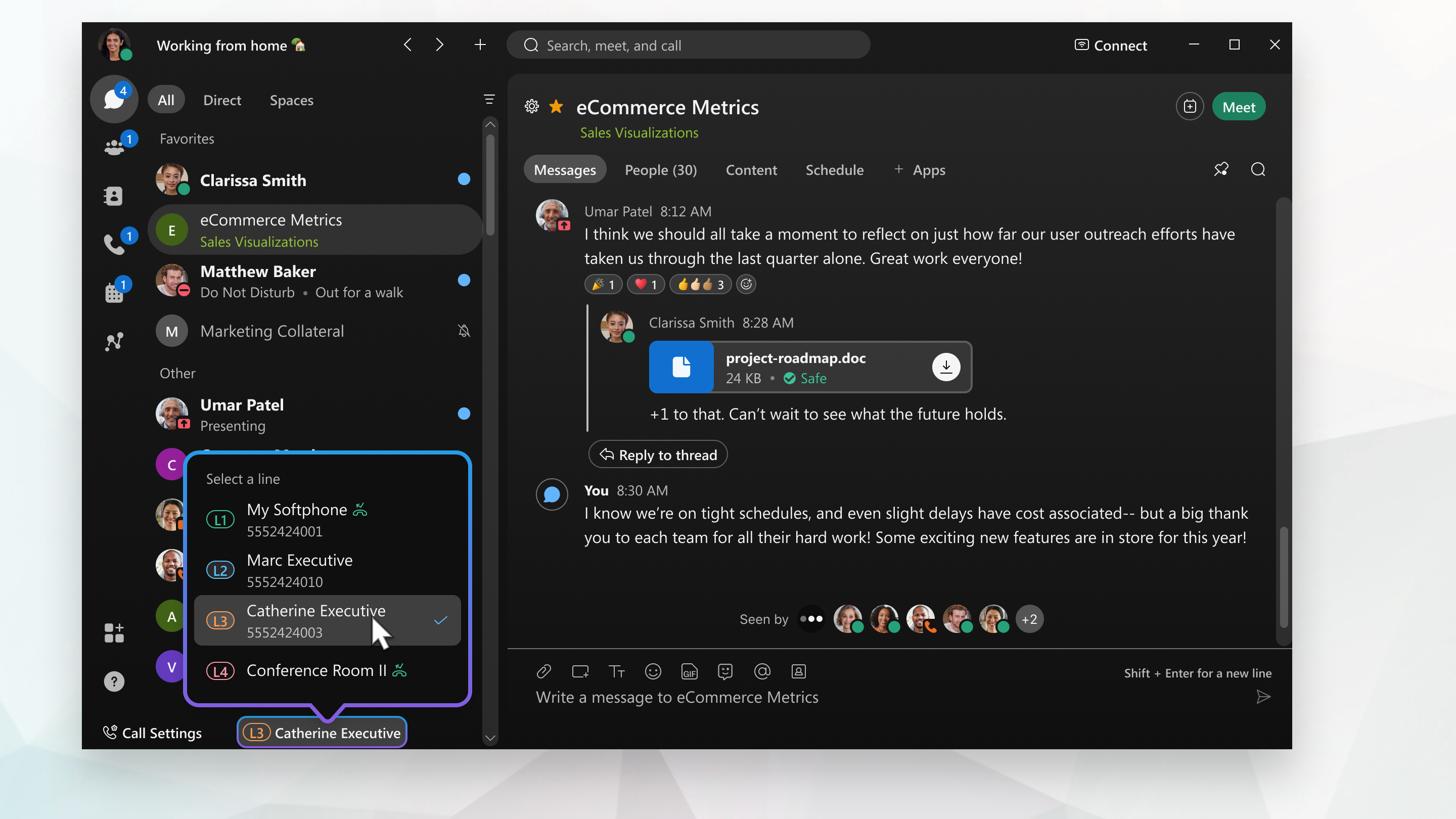
Make a call—Go to your active line , choose your manager's line from the list, and then proceed with a video or audio call. The lines are easily identifiable by the associated phone numbers and descriptions.
After you make your selection, every outgoing call you make uses your new active line. You can change the active line again at any time.
The call is made using your manager's caller ID.
Answer a call—When you have an incoming call, the notification includes a description that lets you know the call is intended for your manager. You can choose whether to answer or decline that call. After you answer the call, you can handle the call the same way you'd handle any other call. For example, you can make it a conference call, screen the call and then, if appropriate, transfer the call to your manager.

 Feedback?


 , choose your manager's line from the list, and then proceed with a video or audio call. The lines are easily identifiable by the associated phone numbers and descriptions.