
Migrate from Unified CM to Webex Calling
Migrate Unified CM settings to Webex Calling for a better user experience and to leverage enterprise-grade Cisco Webex cloud calling, mobility, and messaging.

Prepare
Collect key information for migration


Plan
Create a detailed migration strategy

Design
Define migration steps and configurations

Implement
Carry out the migration tasks

Optimize
Monitor post-migration performance
Migration process overview
A high-level overview of your migration journey, with quick links to access detailed documentation.
STEP 1:
Prepare
Define your business goals and align with technical objectives, such as network requirements, license requirements and more.
Understand Webex Calling solution

Understand PPDIO methodology for migration
Know your business and technical requirement
Understand network requirements checklist
Set up Cloud Connected UC
Assess your current environment
STEP 2:
Plan
Review the current environment and define scope for the transition project based on future requirements for your organization.
Define your migration journey
Understand and plan user migration
Understand and plan device firmware migration
Understand and plan Jabber user migration
STEP 3:
Design
Design the Webex Calling environment, document the high- and low-level requirements specifications, and plan for contingency.
Identify the data center
Provision the locations
Define the dial plan
Understand license requirement
Provision users
Understand SSO authentication
STEP 4:
Implement
Execute the migration plan, performing necessary configuration changes, application migrations, and connectivity validations.
Check network and security readiness
Setup SSO and licenses
Configure PSTN and locations
Configure calling services and features
Validate calling configurations
STEP 5:
Optimize
Monitor the post-migration environment, validate performance, and make adjustments to ensure operational stability and efficiency.
Optimize PSTN configuration
Decommission and optimize on-premises infrastructure
Monitor, analyze, and optimize service performance

Download Migration Guide
Transitioning from Unified CM to Webex Calling: Deployment Guide
Migration tools
Powerful Certified 3rd Party and Webex Tools to help simplify the migration process and improve successful outcomes

Webex Migration Tools
Access self-service tools and utilities in Control Hub to streamline your migration.
Migration insights
Devices and features from UCM to Webex Calling
User/Contact synchronization utility
Unified CM data to Webex Calling
Enterprise Phones to MPP firmware
Jabber to Webex app

Certified Migration Providers
Partner with a Certified Migration Provider for Webex Calling to simplify and accelerate cloud migrations.
Akkadian labs
MIT tech
Tuki
Kurmi
Nuwave
Video resources


Control Hub Migration Tools - An Overview
An overview of the Control Hub Migration Tools (focusing more on the tools related to CUCM to Webex Calling cases)
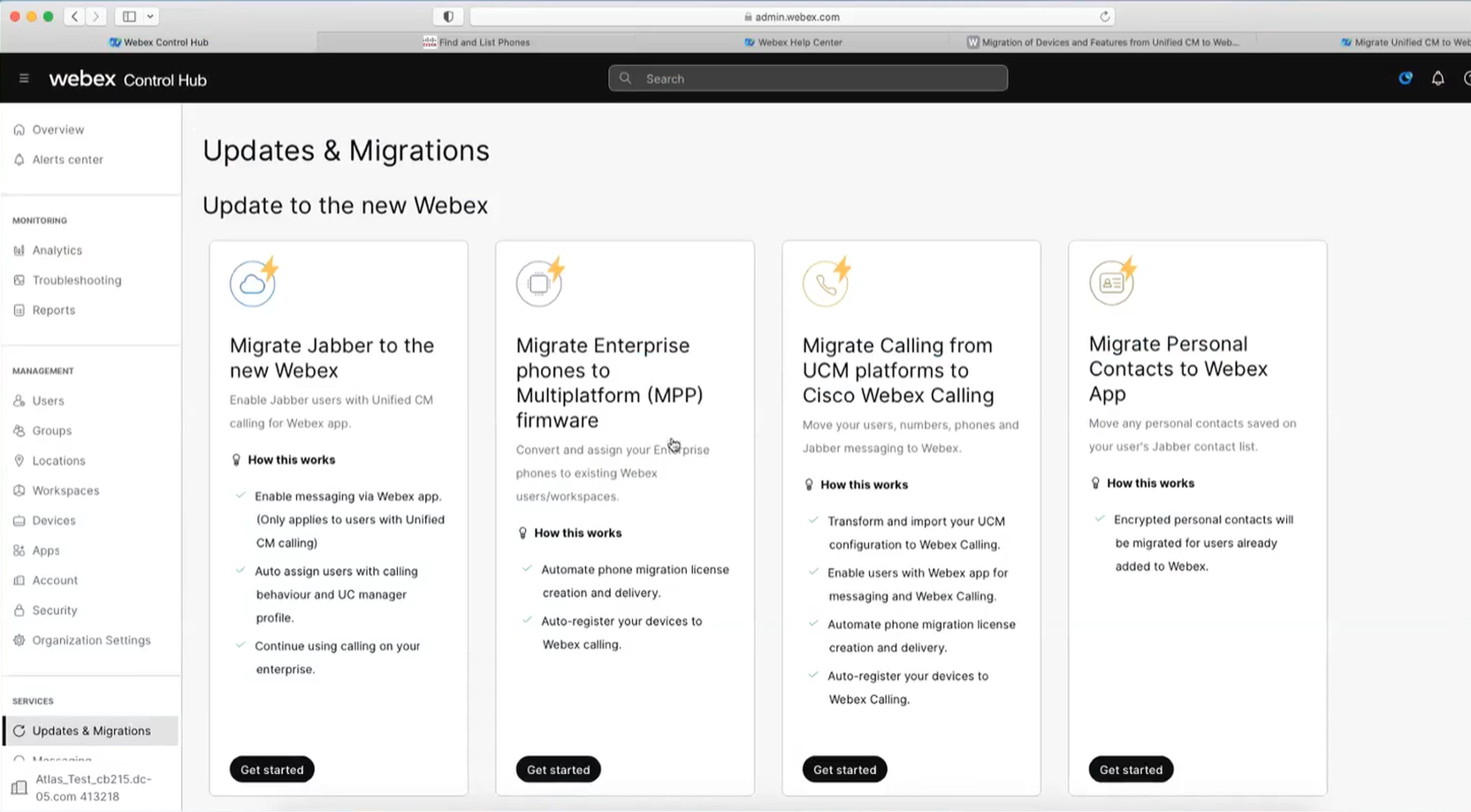
Migrate UCM Calling Platforms to Webex Calling: Part 1 of 2
The steps involved in migrating Users, Workplaces, Numbers and Phones from UCM into a new Webex Calling configuration.
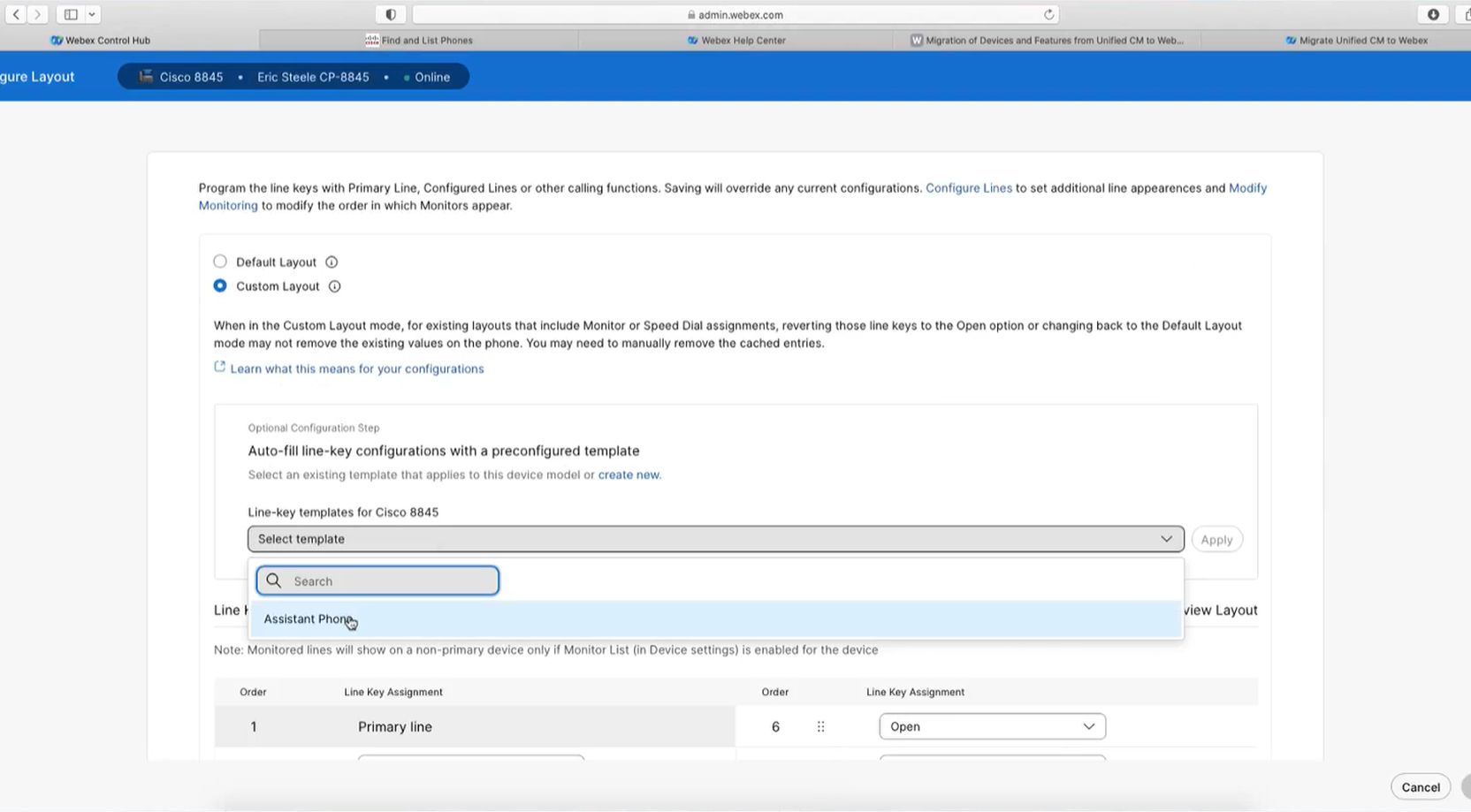
Migrate UCM Features to Webex Calling: Part 2 of 2
The steps involved in migrating the phone shared lines and speed dial configurations from UCM into the new Webex Calling configuration.

Additional Resources

Collaboration Transitions
A guide to moving from on-premises solutions to Cisco cloud-delivered collaboration services

Community
Connect with a community of experts to discover best practices and find solutions.

Webex for developers
APIs and tools to customize and automate Webex Calling during migration and beyond.

Webex Status
Check for any service outages impacting your Webex Calling migration.
How would you rate your experience on this page?


Unhelpful
Helpful
How could we make this page more useful for you?
Thanks for your feedback.


