
Thanks for your feedback.
 Feedback?
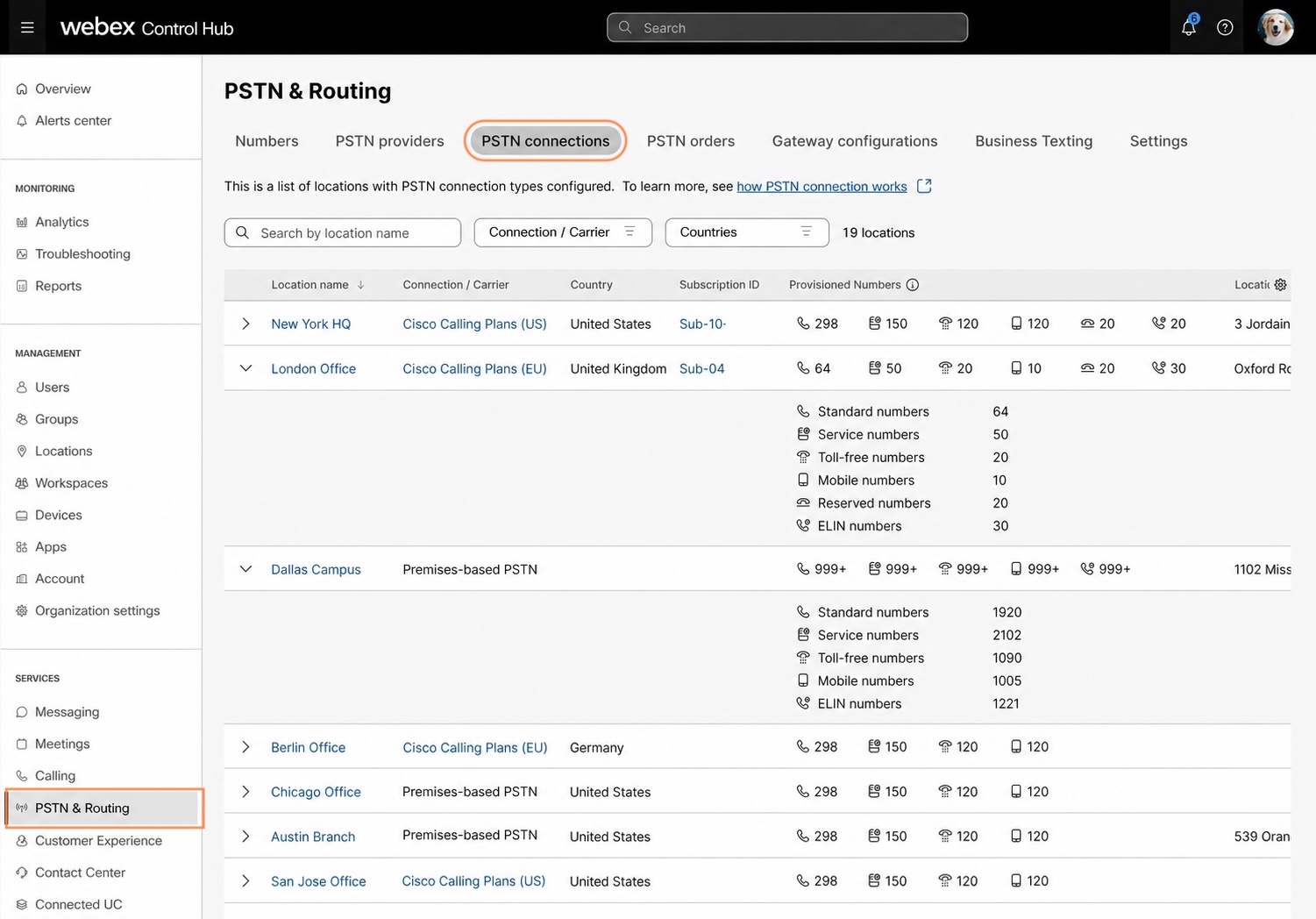
The PSTN connections page provides a centralized view of PSTN setup across all locations. It helps you quickly review how each location connects to PSTN, check provisioned number counts, view the associated Emergency Service Address (ESA), and identify the subscription tied to Cisco Calling Plans PSTN connections when available. Location-specific PSTN alerts and pending actions appear on the PSTN connections page, while order-specific alerts remain on the PSTN orders page. This separation helps you review PSTN status across an organization faster and take action from the right place.
| 1 |
Sign in to Control Hub. |
| 2 |
Go to . The page shows the following PSTN connection details:
You can expand a row to view more about the connection details.
You can search by location name or location ID, filter by connection type, country, and subscription ID, and sort supported columns to organize the list for review. You can click the |
 icon in the table header to customize the table view. In addition to the default Location name column, you can choose to show columns such as Country, Subscription ID, Provisioned Numbers, and Location ESA.


