Waarmee kunnen we u van dienst zijn?

Probeert u deel te nemen aan een vergadering?

Van Unified CM naar Webex Calling migreren
Migreer naadloos naar het cloudplatform op enterprise-niveau van Webex Calling met onze uitgebreide handleiding.
Migreer naadloos naar het cloudplatform op enterprise-niveau van Webex Calling met onze uitgebreide handleiding.

Aan de slag
Alles wat u moet weten om aan de slag te gaan met Webex.


Hulp bij product
Krijg hulp speciaal voor elk van onze vele producten.

Beheer
Webex-beheer in Control Hub en Partnerhub.

Webex AI
Het meest geavanceerde platform met generatieve AI voor hybride werken en klantervaring.


Nieuw
Ontdek wat er nieuw is in Webex. Krijg meer informatie over nieuwe functies, problemen, oplossingen en andere updates.

Populaire artikelen
Aanmeldingsproblemen met Webex


Webex Suite
Lokale gateway configureren in Cisco IOS XE voor Webex Calling

Calling
Poortreferentiegegevens voor Webex Calling
Calling
Virtuele achtergronden gebruiken in Webex Meetings en Webex Webinars
Webex Suite
Flows samenstellen en beheren met Flow Designer

Klantervaring
Beheerhandleiding Webex AI Agent Studio
Klantervaring
Verbinding maken met een Webex-app-apparaat

Apparaten

Videoresources


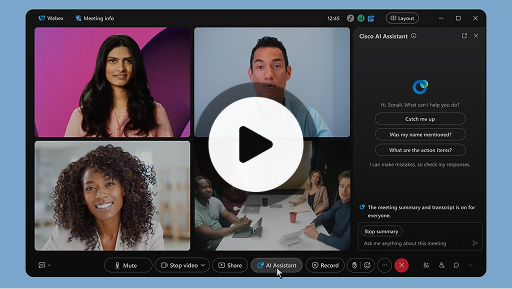
Cisco AIassistent in vergaderingen
Webex Suite
Soms kunt u pas later deelnemen aan een vergadering, moet u even weg of bent u aan het multitasken en raakt u afgeleid. Met de vergaderingsoverzichten van de AI-assistent kunt u nu snel achterhalen wat u hebt gemist, begrijpen wat er wordt besproken, vragen stellen zonder de vergadering te verstoren en bij blijven met het gesprek. U kunt ook overzichten en transcripties na de vergadering ontvangen. Hiervoor hoeft u niets op te nemen.
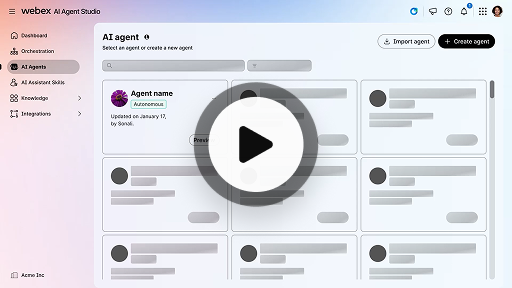
Een automatische AI-operator maken
Klantervaring
Automatische AI-operators werken onafhankelijk, zonder menselijke tussenkomst. Automatische operators hebben toegang tot en gebruiken een kennisdatabase om informatieve en nauwkeurige antwoorden te bieden op gebruikersvragen. Deze operators gebruiken geavanceerde algoritmen en machine learning-technieken om gegevens te analyseren, te leren van hun omgeving en hun acties aan te passen om specifieke doelen te bereiken.
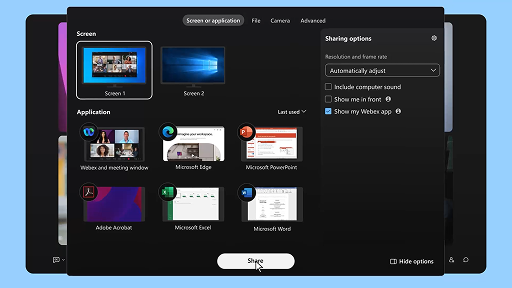
Inhoud delen in een vergadering
Webex Suite
Wanneer u inhoud deelt in de Webex-app, kan iedereen in de vergadering eenvoudig zien wat er wordt besproken. Iedereen kan inhoud delen, maar er kan slechts één persoon tegelijkertijd delen.
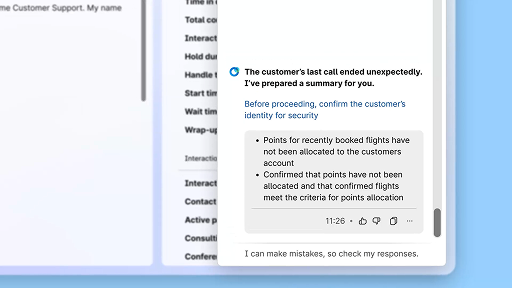
Efficiëntie verbeteren met AI-overzichten
Klantervaring
De Cisco AI-assistent biedt beknopte overzichten van vorige interacties, zodat operators naadloos gesprekken kunnen voorzetten zonder informatie opnieuw te moeten verzamelen. Deze directe toegang zorgt ervoor dat operators zich kunnen richten op het leveren van effectieve oplossingen, wat leidt tot snellere oplossingen en een samenhangendere klantervaring.
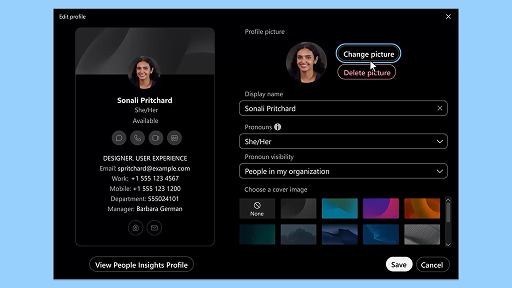
Webex-app | Uw profielfoto toevoegen
Webex Suite
Voeg een foto aan uw profiel toe zodat u gemakkelijker wordt herkend in de Webex-app. Totdat u een profielfoto uploadt, worden alleen uw initialen in een cirkel weergegeven.
Meldingen voor gezondheidspauze van AI-assistent
Klantervaring
Wanneer de AI-assistent een gezondheidspauze aanraadt, wordt een toaster-melding weergegeven: Een pauze accepteren: Klik op 'Neem een pauze' om de pauze te accepteren. De widget Cisco AI-assistent wordt automatisch geopend om uw keuze te bevestigen. Nadat u de huidige interactie hebt afgerond, begint uw gezondheidspauze van 1 minuut automatisch. Uw status wordt gewijzigd naar Gezondheidspauze om te voorkomen dat de volgende interactie in uw wachtrij wordt gezet. Een afteltimer van 5 seconden wordt weergegeven op het scherm wanneer uw pauze van 1 minuut er bijna op zit. Wanneer de pauze voorbij is, wordt het pauzevenster automatisch gesloten. Uw status wordt gewijzigd naar Beschikbaar, waarmee u wordt voorbereid op de volgende interactie.
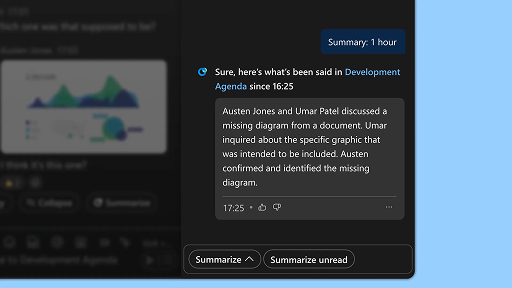
Omgevingsoverzichten genereren
Webex Suite
Wanneer u druk bent of niet op kantoor aanwezig bent, kan het een uitdaging zijn om te achterhalen wat er allemaal speelt in uw ruimten. De AI-assistent genereert overzichten van ruimten zodat u snel weet welke berichten en gesprekken u hebt gemist in een ruimte. Blijf op de hoogte van beslissingen, de belangrijkste punten en actualiteiten.
Efficiëntie verbeteren met realtime transcripts
Klantervaring
Realtime transcripts is ontworpen om u te helpen de communicatie-efficiëntie te optimaliseren tijdens klantinteracties. Dankzij het verstrekken van live transcripten op uw Agent Desktop, kan uw focus, duidelijkheid en reactienauwkeurigheid worden verbeterd. Het is gericht op het verbeteren van uw inzicht en efficiëntie tijdens gesprekken, waardoor misverstanden worden verminderd en u wordt ondersteund bij het leveren van hoogwaardige interacties die de prestaties en klanttevredenheid verbeteren.
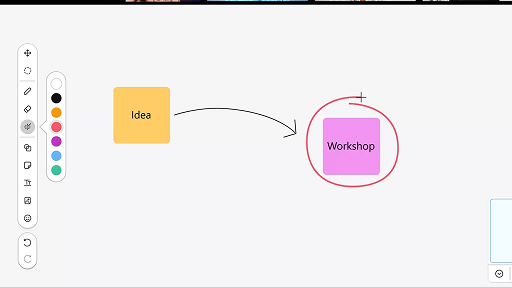
Het whiteboard gebruiken tijdens vergaderingen
Webex Suite
Wanneer u druk bent of niet op kantoor aanwezig bent, kan het een uitdaging zijn om te achterhalen wat er allemaal speelt in uw ruimten. De AI-assistent genereert overzichten van ruimten zodat u snel weet welke berichten en gesprekken u hebt gemist in een ruimte. Blijf op de hoogte van beslissingen, de belangrijkste punten en actualiteiten.
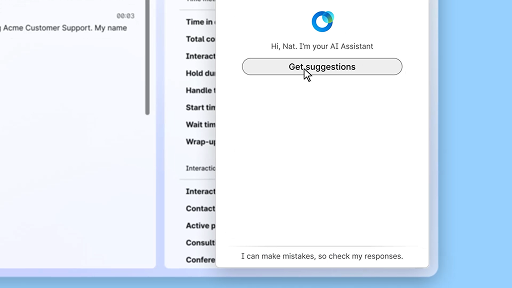
Reageren met zelfvertrouwen met behulp van Realtime hulp
Klantervaring
Realtime hulp is een functie van Cisco AI-assistent die is bedoeld om u te ondersteunen tijdens live klantinteracties door u voortdurend inzicht te geven in de gesprekscontext, de intentie van de klant te herkennen en direct relevante aanbevelingen te bieden. U wordt in real-time begeleid met behulp van voorstellen voor wat u moet zeggen of doen. Zo kunt u complexe procedures aanpakken en zelfs automatisch workflows starten.
Cisco AIassistent in vergaderingen
Webex Suite
Soms kunt u pas later deelnemen aan een vergadering, moet u even weg of bent u aan het multitasken en raakt u afgeleid. Met de vergaderingsoverzichten van de AI-assistent kunt u nu snel achterhalen wat u hebt gemist, begrijpen wat er wordt besproken, vragen stellen zonder de vergadering te verstoren en bij blijven met het gesprek. U kunt ook overzichten en transcripties na de vergadering ontvangen. Hiervoor hoeft u niets op te nemen.
Een automatische AI-operator maken
Klantervaring
Automatische AI-operators werken onafhankelijk, zonder menselijke tussenkomst. Automatische operators hebben toegang tot en gebruiken een kennisdatabase om informatieve en nauwkeurige antwoorden te bieden op gebruikersvragen. Deze operators gebruiken geavanceerde algoritmen en machine learning-technieken om gegevens te analyseren, te leren van hun omgeving en hun acties aan te passen om specifieke doelen te bereiken.
Inhoud delen in een vergadering
Webex Suite
Wanneer u inhoud deelt in de Webex-app, kan iedereen in de vergadering eenvoudig zien wat er wordt besproken. Iedereen kan inhoud delen, maar er kan slechts één persoon tegelijkertijd delen.
Efficiëntie verbeteren met AI-overzichten
Klantervaring
De Cisco AI-assistent biedt beknopte overzichten van vorige interacties, zodat operators naadloos gesprekken kunnen voorzetten zonder informatie opnieuw te moeten verzamelen. Deze directe toegang zorgt ervoor dat operators zich kunnen richten op het leveren van effectieve oplossingen, wat leidt tot snellere oplossingen en een samenhangendere klantervaring.
Webex-app | Uw profielfoto toevoegen
Webex Suite
Voeg een foto aan uw profiel toe zodat u gemakkelijker wordt herkend in de Webex-app. Totdat u een profielfoto uploadt, worden alleen uw initialen in een cirkel weergegeven.
Meldingen voor gezondheidspauze van AI-assistent
Klantervaring
Wanneer de AI-assistent een gezondheidspauze aanraadt, wordt een toaster-melding weergegeven: Een pauze accepteren: Klik op 'Neem een pauze' om de pauze te accepteren. De widget Cisco AI-assistent wordt automatisch geopend om uw keuze te bevestigen. Nadat u de huidige interactie hebt afgerond, begint uw gezondheidspauze van 1 minuut automatisch. Uw status wordt gewijzigd naar Gezondheidspauze om te voorkomen dat de volgende interactie in uw wachtrij wordt gezet. Een afteltimer van 5 seconden wordt weergegeven op het scherm wanneer uw pauze van 1 minuut er bijna op zit. Wanneer de pauze voorbij is, wordt het pauzevenster automatisch gesloten. Uw status wordt gewijzigd naar Beschikbaar, waarmee u wordt voorbereid op de volgende interactie.
Omgevingsoverzichten genereren
Webex Suite
Wanneer u druk bent of niet op kantoor aanwezig bent, kan het een uitdaging zijn om te achterhalen wat er allemaal speelt in uw ruimten. De AI-assistent genereert overzichten van ruimten zodat u snel weet welke berichten en gesprekken u hebt gemist in een ruimte. Blijf op de hoogte van beslissingen, de belangrijkste punten en actualiteiten.
Efficiëntie verbeteren met realtime transcripts
Klantervaring
Realtime transcripts is ontworpen om u te helpen de communicatie-efficiëntie te optimaliseren tijdens klantinteracties. Dankzij het verstrekken van live transcripten op uw Agent Desktop, kan uw focus, duidelijkheid en reactienauwkeurigheid worden verbeterd. Het is gericht op het verbeteren van uw inzicht en efficiëntie tijdens gesprekken, waardoor misverstanden worden verminderd en u wordt ondersteund bij het leveren van hoogwaardige interacties die de prestaties en klanttevredenheid verbeteren.
Het whiteboard gebruiken tijdens vergaderingen
Webex Suite
Wanneer u druk bent of niet op kantoor aanwezig bent, kan het een uitdaging zijn om te achterhalen wat er allemaal speelt in uw ruimten. De AI-assistent genereert overzichten van ruimten zodat u snel weet welke berichten en gesprekken u hebt gemist in een ruimte. Blijf op de hoogte van beslissingen, de belangrijkste punten en actualiteiten.
Reageren met zelfvertrouwen met behulp van Realtime hulp
Klantervaring
Realtime hulp is een functie van Cisco AI-assistent die is bedoeld om u te ondersteunen tijdens live klantinteracties door u voortdurend inzicht te geven in de gesprekscontext, de intentie van de klant te herkennen en direct relevante aanbevelingen te bieden. U wordt in real-time begeleid met behulp van voorstellen voor wat u moet zeggen of doen. Zo kunt u complexe procedures aanpakken en zelfs automatisch workflows starten.

Onze trainingstools ontdekken

Adoption Hub
Launch, train, and grow with these helpful resources.

Webex Academy
Leer op elk gewenst moment met zelfstandige cursussen en korte videozelfstudies.

Onboarding resources
Make onboarding easy with customizable self-serve resources.

Live-gebeurtenissen
Leren met Webex: evenementen, webinars en dagelijkse demo's.
Andere resources

Webex downloaden
Eén platform, met alle manieren om te verbinden.


Webex-community
The Community is een hub waar u in contact kunt komen met vakgenoten en Cisco-specialisten om hulp te vragen, uw expertise te delen, uw netwerk uit te breiden en professioneel te groeien.

Webex Insider
Kom in contact met mensen die uw passie voor Webex delen en krijg toegang tot de nieuwe concepten van de product- en ervaringsteams binnen het Webex-portfolio.

Webex voor ontwikkelaars
Bouw aan de toekomst van zakelijke samenwerking met Webex. Lees meer over de API en SDK's van Webex om de volgende geweldige samenwerkingsapp op het Webex-platform te maken.

Hulp nodig?
Kies uit verschillende ondersteuningsresources om de hulp te krijgen die u nodig hebt.
Hoe beoordeelt u uw ervaring op deze pagina?


Niet nuttig
Nuttig
Hoe kunnen we deze pagina nuttiger voor u maken?
Hartelijk dank voor uw feedback


