Hur kan vi hjälpa till?

Försöker du delta i ett möte?

Migrera från Unified CM till Webex Calling
Migrera sömlöst till en Webex Calling-molnplattform i företagsklass med vår extensiva guide.
Migrera sömlöst till en Webex Calling-molnplattform i företagsklass med vår extensiva guide.

Kom igång
Allt du behöver veta för att komma igång med Webex.


Hjälp efter produkt
Få specifik hjälp för var och en av våra olika produkter.

Administration
Webex-hantering i Control Hub och Partner Hub.

Webex AI
Den mest avancerade generativa AI-drivna plattformen för hybridarbete och kundupplevelse.


Vad är det senaste
Upptäck nyheter i Webex. Lär dig mer om nya funktioner, problem, korrigeringar och andra uppdateringar.

Populära artiklar
Inloggningsproblem med Webex


Webex Suite
Konfigurera lokal gateway på Cisco IOS XE för Webex Calling

Calling
Portreferensinformation för Webex Calling
Calling
Använd virtuella bakgrunder i Webex Meetings och Webex Webinars
Webex Suite
Skapa och hantera flöden med Flow Designer

Kundupplevelse
Administrationsguide för Webex AI Agent Studio
Kundupplevelse
Anslut till en Webex-appenhet

Enheter

Videoresurser


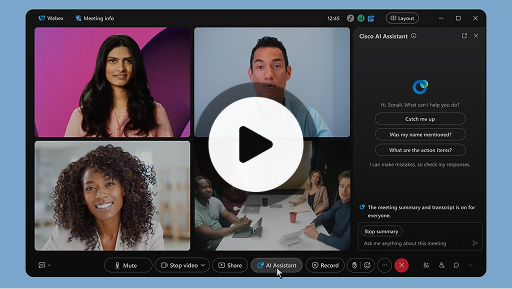
Cisco AI Assistant i möten
Webex Suite
Ibland kan du behöva ansluta till ett möte sent, lämna ett ögonblick eller så gör du flera saker samtidigt och blir distraherad. Med mötessammanfattningar från AI-assistenten kan du snabbt komma ikapp med sådant som du har missat, förstå diskussionen, ställa frågor utan att störa mötet och hålla dig i fas med konversationen. Du får också en sammanfattning och avskrift efter mötet, utan att behöva spela in.
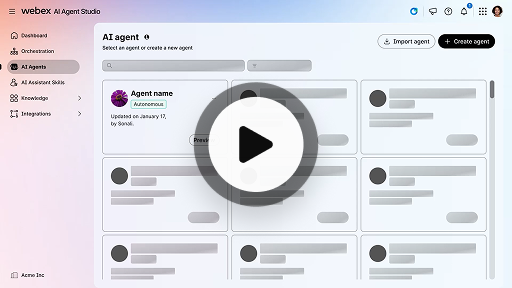
Skapa en autonom AI-agent
Kundupplevelse
Autonoma AI-agenter agerar oberoende av direkt mänsklig kontakt. Autonoma AI-agenter har åtkomst till och använder en kunskapsdatabas för att ge informativa och exakta svar på användarfrågor. De här agenterna använder avancerade algoritmer och maskininlärningsteknik för att analysera data, lära sig från miljön och anpassa sina åtgärder för att uppnå specifika mål.
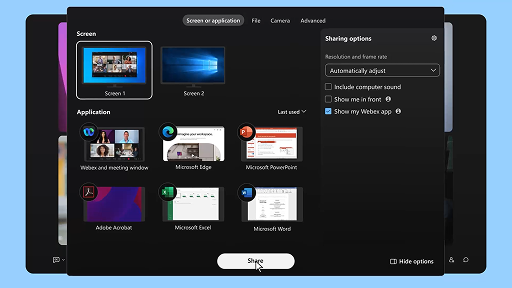
Dela innehåll i ett möte
Webex Suite
När du delar innehåll i Webex-appen kan alla i mötet enkelt se vad som diskuteras. Vem som helst kan dela innehåll, men bara en person kan dela åt gången.
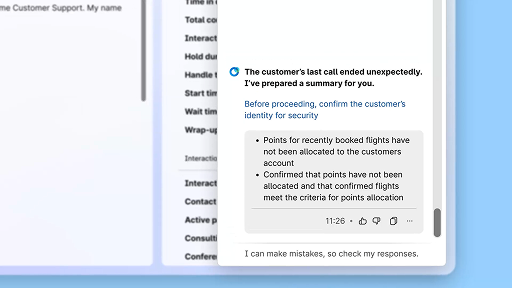
Förbättra effektiviteten med AI-genererade sammanfattningar
Kundupplevelse
Cisco AI Assistant erbjuder koncisa sammanfattningar av tidigare interaktioner, vilket gör att agenter kan fortsätta konversationer sömlöst utan att behöva samla in information på nytt. Denna omedelbara åtkomst ger agenterna förmågan att fokusera på att leverera effektiva lösningar, vilket gör att problem löses snabbare och att kunderna får en mer enhetlig upplevelse.
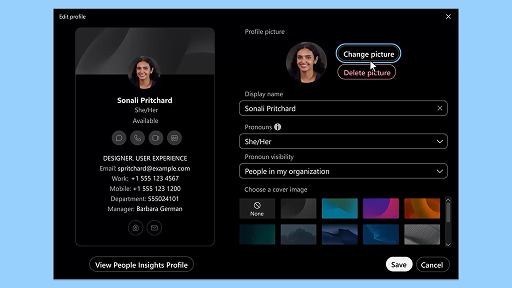
Webex-appen | Lägg till din profilbild
Webex Suite
Gör det enklare för andra att känna igen dig i Webex-appen genom att lägga till en bild i din profil. Innan du laddar upp en visar din profil bara dina initialer i en cirkel.
Meddelanden om vilopauser från AI Assistant
Kundupplevelse
När AI Assistant rekommenderar en vilopaus visas ett meddelande med en brödrost: Godkänna en paus: Klicka på Ta en paus för att godkänna pausen. Cisco AI Assistant-widgeten öppnas automatiskt för att bekräfta ditt val. När du avslutar den nuvarande interaktionen startar din en minut långa vilopaus automatiskt. Din status ändras till Vilopaus och den nästkommande interaktionen förhindras från att läggas i din kö. En nedräkning på 5 sekunder visas på skärmen då din en minut långa vilopaus håller på att avslutas. När den är färdig stängs pausfönstret automatiskt och din status ändras till Tillgänglig, och du förbereds inför nästkommande interaktion.
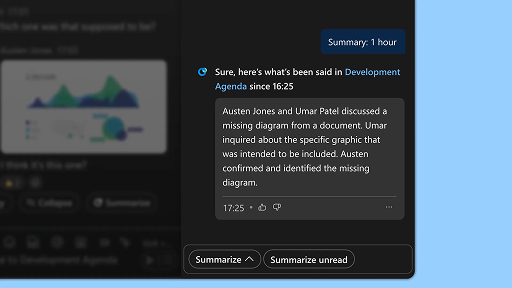
Generera utrymmessammanfattningar
Webex Suite
Det kan vara utmanande att ta igen allt du har missat i dina utrymmen när du har mycket att göra eller om du har varit borta från kontoret. AI-assistenten kan generera utrymmessammanfattningar som hjälper dig att snabbt uppdatera dig om missade meddelanden och konversationer i utrymmet. Håll dig informerad om beslut och viktiga punkter och följ med i diskussionen med en snabb överblick.
Förbättra effektiviteten med avskrifter i realtid
Kundupplevelse
Avskrifter i realtid är utformat för att hjälpa dig optimera kommunikationen effektivt under kundinteraktioner. Genom att lägga in avskrifter live direkt på din Agent Desktop får du bättre fokus och tydlighet och kan ge mer noggranna svar. Det är utformat för att förbättra din förståelse och effektivitet under samtal, minska antalet missförstånd och göra det lättare för dig att leverera interaktioner av hög kvalitet som ger dig bättre resultat och förbättrar kundnöjdheten.
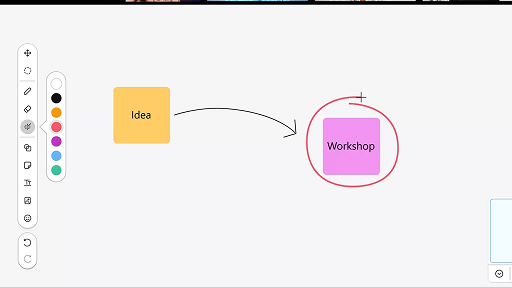
Använda whiteboardtavlan i möten
Webex Suite
Det kan vara utmanande att ta igen allt du har missat i dina utrymmen när du har mycket att göra eller om du har varit borta från kontoret. AI-assistenten kan generera utrymmessammanfattningar som hjälper dig att snabbt uppdatera dig om missade meddelanden och konversationer i utrymmet. Håll dig informerad om beslut och viktiga punkter och följ med i diskussionen med en snabb överblick.
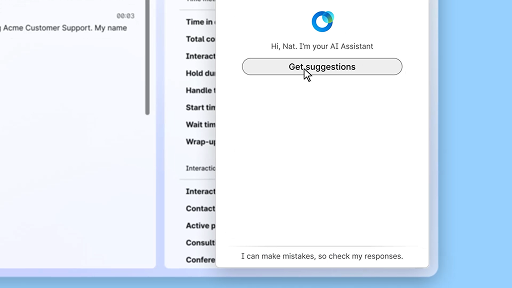
Ge självsäkra svar med hjälp av assistans i realtid
Kundupplevelse
Assistans i realtid är en funktion genom Cisco AI Assistant utformad att ge dig stöd under liveinteraktioner med kunder genom att kontinuerligt uppfatta konversationskontexten, identifiera kundens önskningar och omedelbart ge dig relevanta rekommendationer. Den vägleder dig i realtid genom att föreslå vad du ska säga eller göra, hjälper dig att navigera genom komplexa procedurer och kan till och med påbörja arbetsflöden automatiskt.
Cisco AI Assistant i möten
Webex Suite
Ibland kan du behöva ansluta till ett möte sent, lämna ett ögonblick eller så gör du flera saker samtidigt och blir distraherad. Med mötessammanfattningar från AI-assistenten kan du snabbt komma ikapp med sådant som du har missat, förstå diskussionen, ställa frågor utan att störa mötet och hålla dig i fas med konversationen. Du får också en sammanfattning och avskrift efter mötet, utan att behöva spela in.
Skapa en autonom AI-agent
Kundupplevelse
Autonoma AI-agenter agerar oberoende av direkt mänsklig kontakt. Autonoma AI-agenter har åtkomst till och använder en kunskapsdatabas för att ge informativa och exakta svar på användarfrågor. De här agenterna använder avancerade algoritmer och maskininlärningsteknik för att analysera data, lära sig från miljön och anpassa sina åtgärder för att uppnå specifika mål.
Dela innehåll i ett möte
Webex Suite
När du delar innehåll i Webex-appen kan alla i mötet enkelt se vad som diskuteras. Vem som helst kan dela innehåll, men bara en person kan dela åt gången.
Förbättra effektiviteten med AI-genererade sammanfattningar
Kundupplevelse
Cisco AI Assistant erbjuder koncisa sammanfattningar av tidigare interaktioner, vilket gör att agenter kan fortsätta konversationer sömlöst utan att behöva samla in information på nytt. Denna omedelbara åtkomst ger agenterna förmågan att fokusera på att leverera effektiva lösningar, vilket gör att problem löses snabbare och att kunderna får en mer enhetlig upplevelse.
Webex-appen | Lägg till din profilbild
Webex Suite
Gör det enklare för andra att känna igen dig i Webex-appen genom att lägga till en bild i din profil. Innan du laddar upp en visar din profil bara dina initialer i en cirkel.
Meddelanden om vilopauser från AI Assistant
Kundupplevelse
När AI Assistant rekommenderar en vilopaus visas ett meddelande med en brödrost: Godkänna en paus: Klicka på Ta en paus för att godkänna pausen. Cisco AI Assistant-widgeten öppnas automatiskt för att bekräfta ditt val. När du avslutar den nuvarande interaktionen startar din en minut långa vilopaus automatiskt. Din status ändras till Vilopaus och den nästkommande interaktionen förhindras från att läggas i din kö. En nedräkning på 5 sekunder visas på skärmen då din en minut långa vilopaus håller på att avslutas. När den är färdig stängs pausfönstret automatiskt och din status ändras till Tillgänglig, och du förbereds inför nästkommande interaktion.
Generera utrymmessammanfattningar
Webex Suite
Det kan vara utmanande att ta igen allt du har missat i dina utrymmen när du har mycket att göra eller om du har varit borta från kontoret. AI-assistenten kan generera utrymmessammanfattningar som hjälper dig att snabbt uppdatera dig om missade meddelanden och konversationer i utrymmet. Håll dig informerad om beslut och viktiga punkter och följ med i diskussionen med en snabb överblick.
Förbättra effektiviteten med avskrifter i realtid
Kundupplevelse
Avskrifter i realtid är utformat för att hjälpa dig optimera kommunikationen effektivt under kundinteraktioner. Genom att lägga in avskrifter live direkt på din Agent Desktop får du bättre fokus och tydlighet och kan ge mer noggranna svar. Det är utformat för att förbättra din förståelse och effektivitet under samtal, minska antalet missförstånd och göra det lättare för dig att leverera interaktioner av hög kvalitet som ger dig bättre resultat och förbättrar kundnöjdheten.
Använda whiteboardtavlan i möten
Webex Suite
Det kan vara utmanande att ta igen allt du har missat i dina utrymmen när du har mycket att göra eller om du har varit borta från kontoret. AI-assistenten kan generera utrymmessammanfattningar som hjälper dig att snabbt uppdatera dig om missade meddelanden och konversationer i utrymmet. Håll dig informerad om beslut och viktiga punkter och följ med i diskussionen med en snabb överblick.
Ge självsäkra svar med hjälp av assistans i realtid
Kundupplevelse
Assistans i realtid är en funktion genom Cisco AI Assistant utformad att ge dig stöd under liveinteraktioner med kunder genom att kontinuerligt uppfatta konversationskontexten, identifiera kundens önskningar och omedelbart ge dig relevanta rekommendationer. Den vägleder dig i realtid genom att föreslå vad du ska säga eller göra, hjälper dig att navigera genom komplexa procedurer och kan till och med påbörja arbetsflöden automatiskt.

Utforska våra utbildningsverktyg

Adoption Hub
Launch, train, and grow with these helpful resources.

Webex Academy
Lär dig när som helst med kurser i egen takt och snabba videohandledningar.

Onboarding resources
Make onboarding easy with customizable self-serve resources.

Livehändelser
Lär dig med Webex Händelser, webbseminarier och dagliga demonstrationer.
Andra resurser

Hämta Webex
En plattform, med alla anslutningsmöjligheter.


Webex Community
Communityn är en hubb där du kan få kontakt med kollegor och Cisco-specialister för att be om hjälp, dela med dig av din expertis, bygga upp ditt nätverk och växa i din professionella roll.

Webex Insider
Få kontakt med personer som delar din passion för Webex och få tillgång till de nya koncepten från Webex-portföljens produkt- och upplevelseteam.

Webex för utvecklare
Bygg framtidens affärssamarbete med Webex. Läs mer om Webex API och SDK:er för att skapa nästa fantastiska samarbetsapp på Webex-plattformen.

Behöver du fortfarande hjälp?
Välj bland olika supportresurser för att få den hjälp du behöver.
Vilket betyg vill du ge din upplevelse av den här sidan?


Inte hjälpsam
Hjälpsam
Hur kan vi göra den här sidan mer användbar för dig?
Tack för din feedback.


