我们能怎样帮助您?

尝试加入会议?


Oct 5-8, 2026, Austin, TX & Virtual | Save the date and get 75% off your tickets when registration opens.
Oct 5-8, 2026, Austin, TX & Virtual | Save the date and get 75% off your tickets when registration opens.


入门
Webex 入门所需知道的一切。


依产品提供的帮助
获取为我们各个产品指定的帮助。

管理
Control Hub 和 Partner Hub 中的 Webex 管理。

Webex AI
适用于混合式工作和客户体验的最先进的生成式 AI 驱动平台。


新增功能
了解 Webex 中的新增功能。了解新功能、问题、修复和其他更新。

热门文章
Sign-in issues with Webex


Webex Suite
Configure Local Gateway on Cisco IOS XE for Webex Calling

Calling
Port Reference Information for Webex Calling
Calling
Use virtual backgrounds in Webex Meetings and Webex Webinars
Webex Suite
Build and manage flows with Flow Designer

客户体验
Webex AI Agent Studio Administration guide
客户体验
Connect to a Webex App device

设备

视频资源


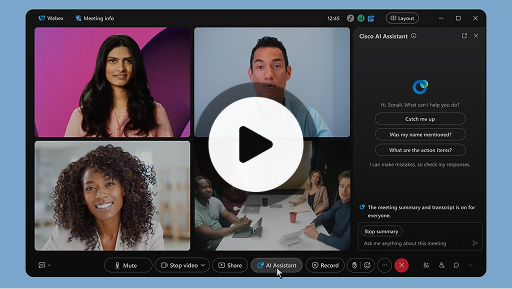
Cisco AI Assistant in meetings
Webex Suite
Sometimes you may join a meeting late, need to step away for a moment, or you're multitasking and get distracted. With AI Assistant meeting summaries, you can quickly catch up on what you’ve missed, understand the discussion, ask questions without disturbing the meeting, and stay on top of the conversation. You also receive a summary and transcript after the meeting, without having to record.
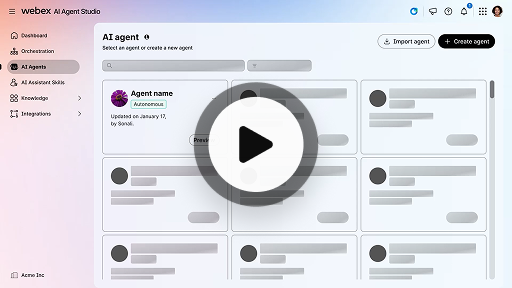
Create an autonomous AI agent
客户体验
Autonomous AI agents operate independently without direct human intervention. Autonomous agents can access and use a knowledge repository to provide informative and accurate answers to user queries. These agents use advanced algorithms and machine learning techniques to analyze data, learn from their environment, and adapt their actions to achieve specific goals.
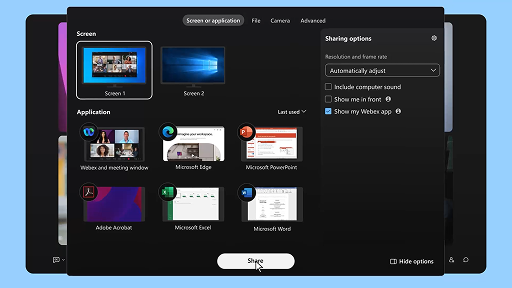
Share content in a meeting
Webex Suite
When you share content in Webex App, everyone in the meeting can easily see what's being discussed. Anyone can share content, but only one person can share at a time.
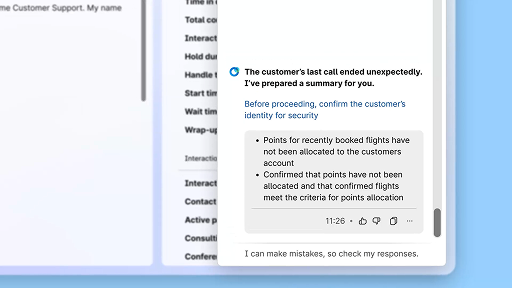
Enhance efficiency using AI-generated summaries
客户体验
The Cisco AI Assistant offers concise summaries of prior interactions, allowing agents to continue conversations seamlessly without needing to re-collect information. This immediate access enables agents to focus on delivering effective solutions, leading to faster resolutions and a more cohesive customer experience.
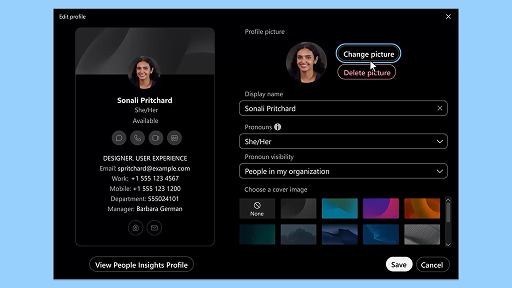
Webex App | Add your profile picture
Webex Suite
Make it easier for people to recognize you in Webex App by adding a picture to your profile. Until you upload one, your profile only shows your initials inside a circle.
AI Assistant wellness break notifications
客户体验
When the AI Assistant recommends a wellbeing break, a toaster notification will appear: Accepting a break: Click Take a break to accept the break. The Cisco AI Assistant widget opens automatically to confirm your choice. After you wrap up the current interaction, your 1-minute wellbeing break begins automatically. Your status changes to Wellbeing Break to prevent the next interaction from being queued to you. A 5-second countdown appears on the screen as your 1-minute break concludes. Once complete, the break window closes automatically, and your status changes to Available, readying you for the next interaction.
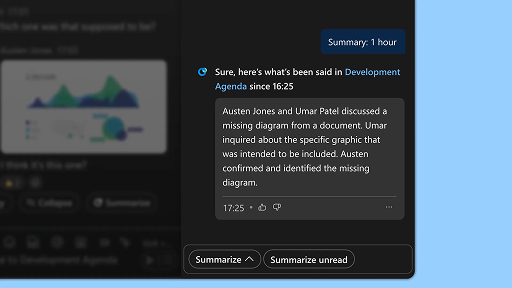
Generate space summaries
Webex Suite
When you're busy, or you've been away from the office, catching up with all your spaces can be challenging. AI Assistant can generate space summaries to help you quickly catch up on missed messages and conversations in the space. Stay informed on decisions, key points, and get up to date with the discussion at a glance.
Enhance efficiency with real-time transcripts
客户体验
Real-time transcripts is designed to help you optimize communication efficiency during customer interactions. By providing live transcriptions directly on your Agent Desktop, it can help enhance your focus, clarity, and response accuracy. It is aimed at enhancing your understanding and efficiency during calls, reducing misunderstandings, and supporting you in delivering high-quality interactions that improve performance and customer satisfaction.
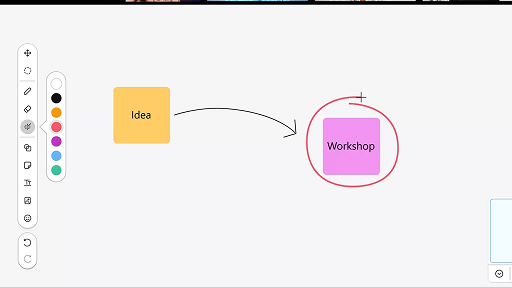
Use the whiteboard in meetings
Webex Suite
When you're busy, or you've been away from the office, catching up with all your spaces can be challenging. AI Assistant can generate space summaries to help you quickly catch up on missed messages and conversations in the space. Stay informed on decisions, key points, and get up to date with the discussion at a glance.
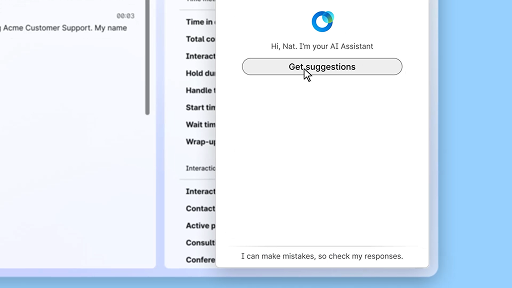
Respond with confidence using Real-time assist
客户体验
Real-time assist is a Cisco AI Assistant feature designed to support you during live customer interactions by continuously understanding the conversation context, identifying customer intent, and instantly providing relevant recommendations. It guides you in real time by suggesting what to say or do, helping you navigate complex procedures, and even initiating workflows automatically.
Cisco AI Assistant in meetings
Webex Suite
Sometimes you may join a meeting late, need to step away for a moment, or you're multitasking and get distracted. With AI Assistant meeting summaries, you can quickly catch up on what you’ve missed, understand the discussion, ask questions without disturbing the meeting, and stay on top of the conversation. You also receive a summary and transcript after the meeting, without having to record.
Create an autonomous AI agent
客户体验
Autonomous AI agents operate independently without direct human intervention. Autonomous agents can access and use a knowledge repository to provide informative and accurate answers to user queries. These agents use advanced algorithms and machine learning techniques to analyze data, learn from their environment, and adapt their actions to achieve specific goals.
Share content in a meeting
Webex Suite
When you share content in Webex App, everyone in the meeting can easily see what's being discussed. Anyone can share content, but only one person can share at a time.
Enhance efficiency using AI-generated summaries
客户体验
The Cisco AI Assistant offers concise summaries of prior interactions, allowing agents to continue conversations seamlessly without needing to re-collect information. This immediate access enables agents to focus on delivering effective solutions, leading to faster resolutions and a more cohesive customer experience.
Webex App | Add your profile picture
Webex Suite
Make it easier for people to recognize you in Webex App by adding a picture to your profile. Until you upload one, your profile only shows your initials inside a circle.
AI Assistant wellness break notifications
客户体验
When the AI Assistant recommends a wellbeing break, a toaster notification will appear: Accepting a break: Click Take a break to accept the break. The Cisco AI Assistant widget opens automatically to confirm your choice. After you wrap up the current interaction, your 1-minute wellbeing break begins automatically. Your status changes to Wellbeing Break to prevent the next interaction from being queued to you. A 5-second countdown appears on the screen as your 1-minute break concludes. Once complete, the break window closes automatically, and your status changes to Available, readying you for the next interaction.
Generate space summaries
Webex Suite
When you're busy, or you've been away from the office, catching up with all your spaces can be challenging. AI Assistant can generate space summaries to help you quickly catch up on missed messages and conversations in the space. Stay informed on decisions, key points, and get up to date with the discussion at a glance.
Enhance efficiency with real-time transcripts
客户体验
Real-time transcripts is designed to help you optimize communication efficiency during customer interactions. By providing live transcriptions directly on your Agent Desktop, it can help enhance your focus, clarity, and response accuracy. It is aimed at enhancing your understanding and efficiency during calls, reducing misunderstandings, and supporting you in delivering high-quality interactions that improve performance and customer satisfaction.
Use the whiteboard in meetings
Webex Suite
When you're busy, or you've been away from the office, catching up with all your spaces can be challenging. AI Assistant can generate space summaries to help you quickly catch up on missed messages and conversations in the space. Stay informed on decisions, key points, and get up to date with the discussion at a glance.
Respond with confidence using Real-time assist
客户体验
Real-time assist is a Cisco AI Assistant feature designed to support you during live customer interactions by continuously understanding the conversation context, identifying customer intent, and instantly providing relevant recommendations. It guides you in real time by suggesting what to say or do, helping you navigate complex procedures, and even initiating workflows automatically.

了解我们的学习工具

采用资源
您和您的团队开始行动所需的一切。

Webex Academy
通过自定进度的课程和快速视频教程随时学习。

Admin launch kits
Launch kits to help make your Webex rollout a success.

实时活动
通过 Webex 学习:活动、网络研讨会和每日演示。
其他资源

下载 Webex
一个平台,具有各种连接方式。


Webex 社区
社区是与您的同行和 Cisco 专家联系的中心,可以寻求帮助、分享您的专业知识、建立您的社交网络以及获得职业成长。

Webex Insider
与那些像您一样对 Webex 充满热情的人联系,并从 Webex 系列产品和体验团队获得内部访问新概念的权限。

适用于开发人员的 Webex
使用 Webex 构建业务协作的未来。了解有关 Webex API 和 SDK 的更多信息,以便在 Webex 平台上创建下一个出色的协作应用程序。

还需要帮助吗?
从各种支持资源中进行选择,以获得您需要的帮助。
您对此页面带给您的体验作何评分?


无用
有用
如何为您增强此页面的实用性?
感谢您的反馈。


