
Thanks for your feedback.
 Feedback?
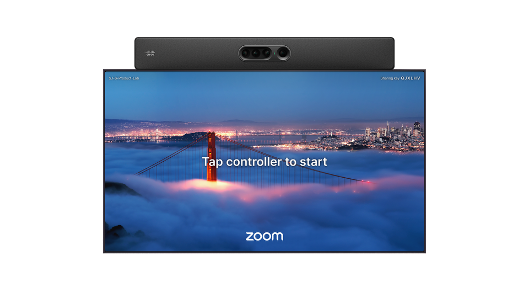
Zoom Rooms on Cisco devices runs Zoom Rooms in an Android container on supported Cisco RoomOS devices. When Zoom Rooms is active, the Zoom Rooms interface is the primary home screen and handles Zoom meetings. RoomOS continues to provide Cisco device capabilities, including device management, AI camera features, and integrations. Users can join supported third-party meetings through RoomOS meeting experiences.

Zoom Rooms on Cisco devices lets supported Cisco collaboration devices run the Zoom Rooms experience while continuing to use Cisco RoomOS for device management, hardware coordination, camera intelligence, audio processing, diagnostics, and Control Hub visibility.
Zoom Rooms owns the primary UI and meeting lifecycle, while RoomOS remains responsible for Cisco-specific capabilities:
- Device management: enterprise-grade lifecycle management, remote/admin control, telemetry, and metrics.
- Hardware orchestration: RoomOS coordinates the Cisco device hardware while Zoom provides the meeting-room UX.
- Camera intelligence: advanced camera modes, intelligent framing, speaker tracking, AI-driven camera selection, and multi-camera switching.
- Audio intelligence: Cisco audio processing, advanced microphone arrays, microphone zoning, and enterprise-grade audio systems.
- AVoIP/peripheral support: IP cameras, IP microphones, room sensors, and other connected room infrastructure.
- Room controls and workspace features: macros, room controls, standby signage, analytics, utilization metrics, and workspace/orchestration integrations.
- Multi-platform meeting handling: non-Zoom meetings such as Webex, Microsoft Teams via CVI/WebRTC, Google Meet via SIP/WebRTC, and standards-based joins are handled through RoomOS.
Manage the device and Zoom Rooms
Control Hub and Zoom administrator tools manage different parts of the deployment.
Control Hub remains the place to manage Cisco device registration, hardware management, diagnostics, and workspace visibility. Zoom manages the Zoom Rooms application experience, room activation, and Zoom meeting configuration.
Use Control Hub to manage Cisco device and workspace functions, including:
- Device inventory and workspace assignment. See Manage workspaces in Control Hub.
- Hardware health and diagnostics. See Advanced diagnostics and troubleshooting in Control Hub.
- Connected peripherals.
- Device status, telemetry, and reporting.
- Cisco device settings and supported RoomOS controls. See Device configurations for Board, Desk, and Room Series devices.
- Device logs. See Manage Board, Desk, and Room Series logs from Control Hub.
- Remote access, where supported. See Remote access to Board, Desk, and Room Series devices.
- Supported device management actions, such as restart. See Reboot devices remotely from Control Hub.
- Workspace analytics, such as utilization and occupancy, where available. See Analytics for Your Cloud Collaboration Portfolio.
Use the Zoom web portal or Zoom Device Management to manage Zoom Rooms functions, including:
- Zoom Rooms activation.
- Zoom Rooms room configuration.
- Zoom account and meeting settings.
- Zoom Rooms app features, where supported.
Where to start
Review Zoom Rooms experience requirements for Cisco devices before onboarding. Then follow Onboard Zoom Rooms on a Cisco device.
Zoom resources
Zoom Rooms app support on Cisco Devices
This table lists which version of Zoom Rooms is supported in different RoomOS software versions.
| Zoom Rooms version | RoomOS version |
|---|---|
| 7.2.0 | RoomOS October (26.10.1) |


