コントロールハブにプライバシーデータをエクスポートする

list-menuフィードバックがある場合
ユーザーの Webex 使用状況とプロファイル情報に関するデータを含む ZIP ファイルをエクスポートできます。

使用状況とプロフィールデータをエクスポートする

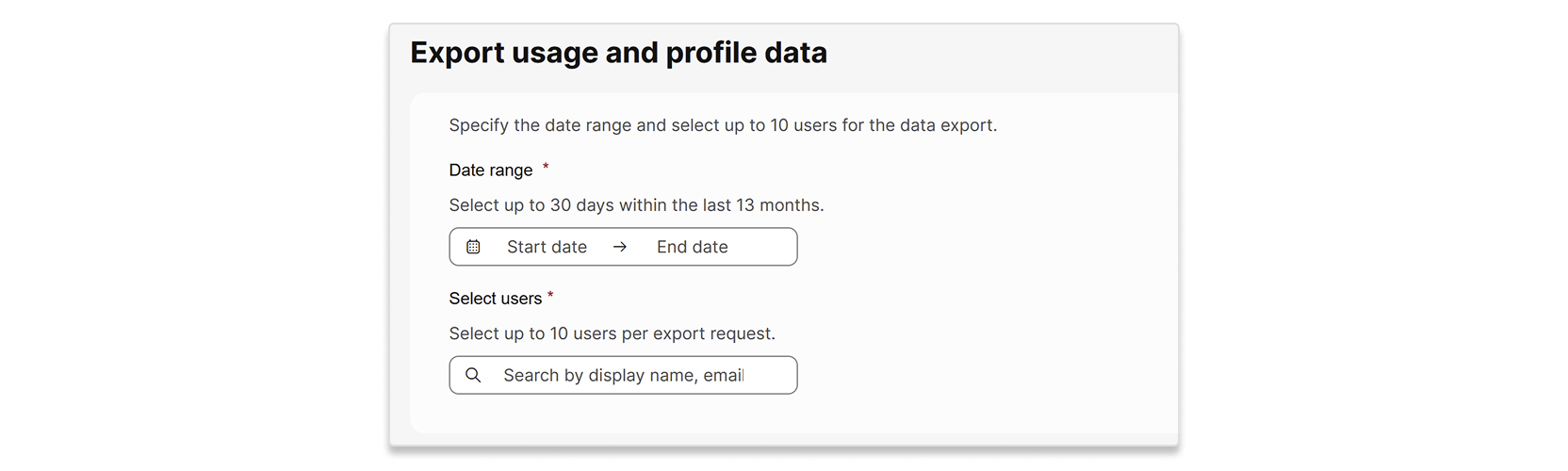
1回のリクエストで最大10人のユーザーのデータをエクスポートできます。 選択する日付範囲は最大30日で、過去13か月以内のものにする必要があります。 リクエストを送信してからエクスポート処理が完了するまでに最大7日かかることがあります。

プロファイルデータは、個々のユーザーの属性です。 使用状況データは、 次のレポートに含まれる個々のユーザーのデータです。

1

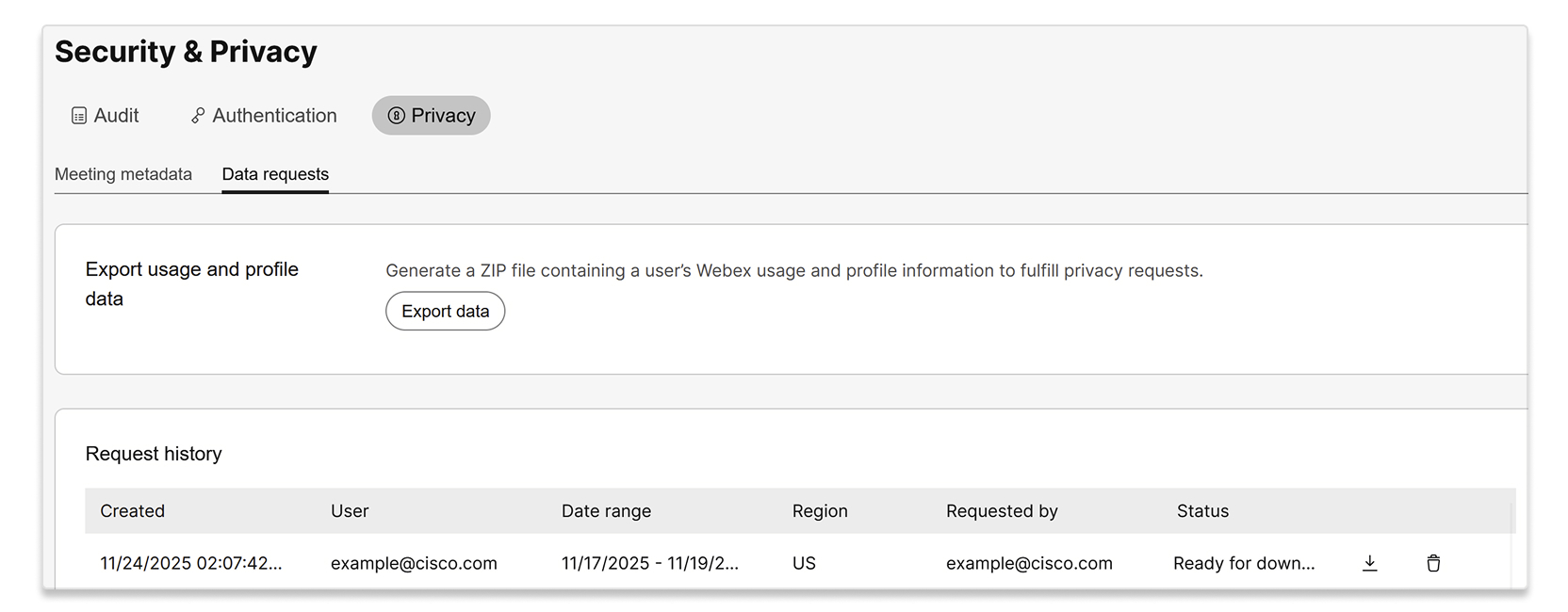
Control Hub にサインインして、[セキュリティとプライバシー] > [プライバシー] > [データリクエスト] に移動します。

2

[データをエクスポート] を選択します。

A screenshot of the Security & Privacy page, with the Privacy tab and Data requests sub-tab selected. The page shows an option to Export usage and profile data to generate a ZIP file containing a user's Webex usage and profile information for privacy requests, with an Export data button. Below this, there is a Request history table displaying a past data export request by example@cisco.com.

3

データをエクスポートする日付範囲とユーザーを入力します。

A user interface for exporting usage and profile data. The form includes fields to specify a date range, allowing selection of up to 30 days within the last 13 months, and a section to select up to 10 users per export request, with a search bar for display name or email.

4

「エクスポート」を選択します。

5

あなたのリクエストは、リクエスト履歴リストに「 処理中」ステータスで表示されます。 ステータスが「ダウンロード準備完了」 に変わったら、ZIPファイルをダウンロードできます。

この投稿記事は役に立ちましたか?
この投稿記事は役に立ちましたか?