在 Control Hub 中导出隐私数据

list-menu反馈?
您可以导出包含用户 Webex 使用数据和个人资料信息的 ZIP 文件。

导出使用情况和配置文件数据

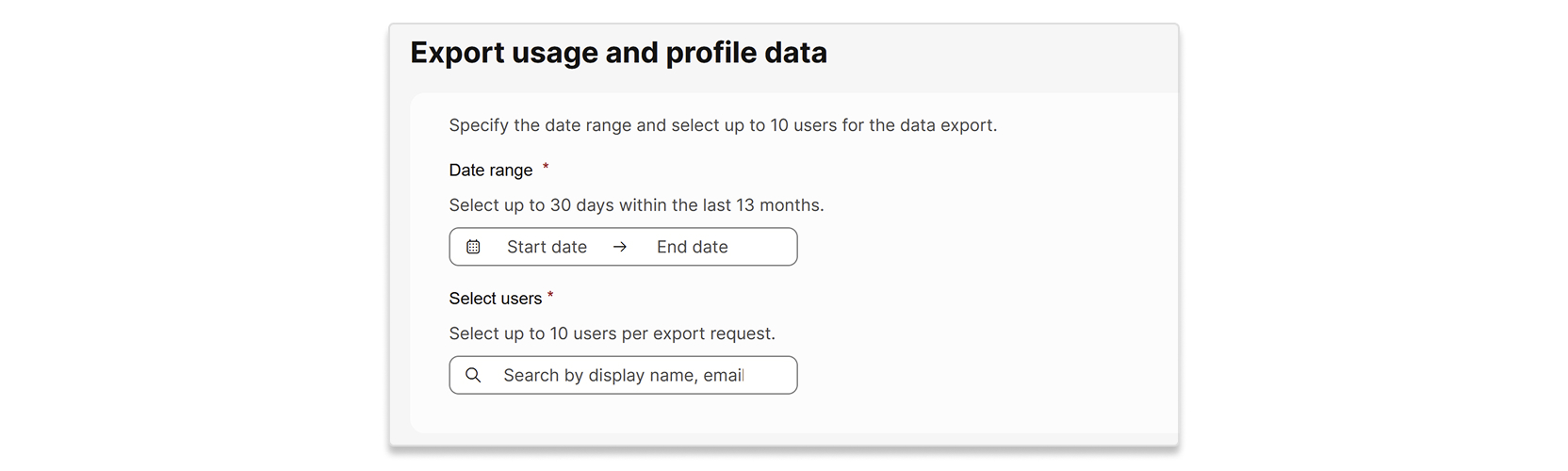
每次请求最多可导出 10 位用户的数据。您选择的日期范围最多为 30 天,且必须在过去 13 个月内。提交申请后,出口流程最多可能需要 7 天才能完成。

个人资料数据是 单个用户的属性。使用情况数据是指以下报告中包含的单个用户数据:

1

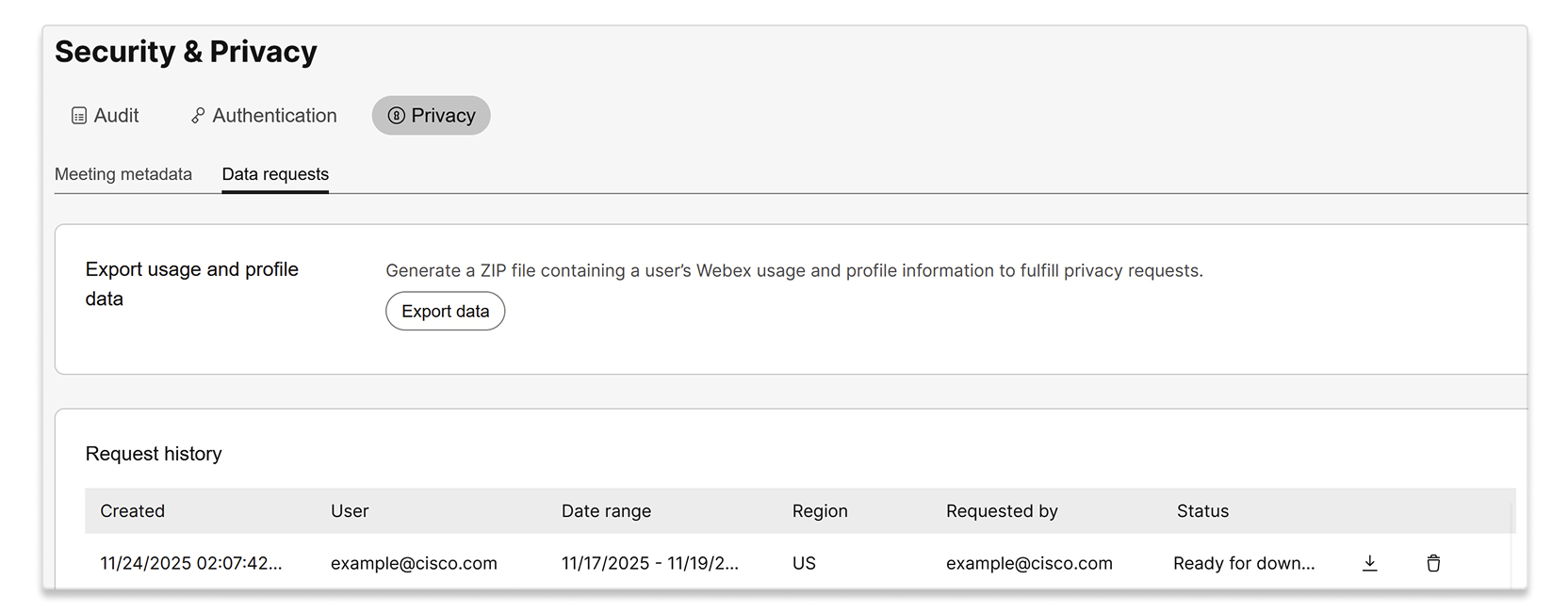
登录 控制中心 并转到 安全 & 隐私 > 隐私 > 数据请求。

2

选择 导出数据。

A screenshot of the Security & Privacy page, with the Privacy tab and Data requests sub-tab selected. The page shows an option to Export usage and profile data to generate a ZIP file containing a user's Webex usage and profile information for privacy requests, with an Export data button. Below this, there is a Request history table displaying a past data export request by example@cisco.com.

3

请输入要导出数据的日期范围和用户。

A user interface for exporting usage and profile data. The form includes fields to specify a date range, allowing selection of up to 30 days within the last 13 months, and a section to select up to 10 users per export request, with a search bar for display name or email.

4

选择“导出”。

5

您的请求显示在 请求历史记录 列表中,状态为 处理中 。当状态变为 准备下载时,即可下载 ZIP 文件。

这篇文章对您有帮助吗?
这篇文章对您有帮助吗?