컨트롤 허브에서 프라이버시 데이터를 내보내세요.

list-menu피드백이 있습니까?
사용자의 Webex 사용 및 프로필 정보에 대한 데이터가 포함된 ZIP 파일을 내보낼 수 있어요.

사용 및 프로필 데이터 내보내기

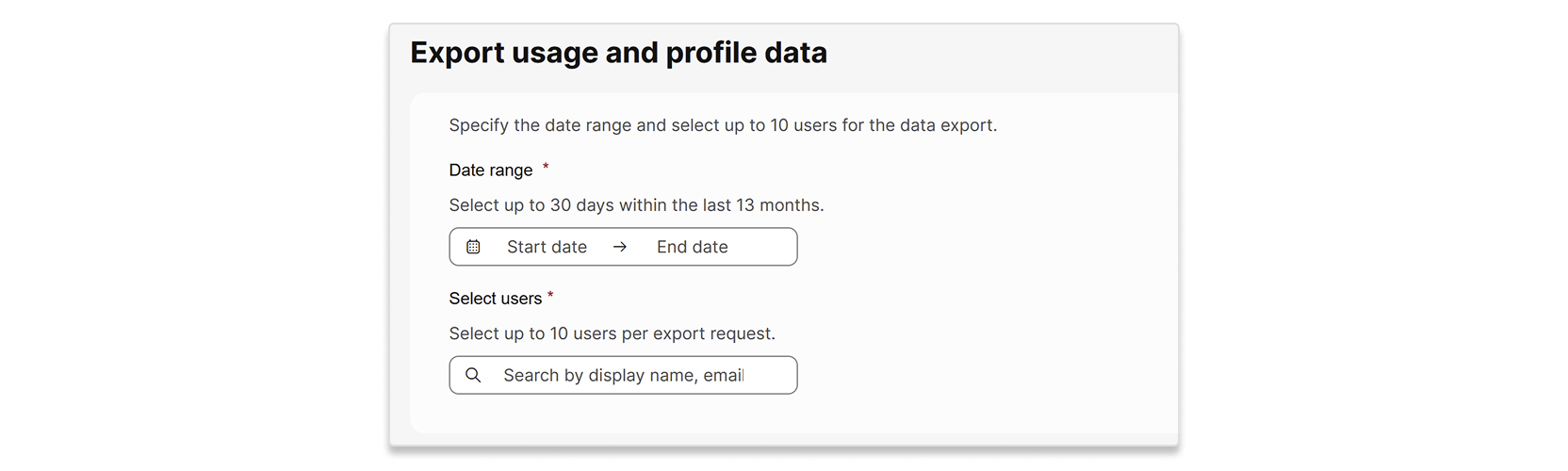
요청당 사용자 최대 10명까지 데이터를 내보낼 수 있어요. 선택하는 날짜 범위는 최대 30일이고 지난 13개월 이내여야 해요. 요청을 제출하면 수출 절차를 완료하는 데 최대 7일이 걸릴 수 있어요.

프로필 데이터는 개별 사용자의 속성이에요. 사용 데이터는 다음 보고서에 포함된 개별 사용자 데이터예요.

1

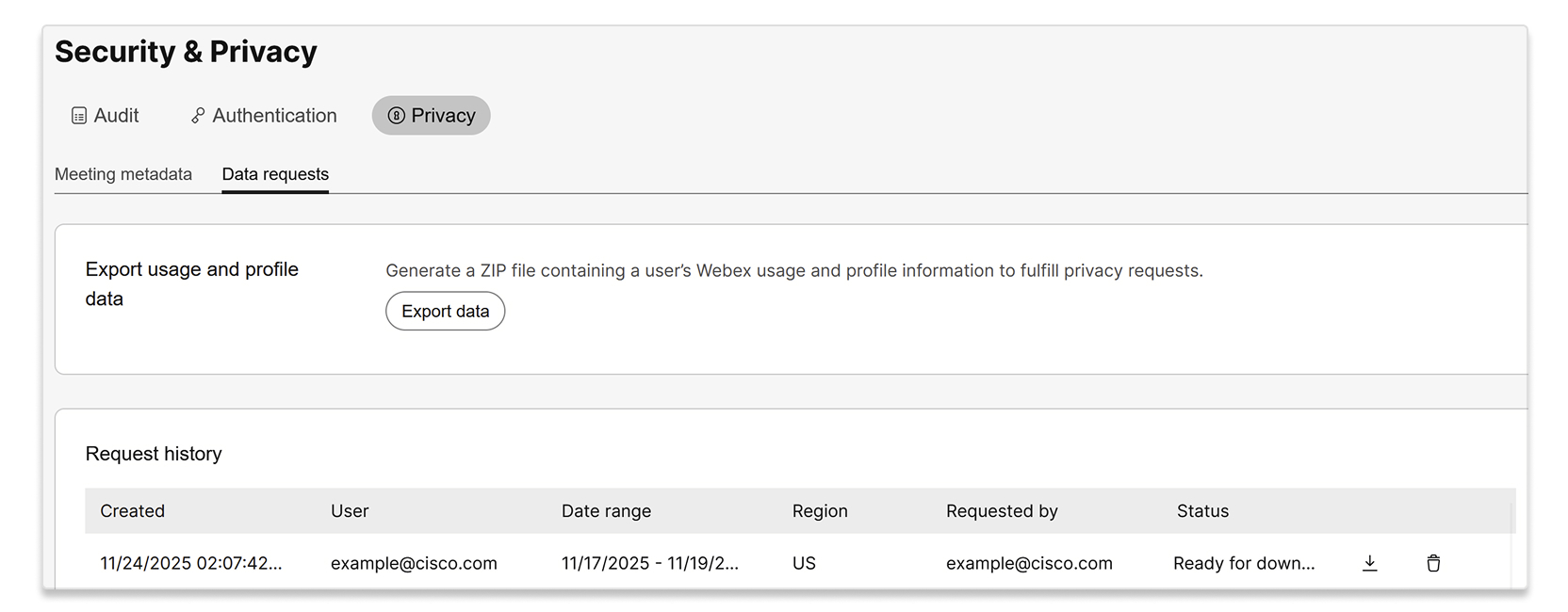
컨트롤 허브에 로그인하고 보안 및 개인 정보 보호 > 개인 정보 보호 > 데이터 요청으로 이동해요.

2

데이터 내보내기를 선택해요.

A screenshot of the Security & Privacy page, with the Privacy tab and Data requests sub-tab selected. The page shows an option to Export usage and profile data to generate a ZIP file containing a user's Webex usage and profile information for privacy requests, with an Export data button. Below this, there is a Request history table displaying a past data export request by example@cisco.com.

3

데이터를 익스포트하려는 날짜 범위와 사용자를 입력하세요.

A user interface for exporting usage and profile data. The form includes fields to specify a date range, allowing selection of up to 30 days within the last 13 months, and a section to select up to 10 users per export request, with a search bar for display name or email.

4

익스포트 선택하세요.

5

요청이 처리 상태와 함께 요청 내역 목록에 표시돼요. 상태가 다운로드 준비됨으로 바뀌면 ZIP 파일을 다운로드할 수 있어요.

이 문서가 도움이 되었습니까?
이 문서가 도움이 되었습니까?