在控制中心中匯出隱私資料

list-menu意見回饋?
您可以匯出包含使用者 Webex 使用情況和設定檔資訊的資料的 ZIP 檔案。

匯出使用情況和設定檔資料

每次請求最多可匯出 10 位使用者的資料。您選擇的日期範圍最多為 30 天,且必須在過去 13 個月內。提交申請後,出口流程可能需要 7 天才能完成。

個人資料資料是 單一使用者的屬性。使用情況資料是指以下報告中包含的單一使用者資料:

1

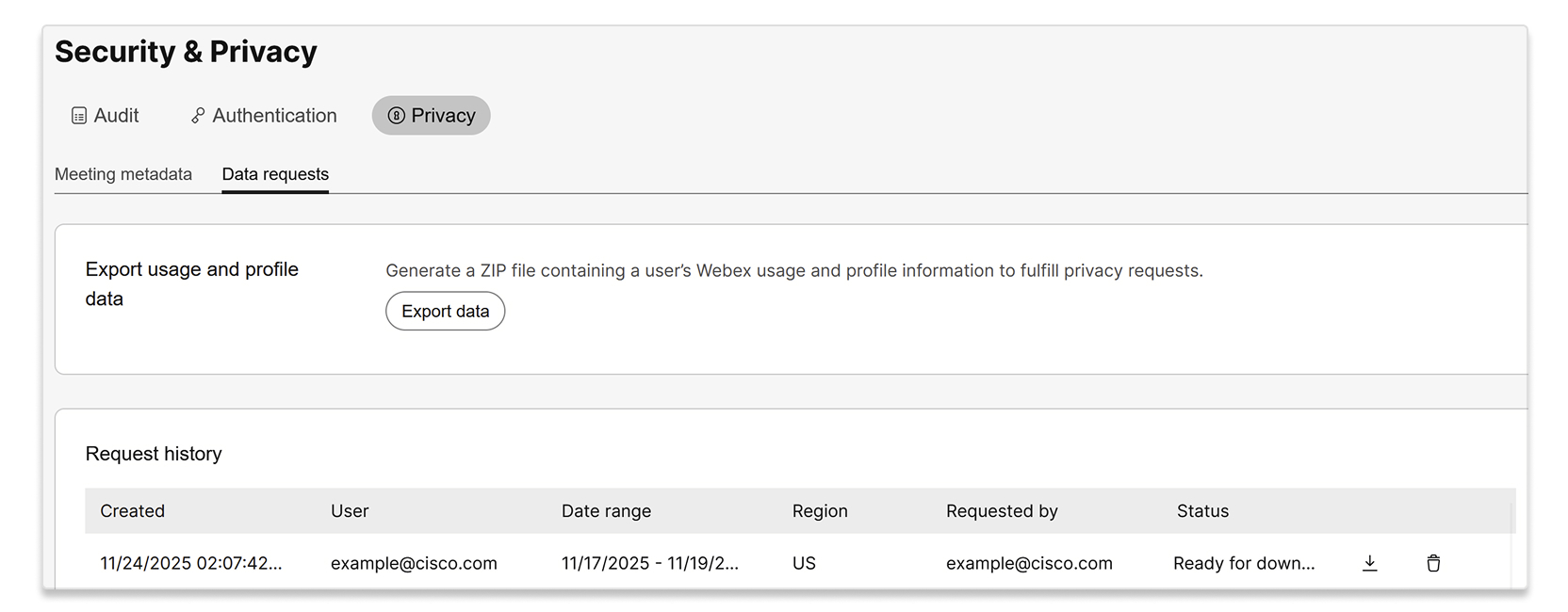
登入 控制中心 並前往 安全 & 隱私 > 隱私 > 資料請求。

2

選擇 匯出資料。

A screenshot of the Security & Privacy page, with the Privacy tab and Data requests sub-tab selected. The page shows an option to Export usage and profile data to generate a ZIP file containing a user's Webex usage and profile information for privacy requests, with an Export data button. Below this, there is a Request history table displaying a past data export request by example@cisco.com.

3

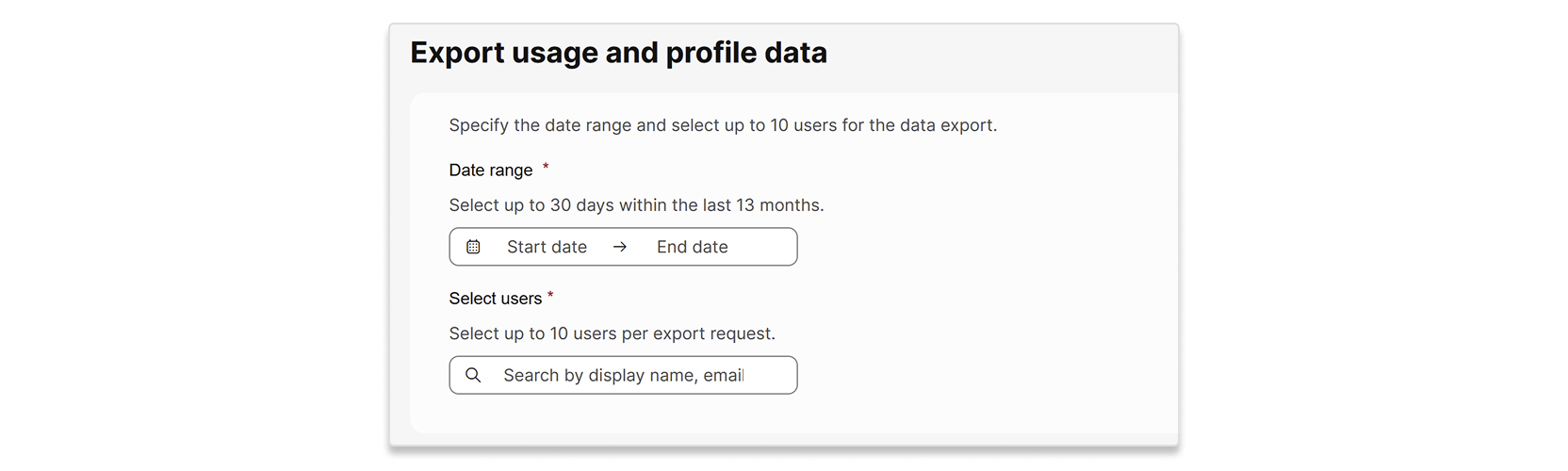
請輸入要匯出資料的日期範圍和使用者。

A user interface for exporting usage and profile data. The form includes fields to specify a date range, allowing selection of up to 30 days within the last 13 months, and a section to select up to 10 users per export request, with a search bar for display name or email.

4

選取匯出。

5

您的請求顯示在 請求歷史記錄 清單中,狀態為 處理中 。當狀態變成 準備下載時,即可下載 ZIP 檔案。

本文是否有幫助?
本文是否有幫助?