- Home
- /
- Article

Thanks for your feedback.


 In this article
 Feedback?
Add these Emails, URLs, IP addresses, and Ports to VPN and firewall allowlists for the best experience.
Keep in mind, with the exception of the Webex Events Production Studio, we don't supply allowlist IP addresses because most addresses Webex Events uses are dynamic.
Firewalls and web filters are common protections for many businesses and organizations. Networks protected by these measures may only allow outbound connections to certain domains, which could keep some Webex Events (formerly Socio) products and features from working.
We want to make sure that your attendees have the best experience possible, so we've compiled this list of email addresses and URLs so attendees and network admins can add allowlist exceptions.
Webex Events email addresses
Password reset emails, registration confirmation emails, and custom button response emails all use these addresses:
-
noreply@event-app.socio-mail.com -
noreply@registration.socio-mail.com -
noreply@platform.socio-mail.com -
noreply@notifications.socio-mail.com- If you're using collaboration forms to ask speakers, sponsors, and exhibitors to fill in their Event App content, ask them to add this email address to their allowlist. -
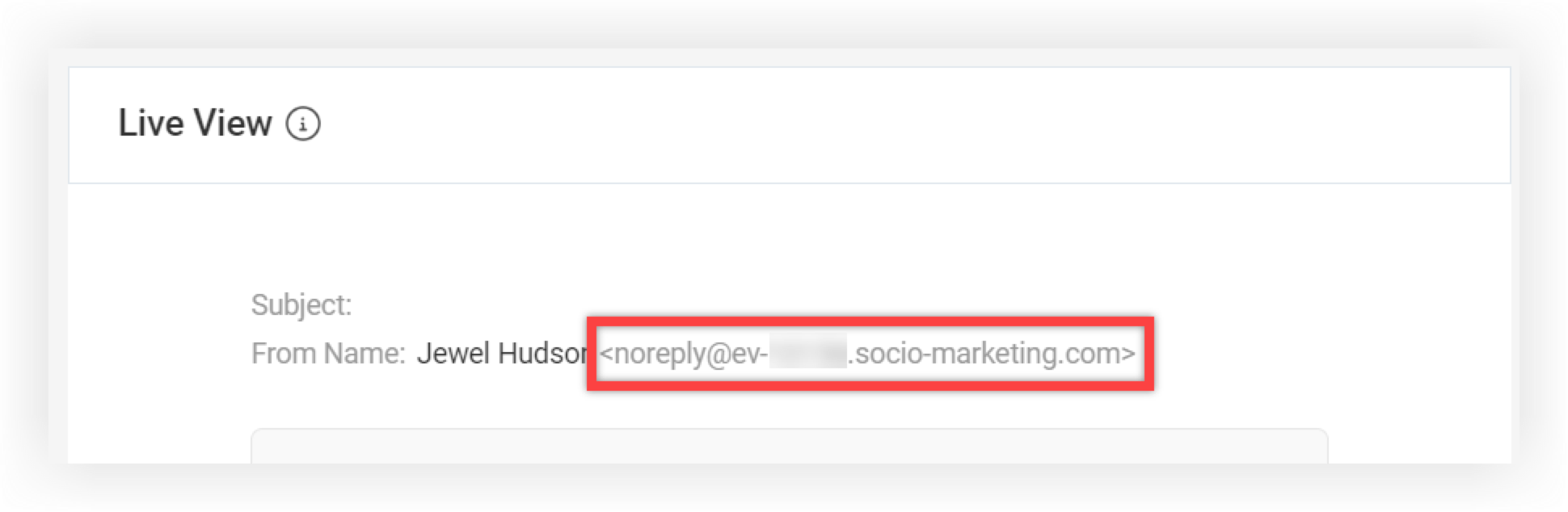
noreply@ev-xxxxx.socio-marketing.com- This address is for custom emails sent from our Registration product. This address is Event-specific, so create a new email draft and review the From Name in the Live View panel on the right to find and share the exact address for your Event.
-
noreply@marketing.socio-mail.com- This address is only used when sending a test custom email in our Registration product. Attendees never receive mail from this address.
Webex Events (Socio) domains
-
socio.events
Webex Events Production Studio IP addresses
When using the Webex Events Production Studio, allowlist the following IP range and ports:
-
Allow below ports for IP Address Range: 3.145.249.64 - 3.145.249.79:
-
UDP Port Range: 50000 - 60000
-
TCP Port: 7881
-
-
Allow below ports for turn.api.socio.events
-
UDP port: 3478
-
TCP/UDP port: 443
-
TCP port: 5349
-
Keep in mind, you may only need to allow UDP Port Range, TURN UDP port, or TCP port. For the best audio and video experience, we encourage allowlisting the UDP Port Range or TURN UDP port.
Third-party domains
-
intercom.io - We use Intercom for our Live Chat software to provide tech support and the knowledge base you're reading right now.
-
segment.io - We use Segment to collect analytics data that we provide to the event organizer.
-
googleapis.com and firebaseapp.com - We use Google’s Firebase for authentication, chat database, and database for real-time functionality.
-
*.firebaseapp.com
Keep in mind, for stricter Firebase permission, allowlist only the Webex Events App (Socio) subdomain: verdant-nova-91423.firebaseapp.com/. If you're using a Branded App, contact our Support team for your app's unique subdomain.
-
bugsnag.com - We use Bugsnag for bug reporting and crash analytics so that our engineering team can solve issues.
-
newrelic.com
-
https://js-agent.newrelic.com/nr-spa-1177.min.js - This is the library we use for logging and to track the performance of the system, including incidents.
-
-
live-video.net - This is Amazon’s player, used to display pre-recorded videos and live streams in the platform.
-
chime.aws - We use Amazon Chime to power our Video Rooms feature.
-
*.chime.aws
-
-
*.amazonaws.com
-
*.kollective.app - Applicable only for customers using the Kollective eCDN for live streaming. For more information and requirements, contact your Kollective Customer Representative or go to https://portal.kollective.app/learn
Keep in mind, Webex Events strives to promote inclusivity, including in the words we use. This is why we use the term 'allowlist' instead of 'whitelist' or 'white list', which were previously common in the IT industry.


