كيف يمكننا مساعدتك؟

هل تحاول الانضمام إلى أحد الاجتماعات؟


5-8 أكتوبر 2026، أوستن، بولاية تكساس مع إتاحة الحضور الافتراضي | التسجيل مفتوح الآن لمؤتمر WebexOne 2026.
5-8 أكتوبر 2026، أوستن، بولاية تكساس مع إتاحة الحضور الافتراضي | التسجيل مفتوح الآن لمؤتمر WebexOne 2026.


بدء الاستخدام
كل ما تحتاج معرفته لبدء استخدام Webex.


المساعدة حسب المنتج
احصل على المساعدة المحددة لكل منتج من مجموعة منتجاتنا المتنوعة.

الإدارة
إدارة Webex في Control Hub وPartner Hub.

الذكاء الاصطناعي في Webex
النظام الأساسي الأكثر تقدمًا والمدعوم بالذكاء الاصطناعي التوليدي للعمل الهجين وتجربة العملاء.


الميزات الجديدة
اكتشاف الميزات الجديدة في Webex. تعرف على الميزات الجديدة والمشاكل والإصلاحات والتحديثات الأخرى.

المقالات الشائعة
مشاكل تسجيل الدخول إلى Webex


Webex Suite
تكوين البوابة المحلية على Cisco IOS XE لنظام Webex Calling

الاتصال
معلومات مرجع المنافذ لنظام Webex Calling
الاتصال
استخدام الخلفيات الظاهرية في Webex Meetings وWebex Webinars
Webex Suite
يمكنك إنشاء تدفقات وإدارتها باستخدام مصمم التدفق

تجربة العملاء
دليل إدارة استديو وكيل الذكاء الاصطناعي في Webex
تجربة العملاء
أنشئ اتصالاً بجهاز تطبيق Webex

الأجهزة

موارد الفيديو


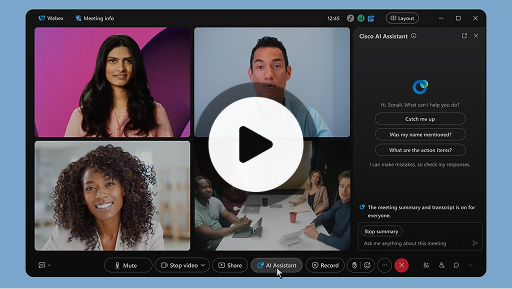
مساعد Cisco الذي يعمل بالذكاء الاصطناعي في الاجتماعات
Webex Suite
في بعض الأحيان، قد تضطر إلى الانضمام إلى اجتماع متأخرًا، أو قد تحتاج إلى الابتعاد عن الاجتماع لبعض الوقت، أو قد تقوم بمهام متعددة ويتشتت انتباهك. باستخدام ملخصات الاجتماعات من إنشاء مساعد الذكاء الاصطناعي، يمكنك متابعة ما فاتك بسرعة، وفهم المناقشات، وطرح أسئلة دون مقاطعة سير الاجتماع، والاستمرار في متابعة ما يدور من محادثات. يمكنك أيضًا تلقي ملخص ونسخة مكتوبة بعد الاجتماع، دون الحاجة لتسجيل الاجتماع.
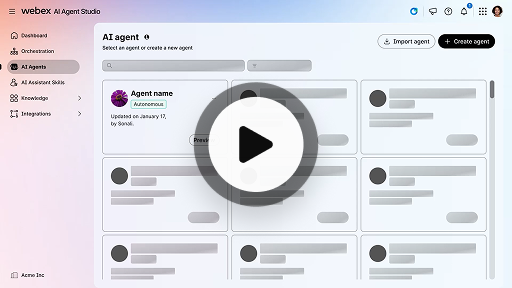
إنشاء وكيل الذكاء الاصطناعي المستقل
تجربة العملاء
إن وكيل الذكاء الاصطناعي المستقل يعمل ذاتيًا دون تدخل مباشر من البشر. يستطيع وكلاء الذكاء الاصطناعي المستقلون الوصول إلى مستودع المعرفة واستخدامه لتوفير إجابات دقيقة وغنية بالمعلومات عن أسئلة المستخدمين. ويستخدم هؤلاء الوكلاء خوارزميات متقدمة وتقنيات تعلم الآلة لتحليل البيانات، والتعلم من بيئاتهم، ومواءمة إجراءاتهم لتحقيق أهداف محددة.
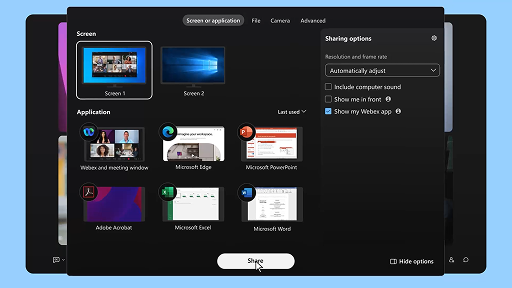
مشاركة المحتوى في اجتماع
Webex Suite
عندما تقوم بمشاركة محتوى في تطبيق Webex، يستطيع كل شخص موجود في الاجتماع رؤية الموضوعات التي يتم مناقشتها بسهولة. يستطيع أي شخص مشاركة المحتوى، ولكن يُسمح لشخص واحد فقط بالمشاركة في كل مرة.
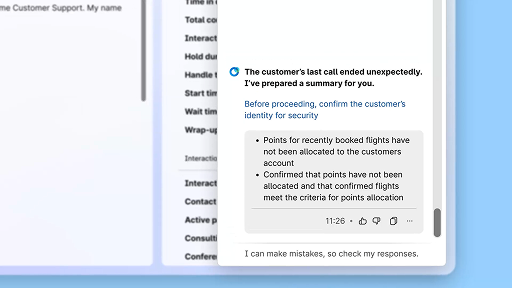
ارفع مستوى الكفاءة باستخدام ملخصات أنشأها الذكاء الاصطناعي
تجربة العملاء
يقدم مساعد الذكاء الاصطناعي من Cisco ملخصات مختصرة للتفاعلات السابقة، ويسمح ذلك للوكلاء بالاستمرار في المحادثات ويتيح هذا الوصول المباشر للوكلاء التركيز على تقديم حلول فعالة، ويثمر ذلك عن مزيد من السرعة في حل المشكلات ومزيد من الترابط في تجربة المستخدم.
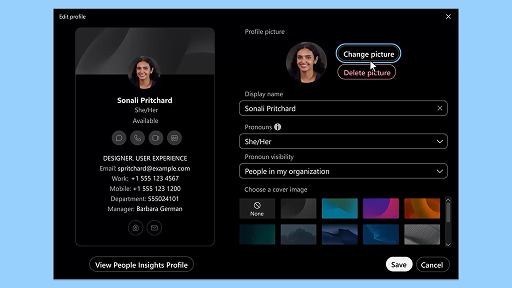
تطبيق Webex | إضافة صورتك لملف التعريف
Webex Suite
يمكنك تسهيل الأمور على الأشخاص كي يتعرفوا عليك في تطبيق Webex عن طريق إضافة صورة إلى ملف تعريفك. وحتى تقوم بتحميل صورة، يعرض ملف تعريفك الأحرف الأولى فقط من اسمك داخل دائرة.
إعلامات مساعد الذكاء الاصطناعي بفترات الراحة الصحية
تجربة العملاء
عندما يوصي مساعد الذكاء الاصطناعي بفترة راحة صحية، يظهر إعلام منبثق: قبول فترة الراحة: انقر على "التوقف للراحة" لقبول فترة الراحة. ينفتح عنصر واجهة المستخدم الخاص بمساعد الذكاء الاصطناعي من Cisco تلقائيًا لتأكيد اختيارك. بعد أن تختتم التفاعل الحالي، تبدأ فترة راحتك الصحية تلقائيًا التي تمتد لدقيقة واحدة. وتتغير حالتك إلى "في فترة راحة صحية" لمنع تسجيل التفاعل التالي في قائمة الانتظار لديك. يظهر عد تنازلي بمقدار 5 ثوانٍ على الشاشة مع اقتراب فترة راحتك الممتدة لدقيقة واحدة من النهاية. بمجرد اكتماله، تنغلق نافذة الاستراحة تلقائيًا، وتتغير حالتك إلى "متوفر"، لتصير مستعدًا للتفاعل التالي.
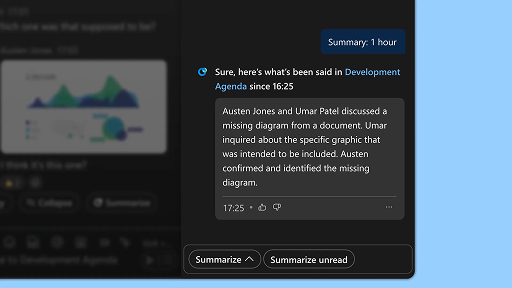
إنشاء ملخصات مساحتك
Webex Suite
أثناء انشغالك أو ابتعادك عن المكتب، قد يصُعب عليك متابعة جميع المساحات الخاصة بك. يمكن أن يقوم مساعد الذكاء الاصطناعي بإنشاء ملخصات للمساحة لمساعدتك على متابعة ما فاتك بسرعة من الرسائل والمحادثات التي تم تبادلها في هذه المساحة. يمكنك الاستمرار في الاطلاع على القرارات والنقاط الرئيسية ومواكبة أحدث المستجدات على المناقشة في لمح البصر.
ارفع مستوى الكفاءة باستخدام النسخ المكتوبة في الوقت الحقيقي
تجربة العملاء
إن النسخ المكتوبة في الوقت الحقيقي مصممة لمساعدتك على تحسين الكفاءة في التواصل خلال التفاعلات مع العملاء. بفضل توفير الإنشاء المباشر للنسخ المكتوبة في Agent Desktop لديك مباشرةً، يمكن المساعدة في تعزيز تركيزك، ووضوح ردودك، ودقتها. يهدف ذلك إلى تعزيز استيعابك وكفاءتك خلال المكالمات، ويقلل من حالات سوء الفهم، ويدعمك في تقديم تفاعلات عالية الجودة تحسِّن الأداء ومستوى رضاء العميل.
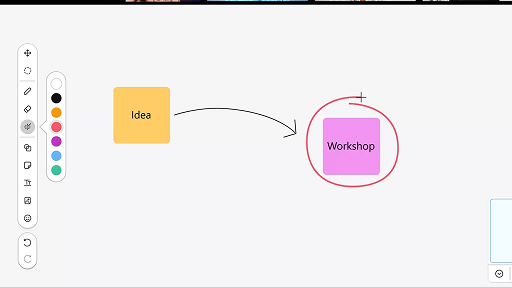
استخدام لوحة مشاركة المعلومات في الاجتماعات
Webex Suite
أثناء انشغالك أو ابتعادك عن المكتب، قد يصُعب عليك متابعة جميع المساحات الخاصة بك. يمكن أن يقوم مساعد الذكاء الاصطناعي بإنشاء ملخصات للمساحة لمساعدتك على متابعة ما فاتك بسرعة من الرسائل والمحادثات التي تم تبادلها في هذه المساحة. يمكنك الاستمرار في الاطلاع على القرارات والنقاط الرئيسية ومواكبة أحدث المستجدات على المناقشة في لمح البصر.
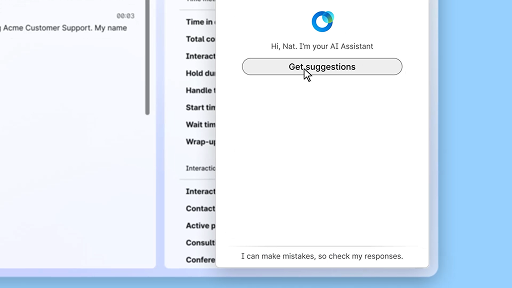
تمتع بالثقة في ردودك باستخدام المساعدة في الوقت الحقيقي
تجربة العملاء
المساعدة في الوقت الحقيقي ميزة من ميزات مساعد الذكاء الاصطناعي من Cisco، تم تصميمها لدعمك خلال التفاعلات المباشرة مع العملاء عن طريق الاستيعاب المستمر لسياق المحادثة، وتحديد نية العميل، وتوفير توصيات فورية ذات صلة. إنها توجهك في الوقت الحقيقي عن طريق اقتراح ما ينبغي عليك قوله أو فعله، وتساعدك على التنقل بين الإجراءات المعقدة، وبدء عمليات سير عمل بالفعل تلقائيًا.
مساعد Cisco الذي يعمل بالذكاء الاصطناعي في الاجتماعات
Webex Suite
في بعض الأحيان، قد تضطر إلى الانضمام إلى اجتماع متأخرًا، أو قد تحتاج إلى الابتعاد عن الاجتماع لبعض الوقت، أو قد تقوم بمهام متعددة ويتشتت انتباهك. باستخدام ملخصات الاجتماعات من إنشاء مساعد الذكاء الاصطناعي، يمكنك متابعة ما فاتك بسرعة، وفهم المناقشات، وطرح أسئلة دون مقاطعة سير الاجتماع، والاستمرار في متابعة ما يدور من محادثات. يمكنك أيضًا تلقي ملخص ونسخة مكتوبة بعد الاجتماع، دون الحاجة لتسجيل الاجتماع.
إنشاء وكيل الذكاء الاصطناعي المستقل
تجربة العملاء
إن وكيل الذكاء الاصطناعي المستقل يعمل ذاتيًا دون تدخل مباشر من البشر. يستطيع وكلاء الذكاء الاصطناعي المستقلون الوصول إلى مستودع المعرفة واستخدامه لتوفير إجابات دقيقة وغنية بالمعلومات عن أسئلة المستخدمين. ويستخدم هؤلاء الوكلاء خوارزميات متقدمة وتقنيات تعلم الآلة لتحليل البيانات، والتعلم من بيئاتهم، ومواءمة إجراءاتهم لتحقيق أهداف محددة.
مشاركة المحتوى في اجتماع
Webex Suite
عندما تقوم بمشاركة محتوى في تطبيق Webex، يستطيع كل شخص موجود في الاجتماع رؤية الموضوعات التي يتم مناقشتها بسهولة. يستطيع أي شخص مشاركة المحتوى، ولكن يُسمح لشخص واحد فقط بالمشاركة في كل مرة.
ارفع مستوى الكفاءة باستخدام ملخصات أنشأها الذكاء الاصطناعي
تجربة العملاء
يقدم مساعد الذكاء الاصطناعي من Cisco ملخصات مختصرة للتفاعلات السابقة، ويسمح ذلك للوكلاء بالاستمرار في المحادثات ويتيح هذا الوصول المباشر للوكلاء التركيز على تقديم حلول فعالة، ويثمر ذلك عن مزيد من السرعة في حل المشكلات ومزيد من الترابط في تجربة المستخدم.
تطبيق Webex | إضافة صورتك لملف التعريف
Webex Suite
يمكنك تسهيل الأمور على الأشخاص كي يتعرفوا عليك في تطبيق Webex عن طريق إضافة صورة إلى ملف تعريفك. وحتى تقوم بتحميل صورة، يعرض ملف تعريفك الأحرف الأولى فقط من اسمك داخل دائرة.
إعلامات مساعد الذكاء الاصطناعي بفترات الراحة الصحية
تجربة العملاء
عندما يوصي مساعد الذكاء الاصطناعي بفترة راحة صحية، يظهر إعلام منبثق: قبول فترة الراحة: انقر على "التوقف للراحة" لقبول فترة الراحة. ينفتح عنصر واجهة المستخدم الخاص بمساعد الذكاء الاصطناعي من Cisco تلقائيًا لتأكيد اختيارك. بعد أن تختتم التفاعل الحالي، تبدأ فترة راحتك الصحية تلقائيًا التي تمتد لدقيقة واحدة. وتتغير حالتك إلى "في فترة راحة صحية" لمنع تسجيل التفاعل التالي في قائمة الانتظار لديك. يظهر عد تنازلي بمقدار 5 ثوانٍ على الشاشة مع اقتراب فترة راحتك الممتدة لدقيقة واحدة من النهاية. بمجرد اكتماله، تنغلق نافذة الاستراحة تلقائيًا، وتتغير حالتك إلى "متوفر"، لتصير مستعدًا للتفاعل التالي.
إنشاء ملخصات مساحتك
Webex Suite
أثناء انشغالك أو ابتعادك عن المكتب، قد يصُعب عليك متابعة جميع المساحات الخاصة بك. يمكن أن يقوم مساعد الذكاء الاصطناعي بإنشاء ملخصات للمساحة لمساعدتك على متابعة ما فاتك بسرعة من الرسائل والمحادثات التي تم تبادلها في هذه المساحة. يمكنك الاستمرار في الاطلاع على القرارات والنقاط الرئيسية ومواكبة أحدث المستجدات على المناقشة في لمح البصر.
ارفع مستوى الكفاءة باستخدام النسخ المكتوبة في الوقت الحقيقي
تجربة العملاء
إن النسخ المكتوبة في الوقت الحقيقي مصممة لمساعدتك على تحسين الكفاءة في التواصل خلال التفاعلات مع العملاء. بفضل توفير الإنشاء المباشر للنسخ المكتوبة في Agent Desktop لديك مباشرةً، يمكن المساعدة في تعزيز تركيزك، ووضوح ردودك، ودقتها. يهدف ذلك إلى تعزيز استيعابك وكفاءتك خلال المكالمات، ويقلل من حالات سوء الفهم، ويدعمك في تقديم تفاعلات عالية الجودة تحسِّن الأداء ومستوى رضاء العميل.
استخدام لوحة مشاركة المعلومات في الاجتماعات
Webex Suite
أثناء انشغالك أو ابتعادك عن المكتب، قد يصُعب عليك متابعة جميع المساحات الخاصة بك. يمكن أن يقوم مساعد الذكاء الاصطناعي بإنشاء ملخصات للمساحة لمساعدتك على متابعة ما فاتك بسرعة من الرسائل والمحادثات التي تم تبادلها في هذه المساحة. يمكنك الاستمرار في الاطلاع على القرارات والنقاط الرئيسية ومواكبة أحدث المستجدات على المناقشة في لمح البصر.
تمتع بالثقة في ردودك باستخدام المساعدة في الوقت الحقيقي
تجربة العملاء
المساعدة في الوقت الحقيقي ميزة من ميزات مساعد الذكاء الاصطناعي من Cisco، تم تصميمها لدعمك خلال التفاعلات المباشرة مع العملاء عن طريق الاستيعاب المستمر لسياق المحادثة، وتحديد نية العميل، وتوفير توصيات فورية ذات صلة. إنها توجهك في الوقت الحقيقي عن طريق اقتراح ما ينبغي عليك قوله أو فعله، وتساعدك على التنقل بين الإجراءات المعقدة، وبدء عمليات سير عمل بالفعل تلقائيًا.

استكشاف أدوات التعلم لدينا

Adoption Hub
Launch, train, and grow with these helpful resources.

Webex Academy
تعلم في أي وقت عن طريق الدورات التدريبية التي يمكنك تحديد وتيرتها والبرامج التعليمية السريعة بالفيديو.

Onboarding resources
Make onboarding easy with customizable self-serve resources.

الأحداث المباشرة
التعلم مع Webex: الأحداث وندوات الإنترنت والعروض التوضيحية يوميًا.
موارد أخرى

تنزيل Webex
نظام أساسي واحد يشمل جميع الطرق للتواصل.


مجتمع Webex
يُعد "المجتمع" محورًا للتواصل مع أقرانك ومتخصصي Cisco لطلب المساعدة ومشاركة خبراتك مع الآخرين وبناء شبكة علاقاتك ومعارفك وتنمية المهارات على المستوى المهني.

Webex Insider
تواصل مع الأشخاص الذين يشاركونك الشغف في الاستفادة من Webex والتمتع بصلاحيات داخلية للوصول إلى المفاهيم الجديدة في منتجات مجموعة Webex وفرق العمل ذوي الخبرات.

Webex من أجل المطورين
يمكنك إنشاء مستقبل التعاون في مجال الأعمال التجارية باستخدام Webex. معرفة المزيد عن واجهة برمجة تطبيقات Webex ومجموعات SDK لإنشاء تطبيق التعاون التالي الرائع على نظام Webex الأساسي.

هل ما زلت تحتاج إلى المساعدة؟
اختر من مجموعة متنوعة من موارد الدعم للحصول على المساعدة التي تحتاجها.
كيف تقيّم تجربتك على هذه الصفحة؟


غير مفيد
مفيد
كيف يمكننا جعل هذه الصفحة أكثر فائدة لك؟
شكرًا على ملاحظاتك.


