Jak vám můžeme pomoct?

Zkoušíte se připojit ke schůzce?


5. až 8. října 2026, Austin, Texas a online | Registrace do WebexOne 2026 je otevřená.
5. až 8. října 2026, Austin, Texas a online | Registrace do WebexOne 2026 je otevřená.


Začínáme
Vše co potřebujete vědět, abyste mohli začít používat aplikaci Webex.


Nápověda podle produktu
Získejte pomoc určenou pro každý náš produkt.

Správa
Správa služby Webex v centru Control Hub a partnerském centru.

Webex AI
Nejpokročilejší platforma s generativní umělou inteligencí pro hybridní práci a pohodlí klientů.


Co je nového
Zjistěte, co je ve službě Webex nového. Nabízíme informace o nových funkcích, potížích, opravách a dalších novinkách.

Oblíbené články
Problémy s přihlášením do služby Webex


Webex Suite
Konfigurace místní brány na Cisco IOS XE pro Webex Calling

Calling
Referenční informace o portech pro službu Webex Calling
Calling
Použití virtuálního pozadí v aplikacích Webex Meetings a Webex Webinars
Webex Suite
Vytváření a správa toků pomocí nástroje Flow Designer

Zkušenosti zákazníků
Příručka pro správu platformy Webex AI Agent Studio
Zkušenosti zákazníků
Připojení k zařízení s aplikací Webex

Zařízení

Zdroje videa


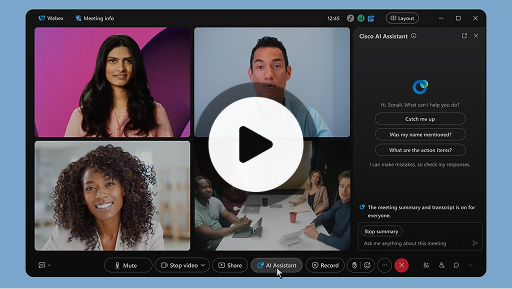
Cisco AI Assistant ve schůzkách
Webex Suite
Někdy se může stát, že se ke schůzce připojíte se zpožděním, potřebujete se na chvíli vzdálit, případně pracujete na více úkolech a jste rozptylováni. Díky shrnutím schůzky nástrojem AI Assistant můžete rychle dohnat, co jste zmeškali, porozumět diskusi, pokládat otázky, aniž byste narušovali průběh schůzky, a být v obraze s ohledem na aktuální diskuzi. Po schůzce také obdržíte shrnutí a přepis, aniž byste ji museli nahrávat.
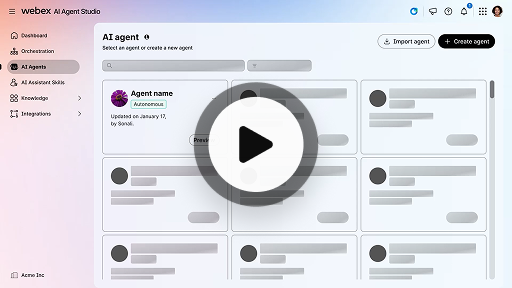
Vytvoření autonomního AI agenta
Zkušenosti zákazníků
Autonomní AI agenti fungují samostatně bez přímého zásahu člověka. Autonomní agenti mají přístup k úložišti znalostních báze, abyste mohli věcně a přesně odpovídat na dotazy uživatelů. Tito agenti využívají pokročilé algoritmy a techniky strojového učení k analýze dat a učení prostřednictvím daného prostředí a dokážou své akce přizpůsobit tak, aby dosáhli konkrétních cílů.
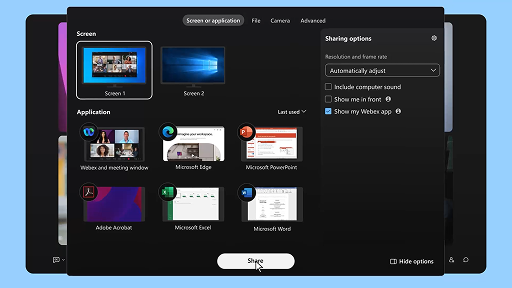
Sdílení obsahu na schůzce
Webex Suite
Když sdílíte obsah v aplikaci Webex, mohou všichni účastníci schůzky snadno vidět, o čem se diskutuje. Obsah může sdílet kdokoli, ale vždy jen jedna osoba.
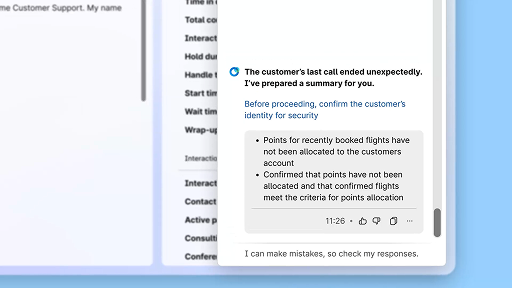
Zvýšení efektivity prostřednictvím shrnutí vygenerovaných pomocí AI
Zkušenosti zákazníků
Nástroj Cisco AI Assistant nabízí stručné shrnutí předchozích interakcí, což agentům umožňuje plynule navázat na konverzaci, aniž by museli opakovaně shromažďovat informace. Tento okamžitý přístup umožňuje agentům se soustředit na poskytování efektivních řešení, což vede k rychlejšímu řešení problémů a umožňuje vytvářet konzistentnější zákaznické prostředí.
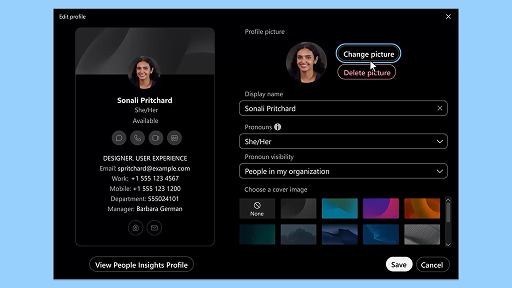
Aplikace Webex | Přidání profilového obrázku
Webex Suite
Přidáním obrázku do svého profilu umožníte ostatním, aby vás v aplikaci Webex snáze poznali. Dokud ho nenahrajete, zobrazují se na vašem profilu pouze vaše iniciály v kroužku.
Oznámení AI asistenta o odpočinkových přestávkách
Zkušenosti zákazníků
Jakmile AI asistent doporučí odpočinkovou přestávku, aktivuje se oznámení ve formě vyskakovacího okna: Přijetí přestávky: Kliknutím na „Udělat si přestávku“ navrženou přestávku potvrdíte. Dojde k automatickému otevření miniaplikace nástroje Cisco AI Assistant k potvrzení vaší volby. Po dokončení aktuální interakce se automaticky aktivuje minutová odpočinková přestávka. Váš stav se změní na stav „Odpočinková přestávka“, aby nedošlo k zařazení další interakce do vaší fronty. Jakmile minutová přestávka skončí, na obrazovce se zobrazí 5sekundový odpočet. Po skončení se okno přestávky automaticky zavře a váš stav se změní na „Dostupný“, abyste mohli přijmout další interakci.
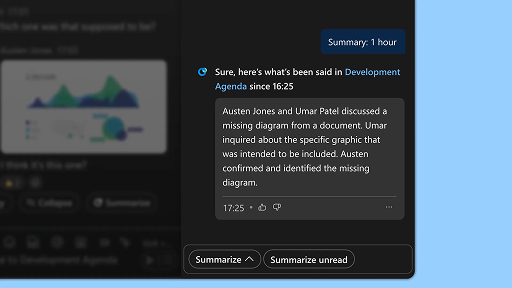
Generování shrnutí prostoru
Webex Suite
Když jste zaneprázdněni nebo jste byli mimo kancelář, může být náročné dohnat vše, co se dělo ve vašich prostorech. AI Assistant dokáže generovat přehledy prostorů, které vám pomohou rychle dohnat zmeškané zprávy a konverzace v daných prostorech. Buďte informováni o rozhodnutích či klíčových bodech a získejte přehled o aktuálním dění v diskusi.
Zvýšení efektivity pomocí přepisů v reálném čase
Zkušenosti zákazníků
Funkce přepisů v reálném čase umožňuje zefektivnit vaši komunikaci při interakcích se zákazníky. S přepisy v reálném čase přímo na ploše agenta se můžete lépe soustředit, abyste mohli poskytovat přesné odpovědi. Cílem této funkce je zlepšit porozumění a zvýšit vaši efektivitu při telefonních hovorech, omezit vznik nedorozumění a poskytovat vám podporu, abyste mohli nabízet vysoce kvalitní komunikaci, která povede ke zvýšení efektivity podpory a spokojenosti zákazníků.
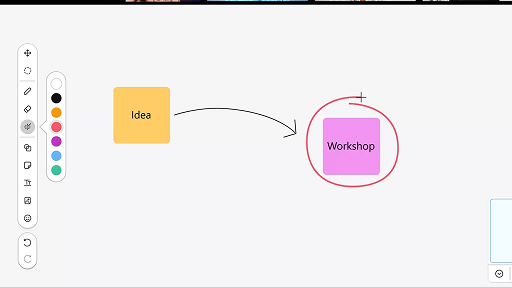
Používání tabule na schůzkách
Webex Suite
Když jste zaneprázdněni nebo jste byli mimo kancelář, může být náročné dohnat vše, co se dělo ve vašich prostorech. AI Assistant dokáže generovat přehledy prostorů, které vám pomohou rychle dohnat zmeškané zprávy a konverzace v daných prostorech. Buďte informováni o rozhodnutích či klíčových bodech a získejte přehled o aktuálním dění v diskusi.
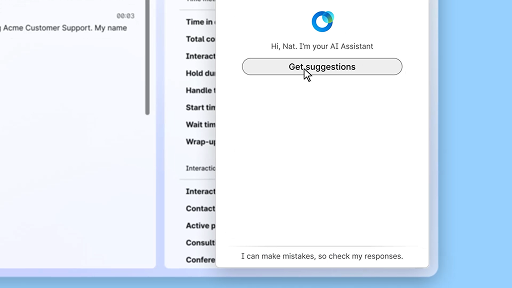
Reagování s jistotou díky asistenci v reálném čase
Zkušenosti zákazníků
Asistence v reálném čase je funkce nástroje Cisco AI Assistant, která vám pomáhá při živých interakcích se zákazníky tím, že průběžně analyzuje kontext konverzace, rozpoznává záměr zákazníka a okamžitě poskytuje relevantní doporučení. Poskytuje vám v reálném čase pomoc tím, že navrhuje, co říci nebo udělat, pomáhá vám orientovat se ve složitých postupech, ale dokonce také automaticky spouští různé pracovní postupy.
Cisco AI Assistant ve schůzkách
Webex Suite
Někdy se může stát, že se ke schůzce připojíte se zpožděním, potřebujete se na chvíli vzdálit, případně pracujete na více úkolech a jste rozptylováni. Díky shrnutím schůzky nástrojem AI Assistant můžete rychle dohnat, co jste zmeškali, porozumět diskusi, pokládat otázky, aniž byste narušovali průběh schůzky, a být v obraze s ohledem na aktuální diskuzi. Po schůzce také obdržíte shrnutí a přepis, aniž byste ji museli nahrávat.
Vytvoření autonomního AI agenta
Zkušenosti zákazníků
Autonomní AI agenti fungují samostatně bez přímého zásahu člověka. Autonomní agenti mají přístup k úložišti znalostních báze, abyste mohli věcně a přesně odpovídat na dotazy uživatelů. Tito agenti využívají pokročilé algoritmy a techniky strojového učení k analýze dat a učení prostřednictvím daného prostředí a dokážou své akce přizpůsobit tak, aby dosáhli konkrétních cílů.
Sdílení obsahu na schůzce
Webex Suite
Když sdílíte obsah v aplikaci Webex, mohou všichni účastníci schůzky snadno vidět, o čem se diskutuje. Obsah může sdílet kdokoli, ale vždy jen jedna osoba.
Zvýšení efektivity prostřednictvím shrnutí vygenerovaných pomocí AI
Zkušenosti zákazníků
Nástroj Cisco AI Assistant nabízí stručné shrnutí předchozích interakcí, což agentům umožňuje plynule navázat na konverzaci, aniž by museli opakovaně shromažďovat informace. Tento okamžitý přístup umožňuje agentům se soustředit na poskytování efektivních řešení, což vede k rychlejšímu řešení problémů a umožňuje vytvářet konzistentnější zákaznické prostředí.
Aplikace Webex | Přidání profilového obrázku
Webex Suite
Přidáním obrázku do svého profilu umožníte ostatním, aby vás v aplikaci Webex snáze poznali. Dokud ho nenahrajete, zobrazují se na vašem profilu pouze vaše iniciály v kroužku.
Oznámení AI asistenta o odpočinkových přestávkách
Zkušenosti zákazníků
Jakmile AI asistent doporučí odpočinkovou přestávku, aktivuje se oznámení ve formě vyskakovacího okna: Přijetí přestávky: Kliknutím na „Udělat si přestávku“ navrženou přestávku potvrdíte. Dojde k automatickému otevření miniaplikace nástroje Cisco AI Assistant k potvrzení vaší volby. Po dokončení aktuální interakce se automaticky aktivuje minutová odpočinková přestávka. Váš stav se změní na stav „Odpočinková přestávka“, aby nedošlo k zařazení další interakce do vaší fronty. Jakmile minutová přestávka skončí, na obrazovce se zobrazí 5sekundový odpočet. Po skončení se okno přestávky automaticky zavře a váš stav se změní na „Dostupný“, abyste mohli přijmout další interakci.
Generování shrnutí prostoru
Webex Suite
Když jste zaneprázdněni nebo jste byli mimo kancelář, může být náročné dohnat vše, co se dělo ve vašich prostorech. AI Assistant dokáže generovat přehledy prostorů, které vám pomohou rychle dohnat zmeškané zprávy a konverzace v daných prostorech. Buďte informováni o rozhodnutích či klíčových bodech a získejte přehled o aktuálním dění v diskusi.
Zvýšení efektivity pomocí přepisů v reálném čase
Zkušenosti zákazníků
Funkce přepisů v reálném čase umožňuje zefektivnit vaši komunikaci při interakcích se zákazníky. S přepisy v reálném čase přímo na ploše agenta se můžete lépe soustředit, abyste mohli poskytovat přesné odpovědi. Cílem této funkce je zlepšit porozumění a zvýšit vaši efektivitu při telefonních hovorech, omezit vznik nedorozumění a poskytovat vám podporu, abyste mohli nabízet vysoce kvalitní komunikaci, která povede ke zvýšení efektivity podpory a spokojenosti zákazníků.
Používání tabule na schůzkách
Webex Suite
Když jste zaneprázdněni nebo jste byli mimo kancelář, může být náročné dohnat vše, co se dělo ve vašich prostorech. AI Assistant dokáže generovat přehledy prostorů, které vám pomohou rychle dohnat zmeškané zprávy a konverzace v daných prostorech. Buďte informováni o rozhodnutích či klíčových bodech a získejte přehled o aktuálním dění v diskusi.
Reagování s jistotou díky asistenci v reálném čase
Zkušenosti zákazníků
Asistence v reálném čase je funkce nástroje Cisco AI Assistant, která vám pomáhá při živých interakcích se zákazníky tím, že průběžně analyzuje kontext konverzace, rozpoznává záměr zákazníka a okamžitě poskytuje relevantní doporučení. Poskytuje vám v reálném čase pomoc tím, že navrhuje, co říci nebo udělat, pomáhá vám orientovat se ve složitých postupech, ale dokonce také automaticky spouští různé pracovní postupy.

Vyzkoušejte naše učební nástroje

Adoption Hub
Launch, train, and grow with these helpful resources.

Akademie Webex
Učte se kdykoli pomocí kurzů pro samostudium a základních výukových videí.

Onboarding resources
Make onboarding easy with customizable self-serve resources.

Živé události
Učte se se službou Webex: Události, webináře a každodenní ukázky.
Jiné zdroje

Stáhnout aplikaci Webex
Jedna platforma nabízející různé způsoby komunikace.


Komunita Webex
Komunita je centrum pro komunikaci s kolegy a odborníky na produkty Cisco, které můžete kdykoli požádat o pomoc. Můžete v ní také předávat své znalosti, budovat síť a zajistit si profesní růst.

Webex Insider
Spojte se s lidmi, kteří sdílí vaše nadšení ze služby Webex, a získejte cenný přístup k novým konceptům od týmů zaměřených na produkty a prostředí portfolia Webex.

Webex pro vývojáře
Vybudujte si se službou Webex budoucnost firemní spolupráce. Najdete zde informace o rozhraní API a sadách SDK Webex pro vytvoření příští špičkové aplikace pro spolupráci na platformě Webex.

Stále potřebujete pomoc?
Vyberte si z řady podpůrných zdrojů, které vám pomohou.
Jak byste ohodnotili své zkušenosti s touto stránkou?


Nebylo užitečné
Užitečné
Co bychom měli udělat, aby pro vás byla tato stránka užitečnější?
Děkujeme za vaši zpětnou vazbu.


