Как да ви помогнем?

Опитвате се да се присъедините към среща?


5 – 8 октомври 2026 г., Остин, TX & Virtual | Регистрацията за WebexOne 2026 вече е отворена.
5 – 8 октомври 2026 г., Остин, TX & Virtual | Регистрацията за WebexOne 2026 вече е отворена.


Първи стъпки
Всичко, което ви е нужно, за да започнете с Webex.


Помощ по продукт
Получете специализирана помощ за всеки от различните ни продукти.

Администриране
Управление на Webex в Control Hub и Partner Hub.

Webex AI
Платформа за хибридна работа и клиенти, поддържана от най-напредналия генеративен изкуствен интелект.


Какво ново?
Открийте какво е новото в Webex. Научете за новите функции, проблеми, корекции и други актуализации.

Популярни статии
Проблеми с влизането в Webex


Webex Suite
Конфигуриране на локален шлюз на Cisco IOS XE за Webex Calling

Calling
Справочна информация за портовете за Webex Calling
Calling
Използване на виртуални фонове в Webex Meetings и Webex Webinars
Webex Suite
Изграждане и управление на потоци с Flow Designer

Работа на клиентите
Ръководство за администриране на Webex AI Agent Studio
Работа на клиентите
Свързване с устройство с приложението Webex

Устройства

Видео ресурси


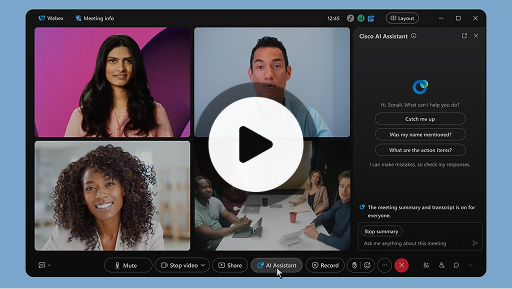
Cisco AI Assistant в срещи
Webex Suite
Понякога е възможно да се присъедините към среща със закъснение, да се наложи да се оттеглите за малко, или да вършите няколко неща едновременно и да сте разсеяни. С помощта на обобщенията на срещи от AI Assistant вече можете бързо да наваксате пропуснатото, да разберете какво се обсъжда, да задавате въпроси, без да прекъсвате срещата, и да следите разговора. Също така ще получите обобщение и препис след срещата, без да се налага да правите запис.
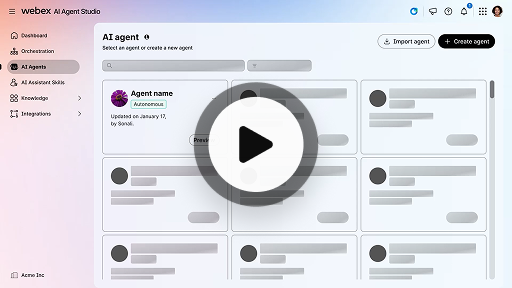
Създаване на автономен агент с AI
Работа на клиентите
Автономният агент с AI действа независимо без пряка човешка намеса. Автономните агенти имат достъп до хранилище на знания, което използват, за да предоставят информативни и точни отговори на потребителски запитвания. Тези агенти използват усъвършенствани алгоритми и техники за машинно обучение, за да анализират данни, научават от своята среда и адаптират действията си, за да постигнат конкретни цели.
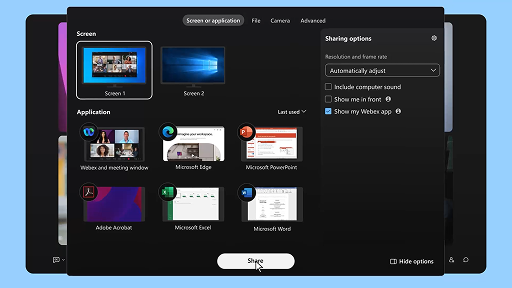
Споделяне на съдържание в среща
Webex Suite
Когато споделяте съдържание в приложението Webex, всички в срещата лесно могат да видят какво се обсъжда. Всеки може да споделя съдържание, на само по един човек едновременно.
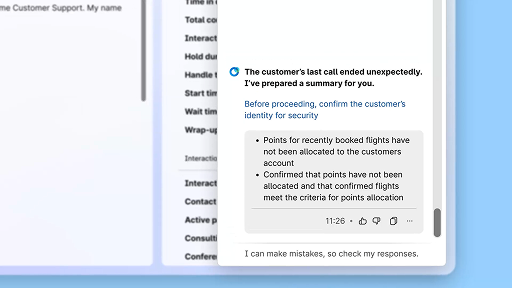
Увеличете ефективността с използване на обобщения, генерирани с AI
Работа на клиентите
Cisco AI Assistant предлага кратки обобщения на предишни взаимодействия, като позволява на агентите да продължават разговорите без проблеми и без необходимост от повторно събиране на информация. Незабавният достъп разрешава на агентите да се фокусират върху доставяне на ефективни решения, като водят до по-бързи решаване на проблемите и по-пълно изживяване на клиентите.
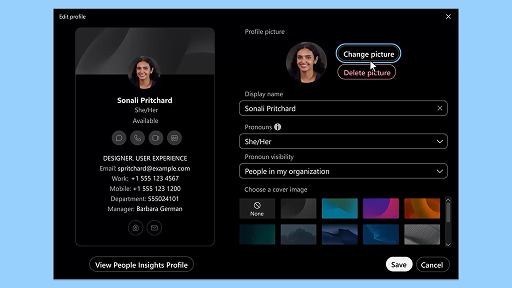
Приложение Webex | Добавяне на вашата профилна снимка
Webex Suite
Помогнете на другите да ви разпознават в приложението Webex, като добавите изображение в профила си. Докато не качите снимка, в профила ви се показват само инициалите ви в кръгче.
Уведомявания на AI Assistant за почивки за отпускане
Работа на клиентите
Когато AI Assistant препоръчва почивка за отпускане, ще се появи малко изскачащо уведомяване: Приемане на почивка: Щракнете върху „Взимам почивка“, за да приемете почивката. Автоматично се отваря се притурката Cisco AI Assistant, за да потвърди избора ви. След като приключите с текущото взаимодействие, вашата почивка за отпускане от 1 минута започва автоматично. Вашият статус се променя на „Почивка за отпускане“, за да не допусне за вас в опашката да се подреди следващото взаимодействие. След като вашата почивка от 1 минута завърши, на екрана се появява обратно броене от 5 секунди. След като почивката завърши, прозорецът ѝ се затваря автоматично, а вашият статус се променя на „Достъпен“, с готовност за следващото взаимодействие.
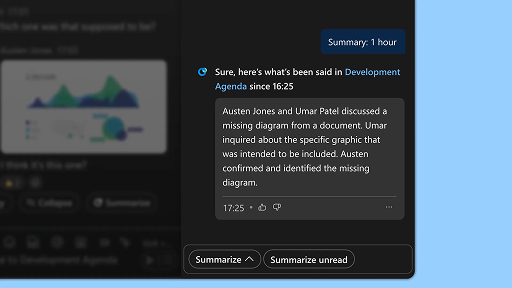
Генериране на обобщения за пространства
Webex Suite
Когато сте заети, или сте били извън офиса, може да е трудно да наваксате с новата информация в пространствата. AI Assistant може бързо да генерира обобщения за пространства, за да можете лесно да се информирате за пропуснати съобщения и разговори в пространството. С един поглед можете да се информирате за решения, ключови точки и за последните развития в дискусията.
Подобрете ефективността с преписи в реално време
Работа на клиентите
Преписите в реално време са предназначени да ви помогнат да оптимизирате ефективността по време на взаимодействия с клиента. Като предоставяте преписи на живо директно на своя Agent Desktop, това може да помогне да подобрите фокусирането, яснотата и точността на отговорите. Целта е да се подобри разбирането и ефективността по време на повиквания, да се намалят неразбирателствата и да получите поддръжка за предоставяне на висококачествени взаимодействия, които подобряват представянето и удовлетворението на клиента.
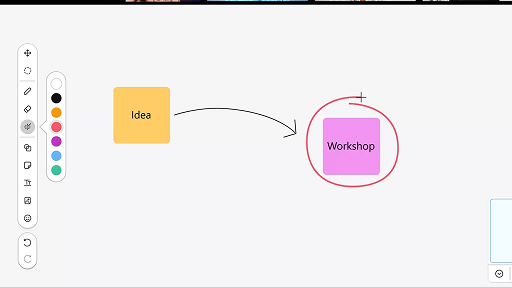
Използване на бяла дъска в срещи
Webex Suite
Когато сте заети, или сте били извън офиса, може да е трудно да наваксате с новата информация в пространствата. AI Assistant може бързо да генерира обобщения за пространства, за да можете лесно да се информирате за пропуснати съобщения и разговори в пространството. С един поглед можете да се информирате за решения, ключови точки и за последните развития в дискусията.
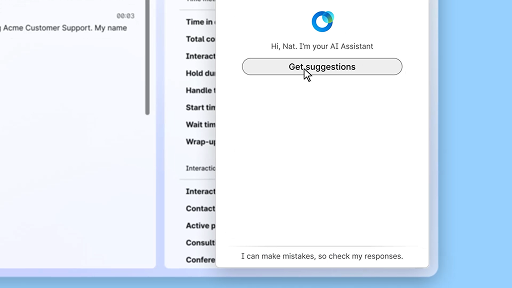
Отговаряйте с увереност, като използвате помощ в реално време
Работа на клиентите
Помощта в реално време е функция на Cisco AI Assistant, предназначена за поддръжка по време на взаимодействия на живо с клиенти чрез непрекъснато разбиране на контекста на разговора, идентифициране на намерението на клиента и незабавно предоставяне на подходящи препоръки. Тя ви насочва в реално време, като предлага какво да кажете или направите, помага ви в навигацията в сложни процедури и дори автоматично инициира работни потоци.
Cisco AI Assistant в срещи
Webex Suite
Понякога е възможно да се присъедините към среща със закъснение, да се наложи да се оттеглите за малко, или да вършите няколко неща едновременно и да сте разсеяни. С помощта на обобщенията на срещи от AI Assistant вече можете бързо да наваксате пропуснатото, да разберете какво се обсъжда, да задавате въпроси, без да прекъсвате срещата, и да следите разговора. Също така ще получите обобщение и препис след срещата, без да се налага да правите запис.
Създаване на автономен агент с AI
Работа на клиентите
Автономният агент с AI действа независимо без пряка човешка намеса. Автономните агенти имат достъп до хранилище на знания, което използват, за да предоставят информативни и точни отговори на потребителски запитвания. Тези агенти използват усъвършенствани алгоритми и техники за машинно обучение, за да анализират данни, научават от своята среда и адаптират действията си, за да постигнат конкретни цели.
Споделяне на съдържание в среща
Webex Suite
Когато споделяте съдържание в приложението Webex, всички в срещата лесно могат да видят какво се обсъжда. Всеки може да споделя съдържание, на само по един човек едновременно.
Увеличете ефективността с използване на обобщения, генерирани с AI
Работа на клиентите
Cisco AI Assistant предлага кратки обобщения на предишни взаимодействия, като позволява на агентите да продължават разговорите без проблеми и без необходимост от повторно събиране на информация. Незабавният достъп разрешава на агентите да се фокусират върху доставяне на ефективни решения, като водят до по-бързи решаване на проблемите и по-пълно изживяване на клиентите.
Приложение Webex | Добавяне на вашата профилна снимка
Webex Suite
Помогнете на другите да ви разпознават в приложението Webex, като добавите изображение в профила си. Докато не качите снимка, в профила ви се показват само инициалите ви в кръгче.
Уведомявания на AI Assistant за почивки за отпускане
Работа на клиентите
Когато AI Assistant препоръчва почивка за отпускане, ще се появи малко изскачащо уведомяване: Приемане на почивка: Щракнете върху „Взимам почивка“, за да приемете почивката. Автоматично се отваря се притурката Cisco AI Assistant, за да потвърди избора ви. След като приключите с текущото взаимодействие, вашата почивка за отпускане от 1 минута започва автоматично. Вашият статус се променя на „Почивка за отпускане“, за да не допусне за вас в опашката да се подреди следващото взаимодействие. След като вашата почивка от 1 минута завърши, на екрана се появява обратно броене от 5 секунди. След като почивката завърши, прозорецът ѝ се затваря автоматично, а вашият статус се променя на „Достъпен“, с готовност за следващото взаимодействие.
Генериране на обобщения за пространства
Webex Suite
Когато сте заети, или сте били извън офиса, може да е трудно да наваксате с новата информация в пространствата. AI Assistant може бързо да генерира обобщения за пространства, за да можете лесно да се информирате за пропуснати съобщения и разговори в пространството. С един поглед можете да се информирате за решения, ключови точки и за последните развития в дискусията.
Подобрете ефективността с преписи в реално време
Работа на клиентите
Преписите в реално време са предназначени да ви помогнат да оптимизирате ефективността по време на взаимодействия с клиента. Като предоставяте преписи на живо директно на своя Agent Desktop, това може да помогне да подобрите фокусирането, яснотата и точността на отговорите. Целта е да се подобри разбирането и ефективността по време на повиквания, да се намалят неразбирателствата и да получите поддръжка за предоставяне на висококачествени взаимодействия, които подобряват представянето и удовлетворението на клиента.
Използване на бяла дъска в срещи
Webex Suite
Когато сте заети, или сте били извън офиса, може да е трудно да наваксате с новата информация в пространствата. AI Assistant може бързо да генерира обобщения за пространства, за да можете лесно да се информирате за пропуснати съобщения и разговори в пространството. С един поглед можете да се информирате за решения, ключови точки и за последните развития в дискусията.
Отговаряйте с увереност, като използвате помощ в реално време
Работа на клиентите
Помощта в реално време е функция на Cisco AI Assistant, предназначена за поддръжка по време на взаимодействия на живо с клиенти чрез непрекъснато разбиране на контекста на разговора, идентифициране на намерението на клиента и незабавно предоставяне на подходящи препоръки. Тя ви насочва в реално време, като предлага какво да кажете или направите, помага ви в навигацията в сложни процедури и дори автоматично инициира работни потоци.

Разгледайте инструментите за обучение

Adoption Hub
Launch, train, and grow with these helpful resources.

Webex Academy
Можете да се обучавате по всяко време с курсове с персонализирана скорост и бързи видео обучения.

Onboarding resources
Make onboarding easy with customizable self-serve resources.

Събития „на живо“
Обучения с Webex: събития, уебинари и ежедневни демонстрации.
Други ресурси

Изтегляне на Webex
Една платформа – с всички възможни начини за свързване.


Общност на Webex
Общността е център за връзка с ваши колеги и специалисти от Cisco, където можете да потърсите помощ, да споделите опит, да изградите мрежа и да се развивате като професионалист.

Webex Insider
Свържете се с хора, които споделят вашия интерес към Webex и получете вътрешен достъп до новите концепции от екипите за портфейла с продукти и работа с Webex.

Webex за разработчици
Изградете бъдещето на бизнес сътрудничеството с Webex. Научете повече за API и SDK за Webex, за да създадете новото страхотно приложение за сътрудничество в платформата Webex.

Все още се нуждаете от помощ?
Изберете от различни ресусрси за поддръжка, за да получите нужната помощ.
Как бихте оценили тази страница?


Безполезна
Полезна
Как бихме могли да направим тази страница по-полезна за вас?
Благодарим за обратната връзка.


