webex-logowebex-logo도움말 센터
  • Ctrl K
    • 시작하기
    • 제품별 도움말
    • 관리
    • 새로운 소식
    • Support

      Join a meeting
      Developer ToolsDeveloper Tools
      Webex AdoptionWebex Adoption
      Contact Support

      learn

      Video resources
      Webex AcademyWebex Academy
      Live Events and WebinarsLive Events and Webinars
      Webex BlogWebex Blog

      programs

      Webex CommunityWebex Community
      Webex InsiderWebex Insider
      App HubApp Hub
      Cisco AI Assistant

      Cisco AI Assistant

      The most advanced generative AI-powered platform for hybrid work and customer experience.

      Learn more →
      webexDownload Webex
      +1-888-469-3239Contact Sales →
    • Ctrl K
      • Dansk
      • Deutsch
      • English 언어 틱
      • Español
      • Français
      • Italiano
      • Nederlands
      • Português
      • Pyccĸий
      • Svenska
      • Tϋrkçe
      • 한국어
      • 日本語
      • 简体中文
      • 繁體中文
      • Română
      • Magyar
      • Polski
      • Čeština
      • Български
      • Norsk
      • Hrvatski
      • Srpski
      • Українська
      • العربية
      • עברית
      • Suomi
      • Slovenščina
      • Slovenský

    어떻게 도와드릴까요?

    캘린더 미팅 아이콘

    미팅에 참여하려고 합니까?

    이전 배너
    Webex One 로고

    Oct 5-8, 2026, Austin, TX & Virtual | Save the date and get 75% off your tickets when registration opens.

    Oct 5-8, 2026, Austin, TX & Virtual | Save the date and get 75% off your tickets when registration opens.

    다음 배너
    이전 배너
    마이그레이션 클라우드 아이콘

    Unified CM에서 Webex Calling으로 마이그레이션

    단계별 가이드를 참조하여 Webex Calling의 엔터프라이즈급 클라우드 플랫폼으로 원활하게 마이그레이션할 수 있습니다.

    단계별 가이드를 참조하여 Webex Calling의 엔터프라이즈급 클라우드 플랫폼으로 원활하게 마이그레이션할 수 있습니다.

    다음 배너
    로켓 선박 아이콘

    시작하기

    Webex를 시작하기 위해 필요한 모든 정보입니다.

    응용프로그램 아이콘

    제품별 도움말

    다양한 각 상품에 대한 도움을 받아보십시오.

    설정 톱니바퀴 아이콘

    관리

    Control Hub 및 Partner Hub에서 Webex를 관리합니다.

    Cisco AI Assistant 아이콘

    Webex AI

    하이브리드 업무 및 고객 환경을 위한 최첨단 생성형 AI 기반 플랫폼을 소개합니다.

    새로운 소식 번개 아이콘

    새로운 소식

    Webex의 새로운 기능을 알아보십시오. 새로운 기능, 문제, 수정 및 기타 업데이트에 대해 알아보십시오.

    인기 문서

    Sign-in issues with Webex
    제품 아이콘
    Webex Suite
    Configure Local Gateway on Cisco IOS XE for Webex Calling
    제품 아이콘
    Calling
    Port Reference Information for Webex Calling
    제품 아이콘
    Calling
    Use virtual backgrounds in Webex Meetings and Webex Webinars
    제품 아이콘
    Webex Suite
    Build and manage flows with Flow Designer
    제품 아이콘
    Customer Experience
    Webex AI Agent Studio Administration guide
    제품 아이콘
    Customer Experience
    Connect to a Webex App device
    제품 아이콘
    장치

    비디오 리소스

    Scroll left to see more video resourcesScroll right to see more video resources
    playfooter.videoTitle1
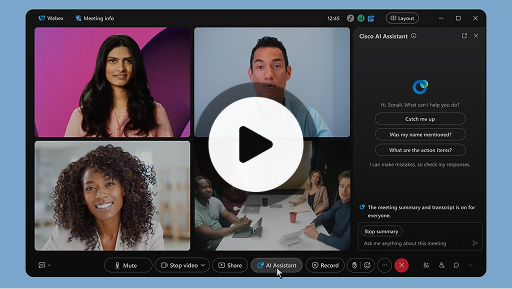
    Cisco AI Assistant in meetings
    제품 아이콘
    Webex Suite
    Sometimes you may join a meeting late, need to step away for a moment, or you're multitasking and get distracted. With AI Assistant meeting summaries, you can quickly catch up on what you’ve missed, understand the discussion, ask questions without disturbing the meeting, and stay on top of the conversation. You also receive a summary and transcript after the meeting, without having to record.
    playfooter.videoTitle2
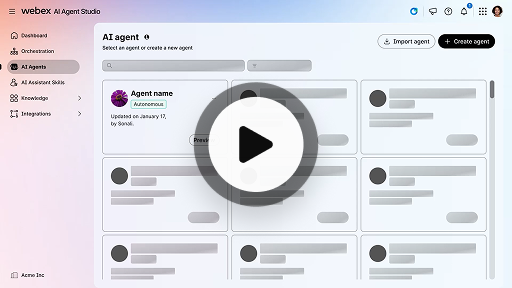
    Create an autonomous AI agent
    제품 아이콘
    Customer Experience
    Autonomous AI agents operate independently without direct human intervention. Autonomous agents can access and use a knowledge repository to provide informative and accurate answers to user queries. These agents use advanced algorithms and machine learning techniques to analyze data, learn from their environment, and adapt their actions to achieve specific goals.
    playfooter.videoTitle3
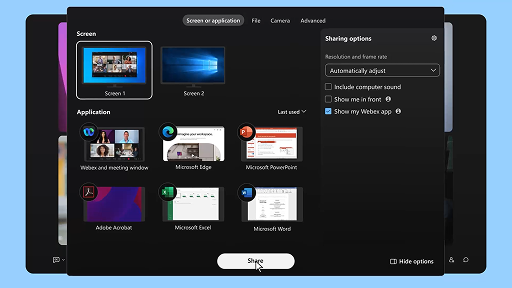
    Share content in a meeting
    제품 아이콘
    Webex Suite
    When you share content in Webex App, everyone in the meeting can easily see what's being discussed. Anyone can share content, but only one person can share at a time.
    playfooter.videoTitle4
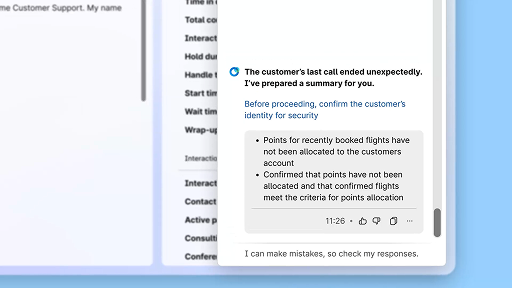
    Enhance efficiency using AI-generated summaries
    제품 아이콘
    Customer Experience
    The Cisco AI Assistant offers concise summaries of prior interactions, allowing agents to continue conversations seamlessly without needing to re-collect information. This immediate access enables agents to focus on delivering effective solutions, leading to faster resolutions and a more cohesive customer experience.
    playfooter.videoTitle5
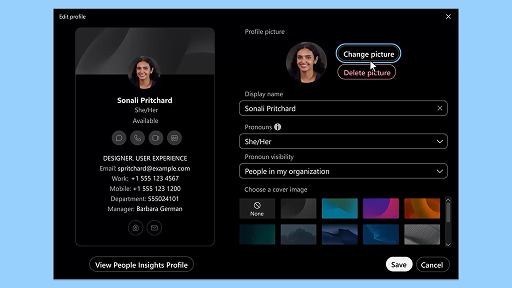
    Webex App | Add your profile picture
    제품 아이콘
    Webex Suite
    Make it easier for people to recognize you in Webex App by adding a picture to your profile. Until you upload one, your profile only shows your initials inside a circle.
    playfooter.videoTitle6
    AI Assistant wellness break notifications
    제품 아이콘
    Customer Experience
    When the AI Assistant recommends a wellbeing break, a toaster notification will appear: Accepting a break: Click Take a break to accept the break. The Cisco AI Assistant widget opens automatically to confirm your choice. After you wrap up the current interaction, your 1-minute wellbeing break begins automatically. Your status changes to Wellbeing Break to prevent the next interaction from being queued to you. A 5-second countdown appears on the screen as your 1-minute break concludes. Once complete, the break window closes automatically, and your status changes to Available, readying you for the next interaction.
    playfooter.videoTitle7
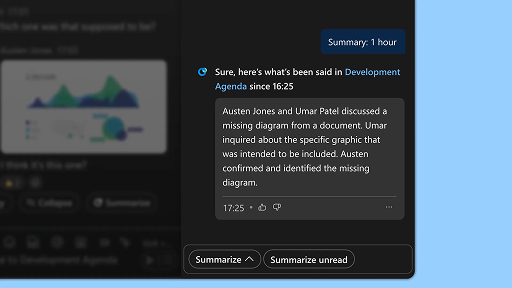
    Generate space summaries
    제품 아이콘
    Webex Suite
    When you're busy, or you've been away from the office, catching up with all your spaces can be challenging. AI Assistant can generate space summaries to help you quickly catch up on missed messages and conversations in the space. Stay informed on decisions, key points, and get up to date with the discussion at a glance.
    playfooter.videoTitle8
    Enhance efficiency with real-time transcripts
    제품 아이콘
    Customer Experience
    Real-time transcripts is designed to help you optimize communication efficiency during customer interactions. By providing live transcriptions directly on your Agent Desktop, it can help enhance your focus, clarity, and response accuracy. It is aimed at enhancing your understanding and efficiency during calls, reducing misunderstandings, and supporting you in delivering high-quality interactions that improve performance and customer satisfaction.
    playfooter.videoTitle9
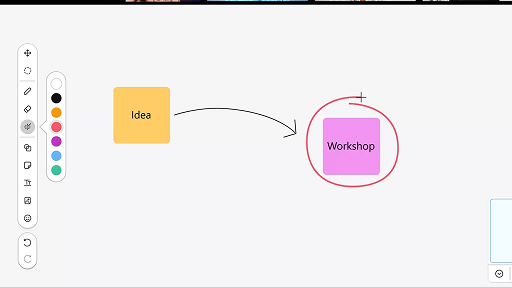
    Use the whiteboard in meetings
    제품 아이콘
    Webex Suite
    When you're busy, or you've been away from the office, catching up with all your spaces can be challenging. AI Assistant can generate space summaries to help you quickly catch up on missed messages and conversations in the space. Stay informed on decisions, key points, and get up to date with the discussion at a glance.
    playfooter.videoTitle10
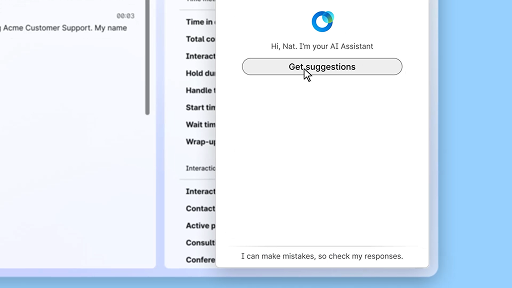
    Respond with confidence using Real-time assist
    제품 아이콘
    Customer Experience
    Real-time assist is a Cisco AI Assistant feature designed to support you during live customer interactions by continuously understanding the conversation context, identifying customer intent, and instantly providing relevant recommendations. It guides you in real time by suggesting what to say or do, helping you navigate complex procedures, and even initiating workflows automatically.
    playfooter.videoTitle1
    Cisco AI Assistant in meetings
    제품 아이콘
    Webex Suite
    Sometimes you may join a meeting late, need to step away for a moment, or you're multitasking and get distracted. With AI Assistant meeting summaries, you can quickly catch up on what you’ve missed, understand the discussion, ask questions without disturbing the meeting, and stay on top of the conversation. You also receive a summary and transcript after the meeting, without having to record.
    playfooter.videoTitle2
    Create an autonomous AI agent
    제품 아이콘
    Customer Experience
    Autonomous AI agents operate independently without direct human intervention. Autonomous agents can access and use a knowledge repository to provide informative and accurate answers to user queries. These agents use advanced algorithms and machine learning techniques to analyze data, learn from their environment, and adapt their actions to achieve specific goals.
    playfooter.videoTitle3
    Share content in a meeting
    제품 아이콘
    Webex Suite
    When you share content in Webex App, everyone in the meeting can easily see what's being discussed. Anyone can share content, but only one person can share at a time.
    playfooter.videoTitle4
    Enhance efficiency using AI-generated summaries
    제품 아이콘
    Customer Experience
    The Cisco AI Assistant offers concise summaries of prior interactions, allowing agents to continue conversations seamlessly without needing to re-collect information. This immediate access enables agents to focus on delivering effective solutions, leading to faster resolutions and a more cohesive customer experience.
    playfooter.videoTitle5
    Webex App | Add your profile picture
    제품 아이콘
    Webex Suite
    Make it easier for people to recognize you in Webex App by adding a picture to your profile. Until you upload one, your profile only shows your initials inside a circle.
    playfooter.videoTitle6
    AI Assistant wellness break notifications
    제품 아이콘
    Customer Experience
    When the AI Assistant recommends a wellbeing break, a toaster notification will appear: Accepting a break: Click Take a break to accept the break. The Cisco AI Assistant widget opens automatically to confirm your choice. After you wrap up the current interaction, your 1-minute wellbeing break begins automatically. Your status changes to Wellbeing Break to prevent the next interaction from being queued to you. A 5-second countdown appears on the screen as your 1-minute break concludes. Once complete, the break window closes automatically, and your status changes to Available, readying you for the next interaction.
    playfooter.videoTitle7
    Generate space summaries
    제품 아이콘
    Webex Suite
    When you're busy, or you've been away from the office, catching up with all your spaces can be challenging. AI Assistant can generate space summaries to help you quickly catch up on missed messages and conversations in the space. Stay informed on decisions, key points, and get up to date with the discussion at a glance.
    playfooter.videoTitle8
    Enhance efficiency with real-time transcripts
    제품 아이콘
    Customer Experience
    Real-time transcripts is designed to help you optimize communication efficiency during customer interactions. By providing live transcriptions directly on your Agent Desktop, it can help enhance your focus, clarity, and response accuracy. It is aimed at enhancing your understanding and efficiency during calls, reducing misunderstandings, and supporting you in delivering high-quality interactions that improve performance and customer satisfaction.
    playfooter.videoTitle9
    Use the whiteboard in meetings
    제품 아이콘
    Webex Suite
    When you're busy, or you've been away from the office, catching up with all your spaces can be challenging. AI Assistant can generate space summaries to help you quickly catch up on missed messages and conversations in the space. Stay informed on decisions, key points, and get up to date with the discussion at a glance.
    playfooter.videoTitle10
    Respond with confidence using Real-time assist
    제품 아이콘
    Customer Experience
    Real-time assist is a Cisco AI Assistant feature designed to support you during live customer interactions by continuously understanding the conversation context, identifying customer intent, and instantly providing relevant recommendations. It guides you in real time by suggesting what to say or do, helping you navigate complex procedures, and even initiating workflows automatically.
    비디오 패널 닫기

    학습 도구 살펴보기

    Webex 채택을 클릭하는 커서 아이콘

    채택 리소스

    귀하와 팀이 시작하고 실행하는 데 필요한 모든 기능을 제공합니다.

    Webex 아카데미 재생 버튼 아이콘

    Webex 아카데미

    자기 주도형 강의와 간단한 안내 비디오를 통해 언제든지 학습할 수 있습니다.

    플러스 Webex 커뮤니티가 있는 3명의 사용자 아이콘

    Admin launch kits

    Launch kits to help make your Webex rollout a success.

    별표 이벤트가 있는 캘린더 아이콘

    실시간 이벤트

    Webex로 배우기: 이벤트, 웹 세미나, 일일 데모.

    기타 리소스

    Webex 다운로드
    Webex 다운로드
    모든 연결 수단을 갖춘 단일 플랫폼입니다.
    Webex 커뮤니티
    Webex 커뮤니티
    커뮤니티는 동료 및 Cisco 전문가와 연결하여 도움을 요청하고, 전문 지식을 공유하며 네트워크 구축과 함께 전문적으로 성장할 수 있는 허브입니다.
    Webex 인사이더
    Webex 인사이더
    Webex에 대한 열정을 공유하는 사용자와 교류하고 Webex 포트폴리오 제품 및 환경 팀의 새로운 개념에 대해 내부적으로 액세스할 수 있습니다.
    개발자용 Webex
    개발자용 Webex
    Webex를 통해 비즈니스 협업의 미래를 구축하십시오. Webex 플랫폼에서 차세대 협업 앱을 만들기 위한 Webex API 및 SDK에 대해 자세히 알아보십시오.
    헤드셋을 쓰고 있는 사용자 아이콘

    여전히 도움이 필요하십니까?

    필요한 도움을 받으려면 다양한 지원 소스 중에서 선택하십시오.

    이 페이지에서 경험한 내용에 대해 어떻게 평가하시겠습니까?

    유용하지 않음

    유용함

    이 페이지에 어떤 내용을 보완하면 더욱 유용할 수 있을까요?

    피드백을 보내 주셔서 감사합니다.
    가격Webex 앱MeetingsCalling메시징화면 공유
    Webex SuiteCallingMeetings메시징SlidoWebinars이벤트Contact CenterCPaaS보안Control Hub
    헤드셋카메라Desk 시리즈Room 시리즈Board 시리즈전화 시리즈보조 프로그램
    교육의료 서비스정부재무스포츠 및 엔터테인먼트최전선비영리스타트업하이브리드 작업
    다운로드테스트 미팅 참여하기온라인 학습통합접근성포용성실시간 및 주문형 웨비나Webex 커뮤니티Webex 개발자뉴스 및 혁신
    Cisco지원 연락처영업팀에 문의Webex BlogWebex 사고적 리더십Webex Merch 스토어경력
    • X
    • LinkedIn
    • Facebook
    • Youtube
    • Instagram
    약관 및 조건개인 정보 보호 정책쿠키등록 상표
    ©2026 Cisco 및/또는 관련 제휴. All rights reserved.
    약관 및 조건개인 정보 보호 정책쿠키등록 상표