Як ми можемо допомогти?

Намагаєтеся приєднатися до наради?


5–8 жовтня 2026 р., Остін, Техас (а також віртуальний формат) | Відкрито реєстрацію для участі у WebexOne 2026.
5–8 жовтня 2026 р., Остін, Техас (а також віртуальний формат) | Відкрито реєстрацію для участі у WebexOne 2026.


Початок роботи
Усе, що потрібно знати, щоб почати роботу з Webex.


Довідка за продуктом
Отримайте допомогу щодо кожного продукту.

Адміністрування
Керування Webex у Control Hub і партнерському центрі.

ШІ Webex
Найсучасніша платформа на базі генеративного ШІ для гібридної співпраці й обслуговування клієнтів.


Що нового
Огляд нових можливостей Webex. Дізнайтеся про нові функції, проблеми, виправлення й інші оновлення.

Популярні статті
Проблеми з входом у Webex


Webex Suite
Налаштування локального шлюзу в Cisco IOS XE для Webex Calling

Calling
Довідкова інформація щодо портів для Webex Calling
Calling
Використання віртуальних фонів у Webex Meetings і Webex Webinars
Webex Suite
Створення потоків і керування ними в конструкторі потоків

Customer Experience
Посібник з адміністрування Webex AI Agent Studio
Customer Experience
Підключення пристрою до програми Webex

Пристрої

Відеоматеріали


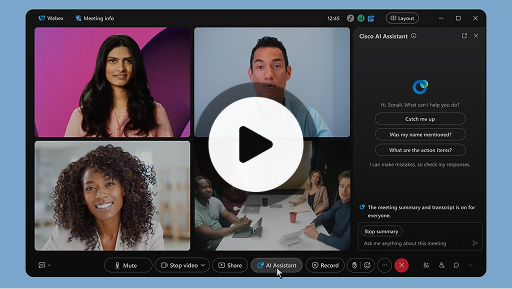
Cisco AI Assistant на нарадах
Webex Suite
Інколи виникає потреба приєднатися до наради пізніше чи вийти з неї або відволіктися під час одночасного виконання кількох завдань. Завдяки зведеним даним про нараду, які створює інтелектуальний помічник, можна швидко відстежувати пропущене, зрозуміти, що обговорюється, ставити запитання, не порушуючи перебіг наради, і залишатися в курсі розмови. До того ж ви отримаєте зведені дані й текст стенограми після наради без потреби її записувати.
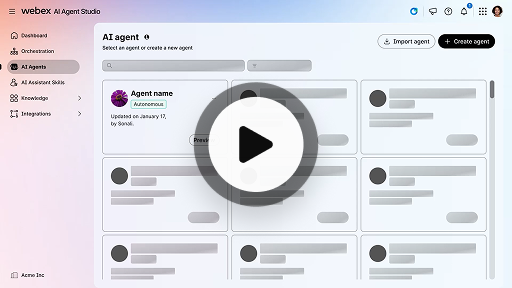
Створення автономного ШІ-оператора
Customer Experience
Автономні ШІ-оператори працюють незалежно й без прямого втручання людини. Автономні ШІ-оператори можуть отримати доступ до репозиторію знань і використовувати його для надання інформативних і точних відповідей на запити користувачів. Ці оператори використовують розширені алгоритми й техніки машинного навчання, щоб аналізувати дані, навчатися за допомогою власного середовища й адаптувати свої дії для досягнення певної мети.
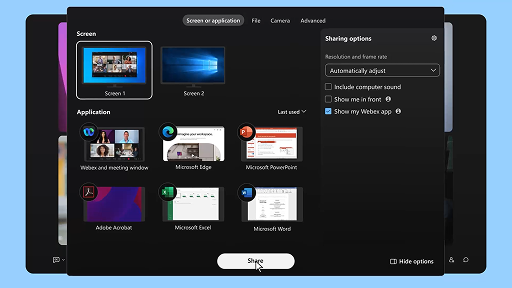
Спільний доступ до контенту на нараді
Webex Suite
Коли ви надаєте спільний доступ до контенту в програмі Webex, усі учасники наради можуть легко переглядати предмет обговорення. Надати спільний доступ до контенту може будь-хто, проте одночасно надавати спільний доступ може лише один учасник.
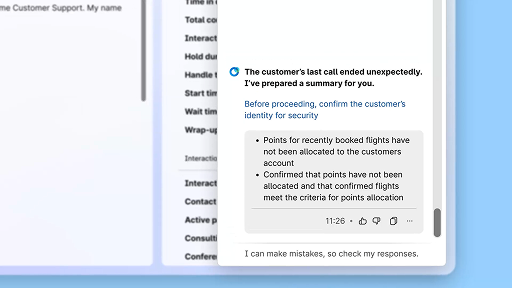
Підвищення ефективності за допомогою зведених даних, створених із використанням ШІ
Customer Experience
Cisco AI Assistant надає операторам короткі зведені дані про попередні взаємодії, що дає змогу продовжувати розмови без потреби повторного збирання інформації. Завдяки такому миттєвому доступу оператори можуть зосередитися на наданні ефективних рішень, що веде до швидшого вирішення звернень і більш узгодженого обслуговування клієнтів.
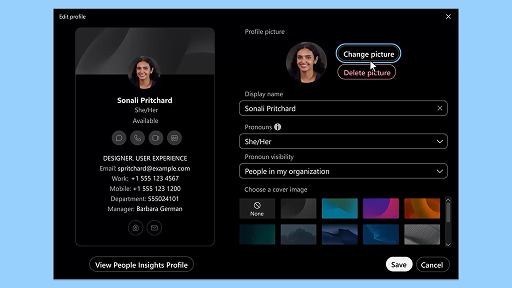
Програма Webex | Додавання зображення профілю
Webex Suite
Додайте зображення у свій профіль, щоб інші користувачі могли легко вас упізнати в програмі Webex. Поки зображення не буде передано, у профілі відображатимуться лише ваші ініціали всередині кола.
Сповіщення AI Assistant про перерви для відновлення
Customer Experience
Коли AI Assistant запропонує зробити перерву для відновлення, з’явиться спливаюче повідомлення. Прийняття перерви. Щоб прийняти пропозицію щодо перерви, клацніть «Зробити перерву». Буде автоматично відкрито віджет Cisco AI Assistant для підтвердження вибору. Після завершення поточної взаємодії автоматично почнеться 1-хвилинна перерва для відновлення. Ваш стан буде змінено на «Перерва для відновлення», щоб запобігти призначенню наступної взаємодії. Коли 1-хвилинна перерва завершуватиметься, на екрані з’явиться 5-секундний зворотний відлік. Після завершення перерви вікно буде автоматично закрито, стан змінено на «Доступний» і ви будете готові до наступної взаємодії.
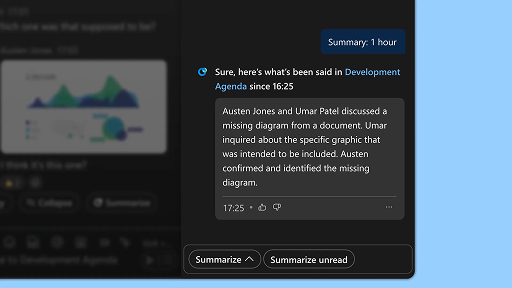
Створення зведених даних про простір
Webex Suite
Коли ви зайняті або відсутні на робочому місці, відстеження всіх просторів може стати проблемою. Інтелектуальний помічник може створювати зведені дані про простори, щоб допомогти вам швидко відстежити пропущені повідомлення й розмови в просторі. Залишайтеся в курсі рішень й основних моментів, а також стежте за обговоренням.
Підвищення ефективності за допомогою функції тексту стенограми в реальному часі
Customer Experience
Функцію тексту стенограми в реальному часі створено для підвищення ефективності комунікацій під час взаємодій із клієнтами. Текст стенограми відображається безпосередньо в Agent Desktop у реальному часі, що сприяє покращенню зосередженості і ясності й підвищенню точності відповідей. Ця функція спрямована на покращення розуміння й ефективності під час викликів, зменшення кількості непорозумінь і підтримку в наданні якісного обслуговування, що підвищує продуктивність операторів і задоволеність клієнтів.
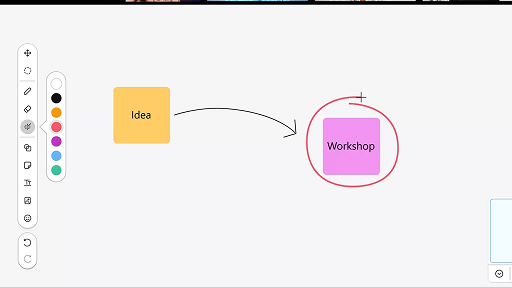
Використання дошки на нарадах
Webex Suite
Коли ви зайняті або відсутні на робочому місці, відстеження всіх просторів може стати проблемою. Інтелектуальний помічник може створювати зведені дані про простори, щоб допомогти вам швидко відстежити пропущені повідомлення й розмови в просторі. Залишайтеся в курсі рішень й основних моментів, а також стежте за обговоренням.
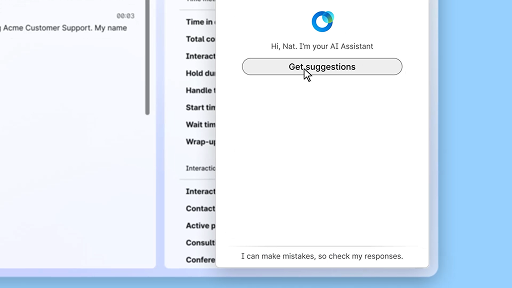
Відповідайте впевнено за допомогою функції «Допомога в реальному часі»
Customer Experience
«Допомога в реальному часі» — це функція Cisco AI Assistant, яку створено для забезпечення підтримки під час взаємодій із клієнтами наживо. Вона безперервно аналізує контекст розмови, визначає наміри клієнта й миттєво надає відповідні рекомендації. Вона спрямовує вас у реальному часі: пропонує певні відповіді або дії, допомагає орієнтуватися в складних процедурах і навіть автоматично запускає робочі процеси.
Cisco AI Assistant на нарадах
Webex Suite
Інколи виникає потреба приєднатися до наради пізніше чи вийти з неї або відволіктися під час одночасного виконання кількох завдань. Завдяки зведеним даним про нараду, які створює інтелектуальний помічник, можна швидко відстежувати пропущене, зрозуміти, що обговорюється, ставити запитання, не порушуючи перебіг наради, і залишатися в курсі розмови. До того ж ви отримаєте зведені дані й текст стенограми після наради без потреби її записувати.
Створення автономного ШІ-оператора
Customer Experience
Автономні ШІ-оператори працюють незалежно й без прямого втручання людини. Автономні ШІ-оператори можуть отримати доступ до репозиторію знань і використовувати його для надання інформативних і точних відповідей на запити користувачів. Ці оператори використовують розширені алгоритми й техніки машинного навчання, щоб аналізувати дані, навчатися за допомогою власного середовища й адаптувати свої дії для досягнення певної мети.
Спільний доступ до контенту на нараді
Webex Suite
Коли ви надаєте спільний доступ до контенту в програмі Webex, усі учасники наради можуть легко переглядати предмет обговорення. Надати спільний доступ до контенту може будь-хто, проте одночасно надавати спільний доступ може лише один учасник.
Підвищення ефективності за допомогою зведених даних, створених із використанням ШІ
Customer Experience
Cisco AI Assistant надає операторам короткі зведені дані про попередні взаємодії, що дає змогу продовжувати розмови без потреби повторного збирання інформації. Завдяки такому миттєвому доступу оператори можуть зосередитися на наданні ефективних рішень, що веде до швидшого вирішення звернень і більш узгодженого обслуговування клієнтів.
Програма Webex | Додавання зображення профілю
Webex Suite
Додайте зображення у свій профіль, щоб інші користувачі могли легко вас упізнати в програмі Webex. Поки зображення не буде передано, у профілі відображатимуться лише ваші ініціали всередині кола.
Сповіщення AI Assistant про перерви для відновлення
Customer Experience
Коли AI Assistant запропонує зробити перерву для відновлення, з’явиться спливаюче повідомлення. Прийняття перерви. Щоб прийняти пропозицію щодо перерви, клацніть «Зробити перерву». Буде автоматично відкрито віджет Cisco AI Assistant для підтвердження вибору. Після завершення поточної взаємодії автоматично почнеться 1-хвилинна перерва для відновлення. Ваш стан буде змінено на «Перерва для відновлення», щоб запобігти призначенню наступної взаємодії. Коли 1-хвилинна перерва завершуватиметься, на екрані з’явиться 5-секундний зворотний відлік. Після завершення перерви вікно буде автоматично закрито, стан змінено на «Доступний» і ви будете готові до наступної взаємодії.
Створення зведених даних про простір
Webex Suite
Коли ви зайняті або відсутні на робочому місці, відстеження всіх просторів може стати проблемою. Інтелектуальний помічник може створювати зведені дані про простори, щоб допомогти вам швидко відстежити пропущені повідомлення й розмови в просторі. Залишайтеся в курсі рішень й основних моментів, а також стежте за обговоренням.
Підвищення ефективності за допомогою функції тексту стенограми в реальному часі
Customer Experience
Функцію тексту стенограми в реальному часі створено для підвищення ефективності комунікацій під час взаємодій із клієнтами. Текст стенограми відображається безпосередньо в Agent Desktop у реальному часі, що сприяє покращенню зосередженості і ясності й підвищенню точності відповідей. Ця функція спрямована на покращення розуміння й ефективності під час викликів, зменшення кількості непорозумінь і підтримку в наданні якісного обслуговування, що підвищує продуктивність операторів і задоволеність клієнтів.
Використання дошки на нарадах
Webex Suite
Коли ви зайняті або відсутні на робочому місці, відстеження всіх просторів може стати проблемою. Інтелектуальний помічник може створювати зведені дані про простори, щоб допомогти вам швидко відстежити пропущені повідомлення й розмови в просторі. Залишайтеся в курсі рішень й основних моментів, а також стежте за обговоренням.
Відповідайте впевнено за допомогою функції «Допомога в реальному часі»
Customer Experience
«Допомога в реальному часі» — це функція Cisco AI Assistant, яку створено для забезпечення підтримки під час взаємодій із клієнтами наживо. Вона безперервно аналізує контекст розмови, визначає наміри клієнта й миттєво надає відповідні рекомендації. Вона спрямовує вас у реальному часі: пропонує певні відповіді або дії, допомагає орієнтуватися в складних процедурах і навіть автоматично запускає робочі процеси.

Дізнайтеся про навчальні засоби

Adoption Hub
Launch, train, and grow with these helpful resources.

Академія Webex
Навчайтеся будь-коли за допомогою курсів, які можна проходити в індивідуальному темпі, і коротких відеопідручників.

Onboarding resources
Make onboarding easy with customizable self-serve resources.

Події наживо
Навчання за допомогою Webex: події, вебінари й щоденні демонстраційні відео.
Інші ресурси

Завантаження Webex
Одна платформа з усіма доступними способами зв’язку.


Спільнота Webex
Спільнота — це центр для спілкування з колегами й фахівцями Cisco, де можна попросити про допомогу, поділитися своїм досвідом, розширити мережу контактів і професійно зростати.

За лаштунками Webex
Спілкуйтеся з людьми, які поділяють вашу зацікавленість Webex, й отримайте внутрішній доступ до нових концепцій від команд із роботи з продуктами й функціями Webex.

Webex для розробників
Будуйте майбутнє співпраці в компаніях за допомогою Webex. Дізнайтеся більше про API й SDK Webex, щоб створювати інші програми для співпраці на платформі Webex.

Досі потрібна допомога?
Щоб отримати допомогу, використовуйте наші різноманітні матеріали підтримки.
Як би ви оцінили свої враження від використання цієї сторінки?


Не корисно
Корисно
Як ми можемо зробити цю сторінку кориснішою для вас?
Дякуємо за відгук.


