
Thanks for your feedback.
 Feedback?
The Lead Retrieval by Webex Events app is a powerful tool that lets your sponsors and exhibitors seamlessly capture and collect leads, qualify and rate them, and share metrics. If you’re offering Lead Retrieval at your event, test the Lead Retrieval app about a week prior so you can show sponsors and exhibitors how to use it and set them up for success.
This article guides you through the simple steps of testing Lead Retrieval and includes tips on instructing your sponsors and exhibitors to test before they start scanning real leads. Let's go! 🐎
1. Contact our Support team for a testing license
We'll provide you with an extra Lead Retrieval license that you'll use to test Lead Retrieval. Open a case via the Webex Help Center.
Copy the following text in the gray box below, paste it into the message, replace the placeholders with your information, and send.
Hi! My name is {first and last name} from {company name}, and I'd like to test Lead Retrieval. Can you add a Lead Retrieval license to {team name} for {event name}? My email is {your email address}. Thank you!
Keep in mind, to find your Event’s team name, go to your Event Overview page, click the three-dot icon in the 'Event Information' section, and select Edit from the drop-down. On the Basics page, your team name appears in the ‘Which team is managing this event?’ field.
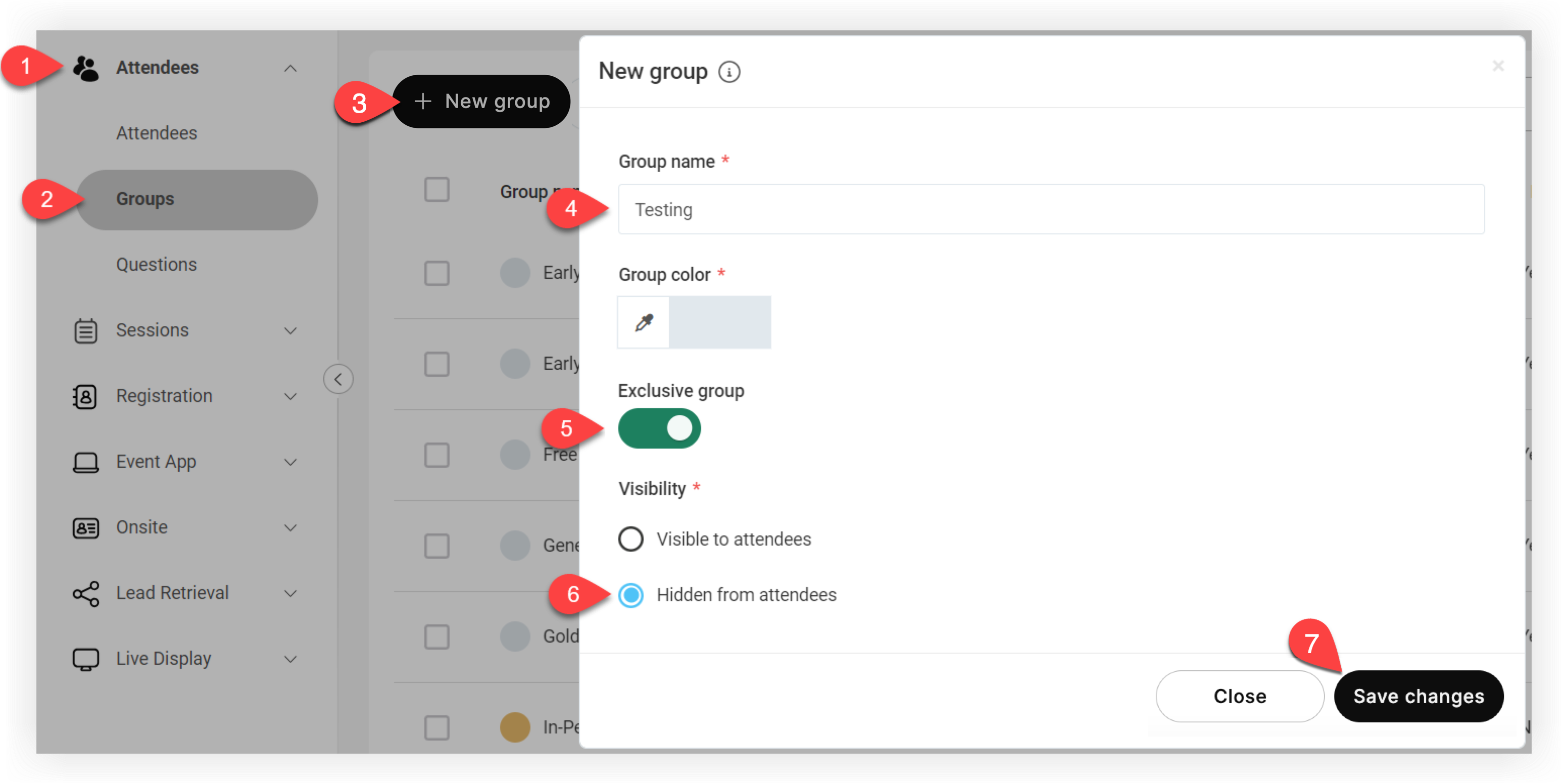
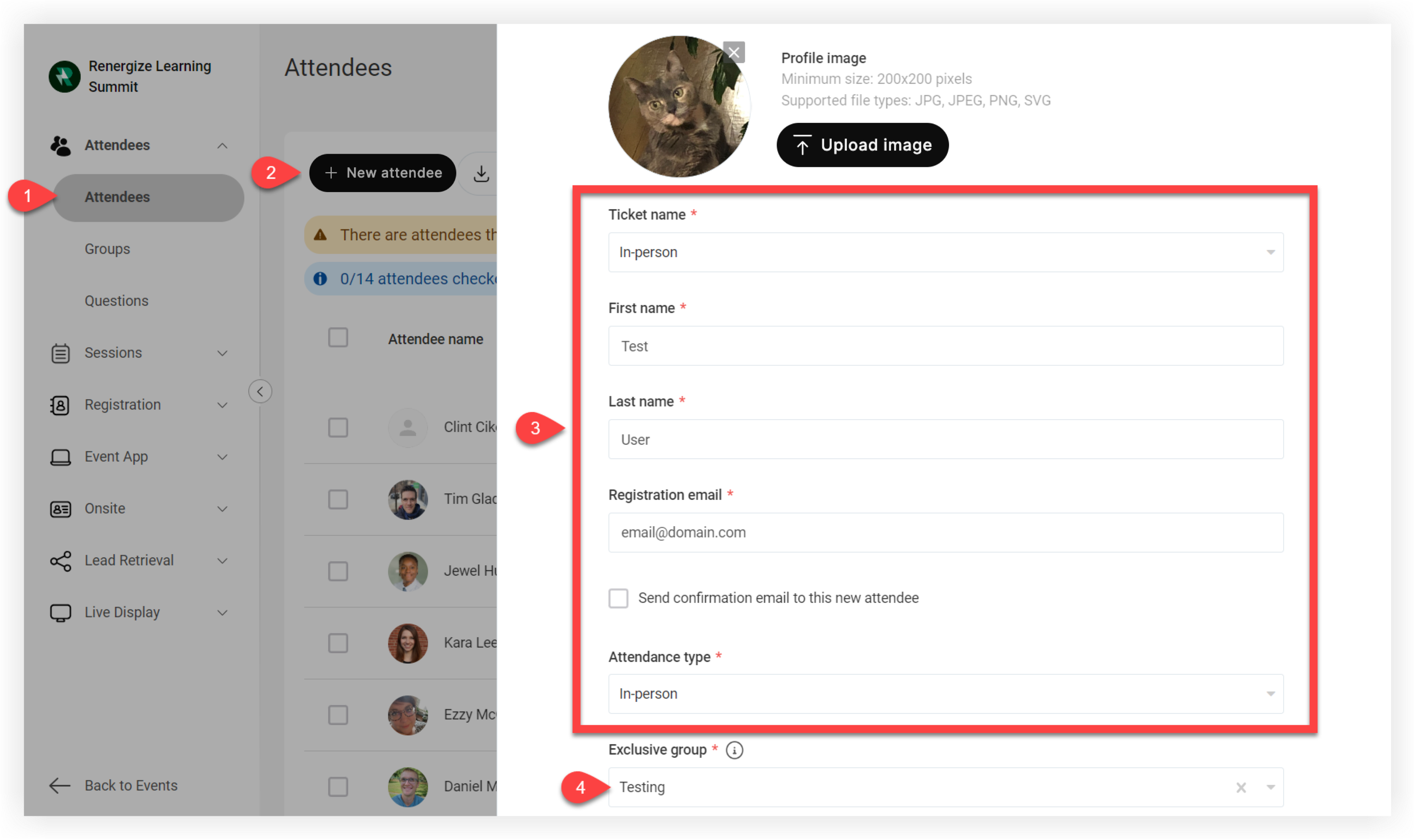
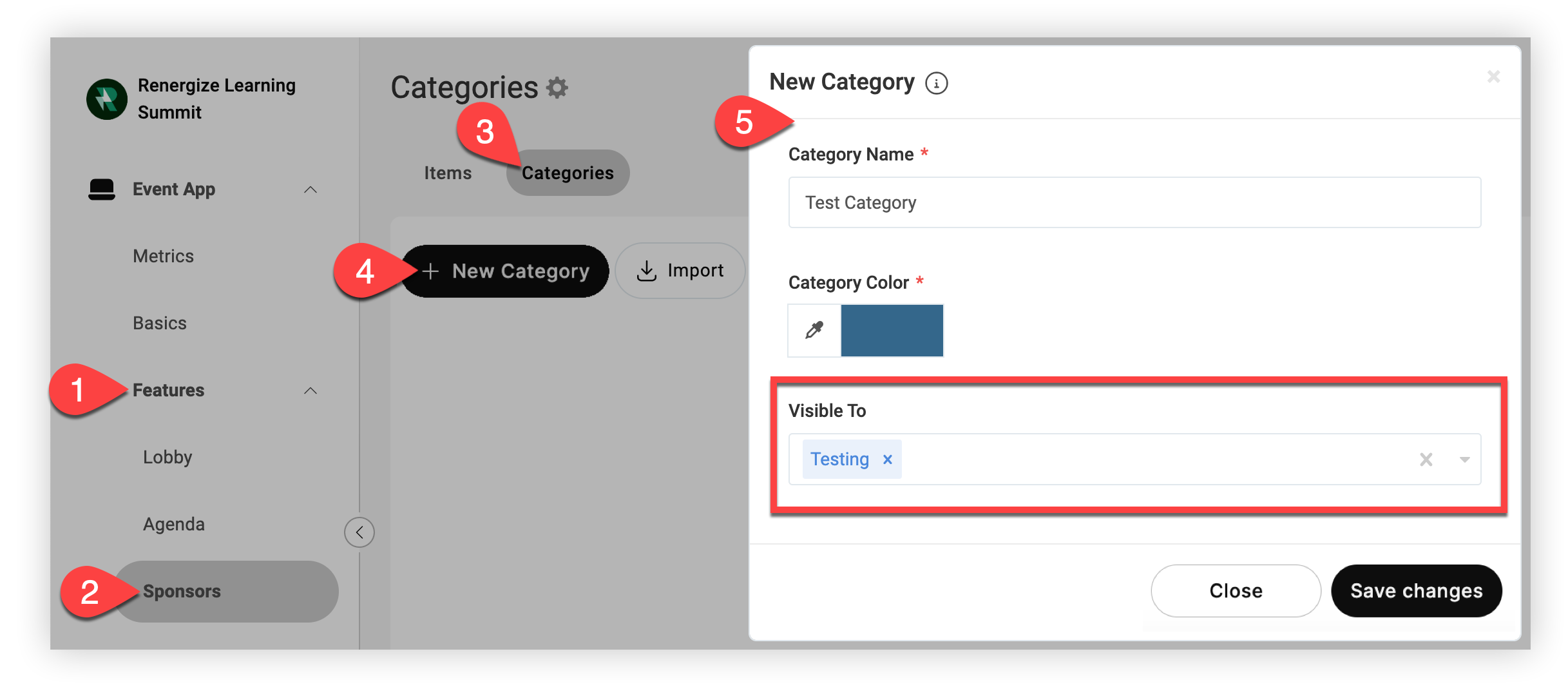
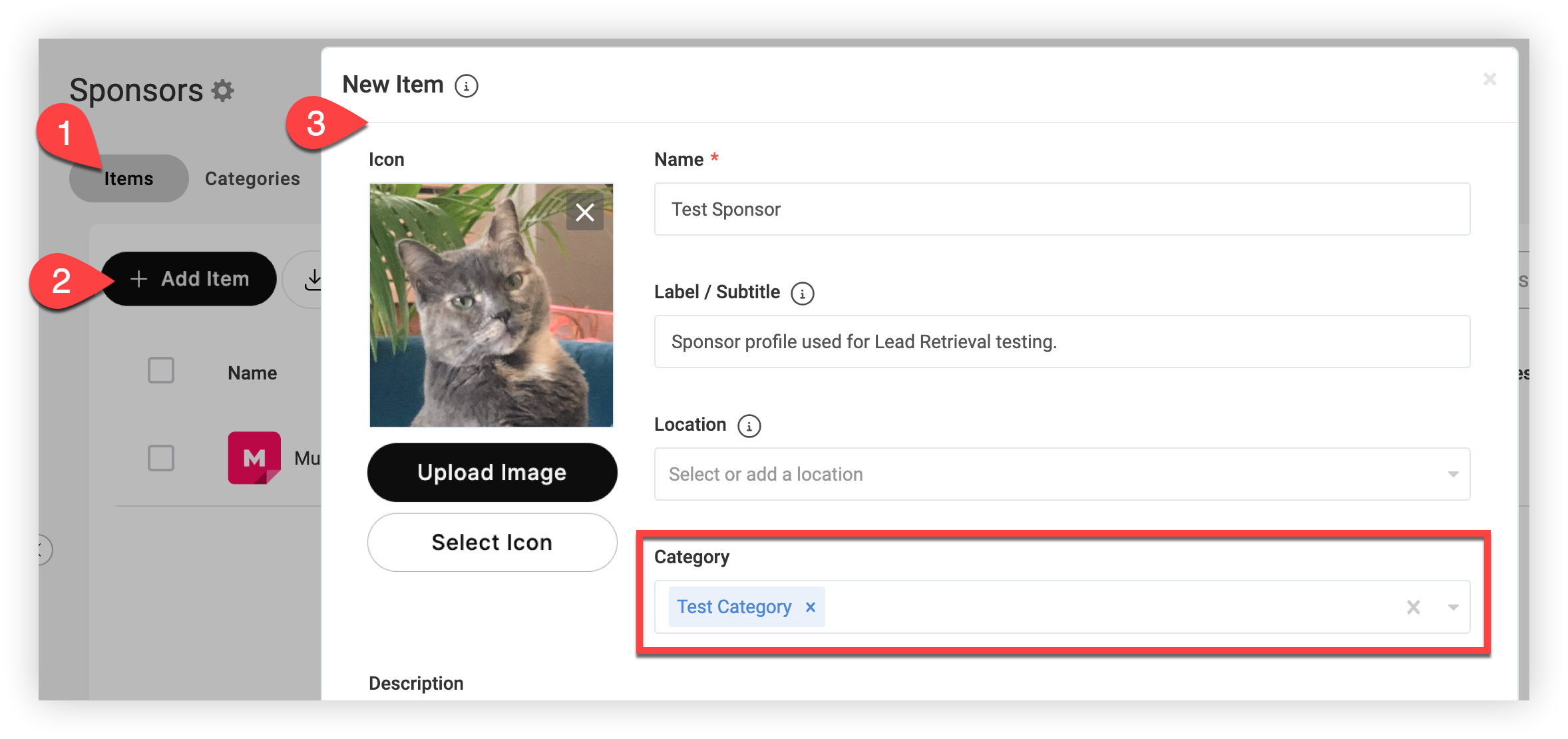
While awaiting confirmation, prepare for testing by creating a hidden test attendee and a test sponsor profile. Keep reading to learn how! 📖
4. Invite yourself to the Lead Retrieval app
After you receive confirmation that a test Lead Retrieval license has been added to your account, use the license to invite your test sponsor to Lead Retrieval.
-
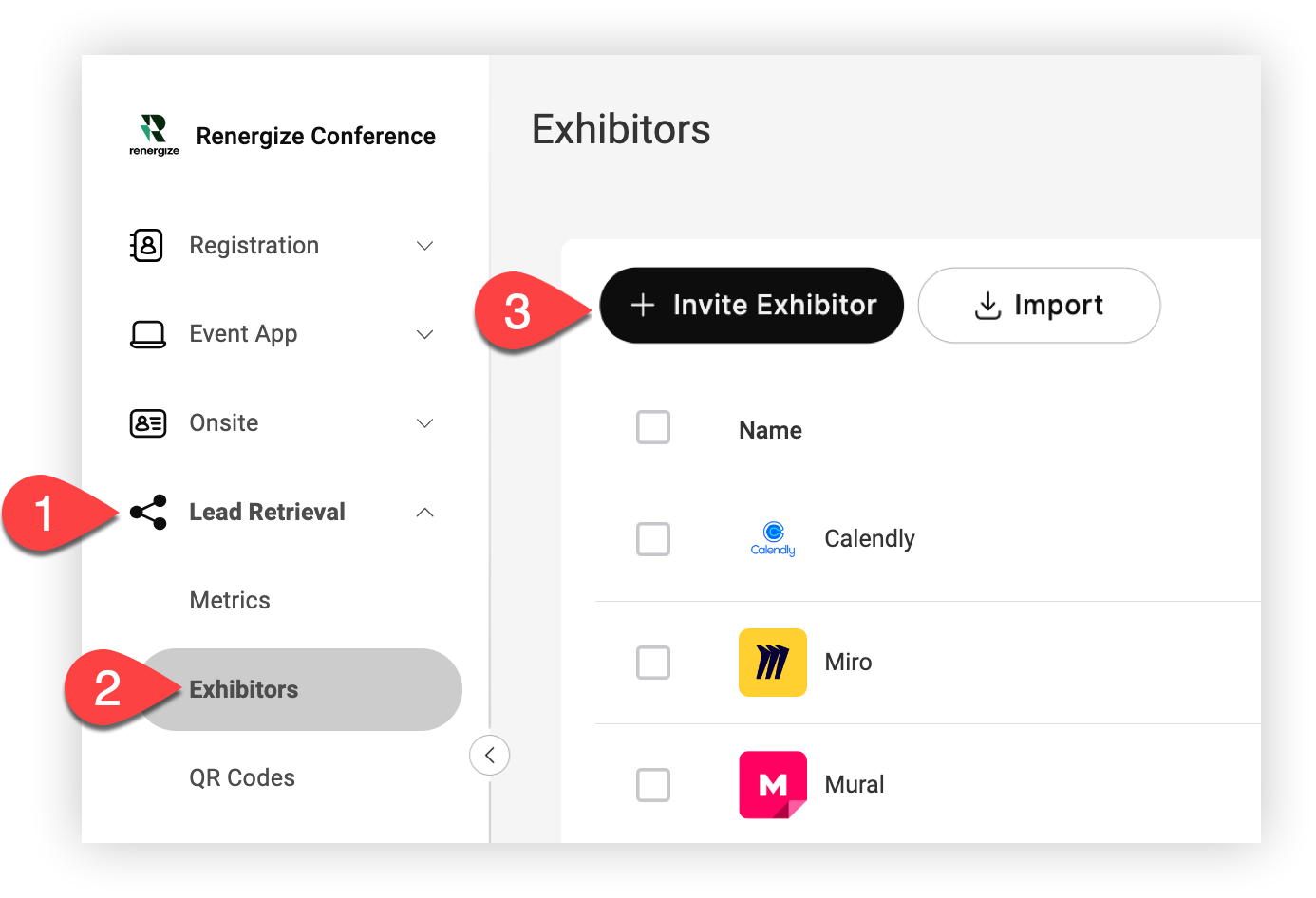
In your Event navigation bar, click Lead Retrieval.
-
Click Exhibitors.
-
Click the Invite Exhibitor button.
-
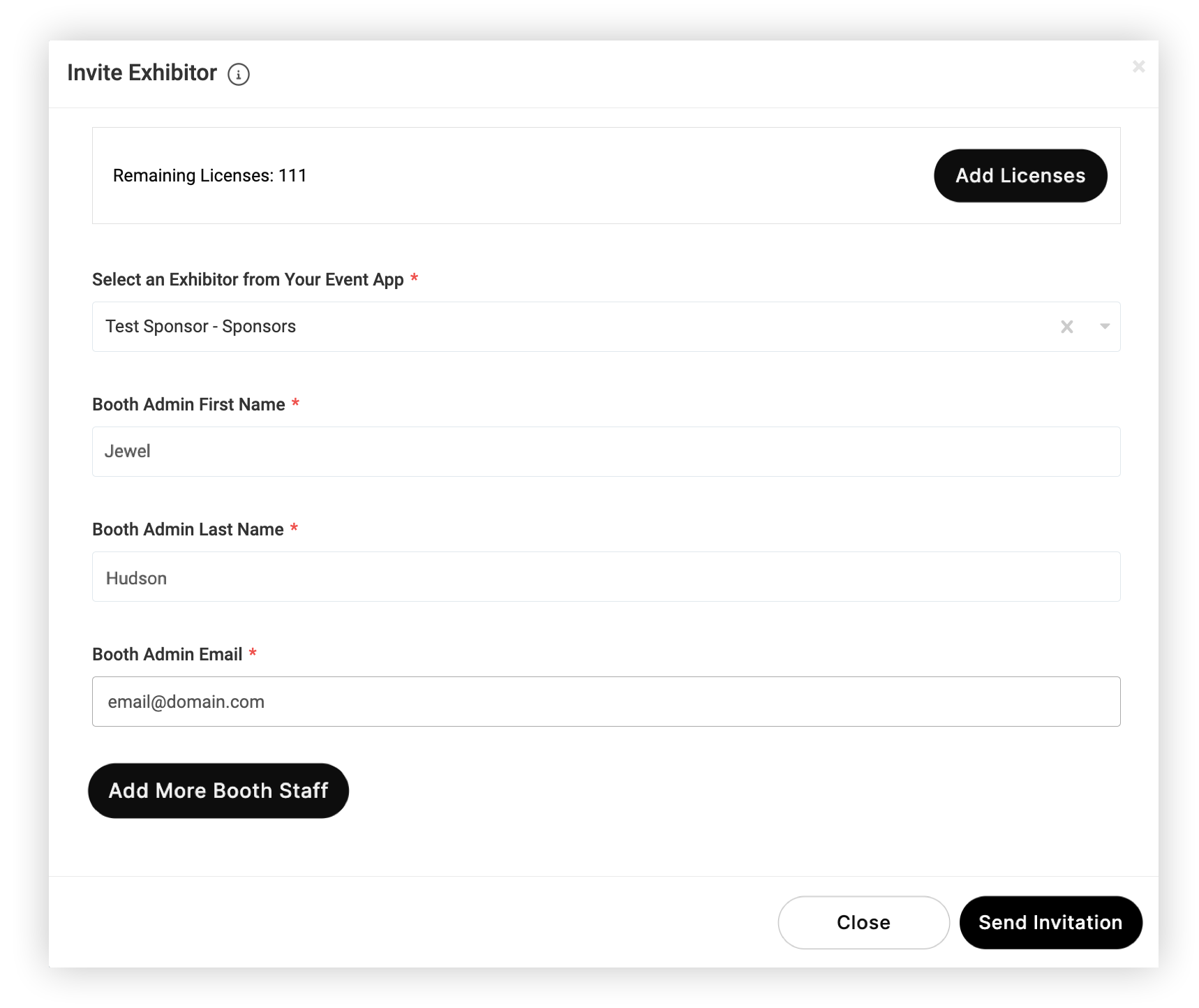
In the modal that appears, select the test sponsor you created earlier from the Select an Exhibitor from Your Event App drop-down, enter your first and last name and email, then click Send Invitation.
Keep in mind, you must enter a real Booth Admin Email address so you can receive and accept the invitation email.
You'll get an email at the address you entered within a few moments.
5. Download and log in to the Lead Retrieval app
Open the invitation email and follow the instructions to download and log in to the Lead Retrieval by Webex Events app. Use the email you invited yourself with when creating your account!
6. Scan the test attendee's QR code
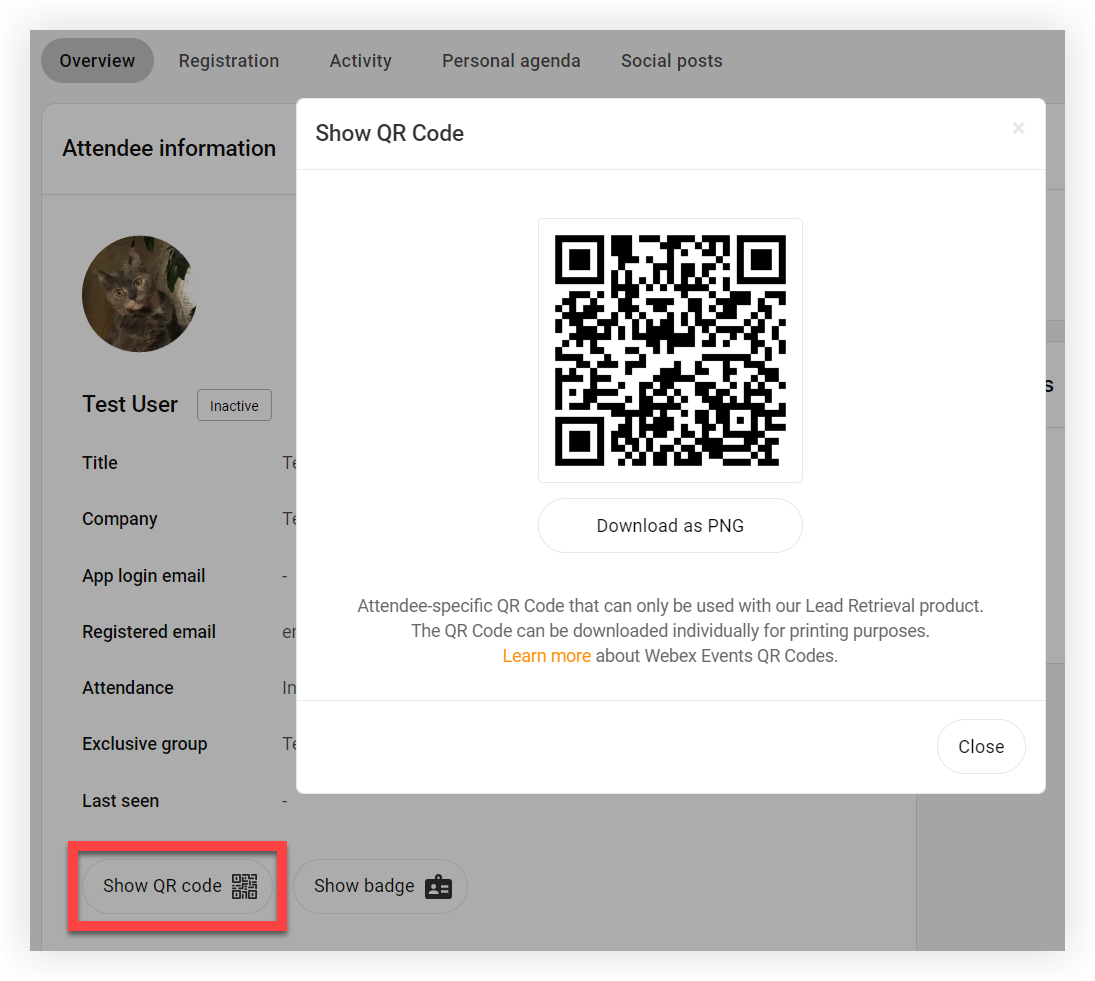
Back on the Attendees page, click on the test attendee you created earlier, then click Show QR Code at the bottom of the 'Attendee information' area.
Open the Lead Retrieval app, tap the scan button, and scan the QR code to capture the lead!
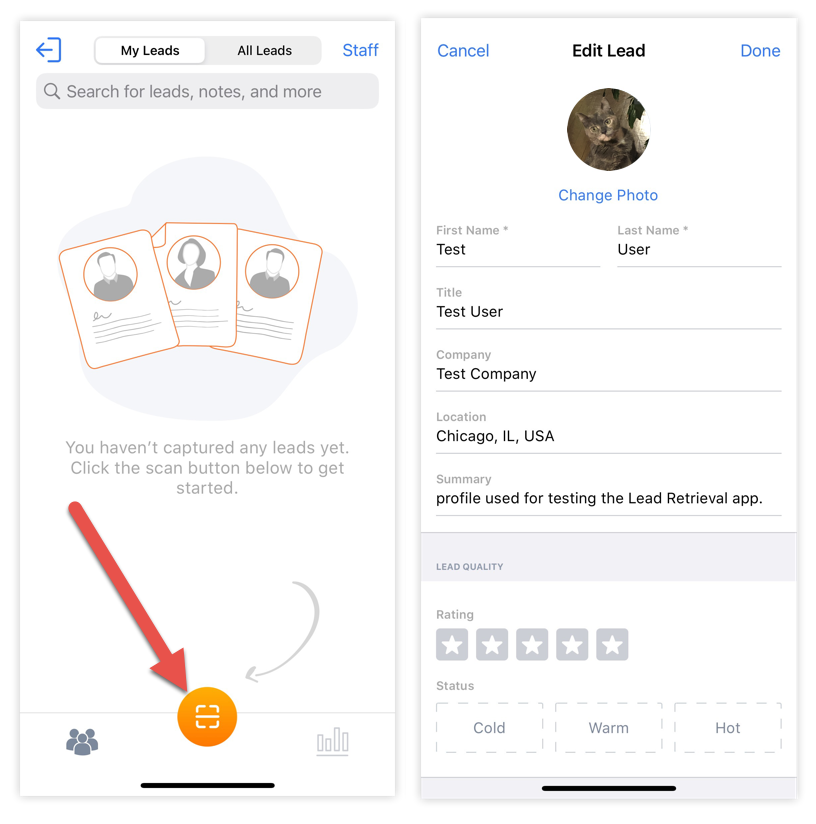
Keep in mind, if the test attendee's information doesn't automatically populate in the Lead Retrieval app and you’re using external IDs to generate QR codes, check to make sure that those external IDs are input properly on attendee profiles. To learn more, read our External IDs article.
You've captured the test lead! Play around with rating the lead, adding notes, uploading images, and more, then review the metrics.
Have your exhibitors try out Lead Retrieval
Having your exhibitors scan a test lead or two encourages Lead Retrieval app awareness and sets them up for a successful day of collecting leads. Here are some tips to help you help your exhibitors:
-
In the 'Show QR Code' modal for your test attendee, click the Download as PNG button to download the QR code. Include the QR code with our lead scanning instructions in an email to your exhibitors, or in a printed document. 👍
-
If you're using Webex Events Onsite, print QR codes on attendee badges so exhibitors can scan leads from badges. Print a badge for your test attendee so they can try it out when they check in!
-
On the morning of the event, visit each exhibitor booth and have them scan your badge to make sure they’re ready to scan real leads. Your exhibitors will quickly find out how fun and easy it is to capture leads with Lead Retrieval!
-
Remind exhibitors to delete any test leads they capture. Doing so ensures accurate Lead Retrieval metrics.


