
Thanks for your feedback.
Webex App | Post-meeting summaries with Cisco AI Assistant
 Feedback?
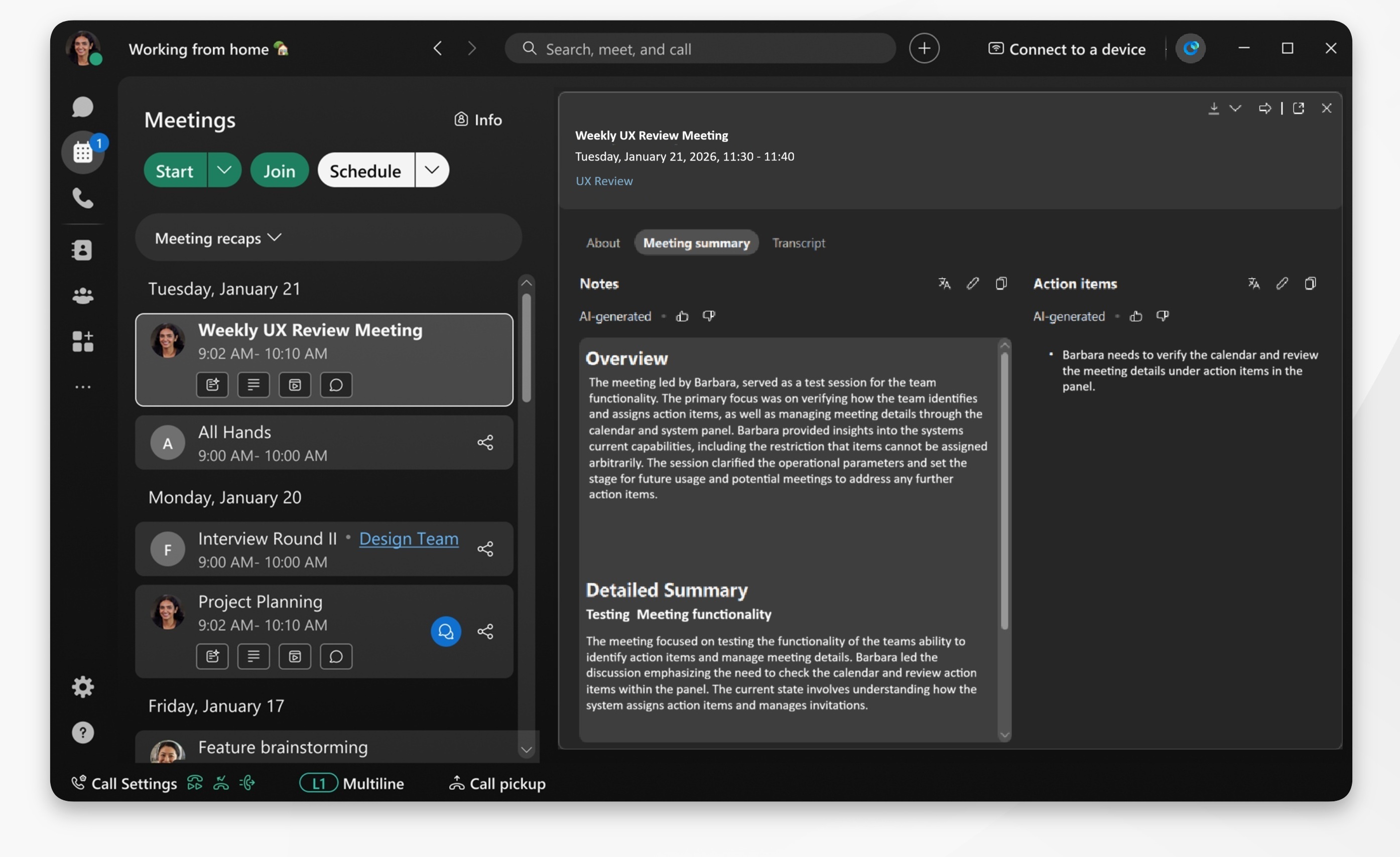
AI Assistant generates a post-meeting summary when it's turned on, and the Save meeting summary option is enabled. The meeting host can then edit the summary following the meeting.
Whether or not you choose to record a meeting, when you turn on AI Assistant it generates a summary for you. The meeting summary is available within the meeting history. To record a meeting and generate a recording summary, see AI generated meeting summaries and transcripts in recordings.
You can also set a preferred language to translate your post meeting summaries.
| 1 |
Open Webex and sign in. |
| 2 |
Go to the Meeting tab—click .
|
| 3 |
Select a meeting container and click to open the summary. The summary is organized into two sections:
You can also click on a specific item in the meeting container, such as: Messages, Summary, Transcript, or Recording, to directly navigate to it. |


