- Home
- /
- Article

Thanks for your feedback.


 In this article
 Feedback?
Learn how Caller Intent helps you prepare for incoming calls and how to turn it on or off in Webex App.
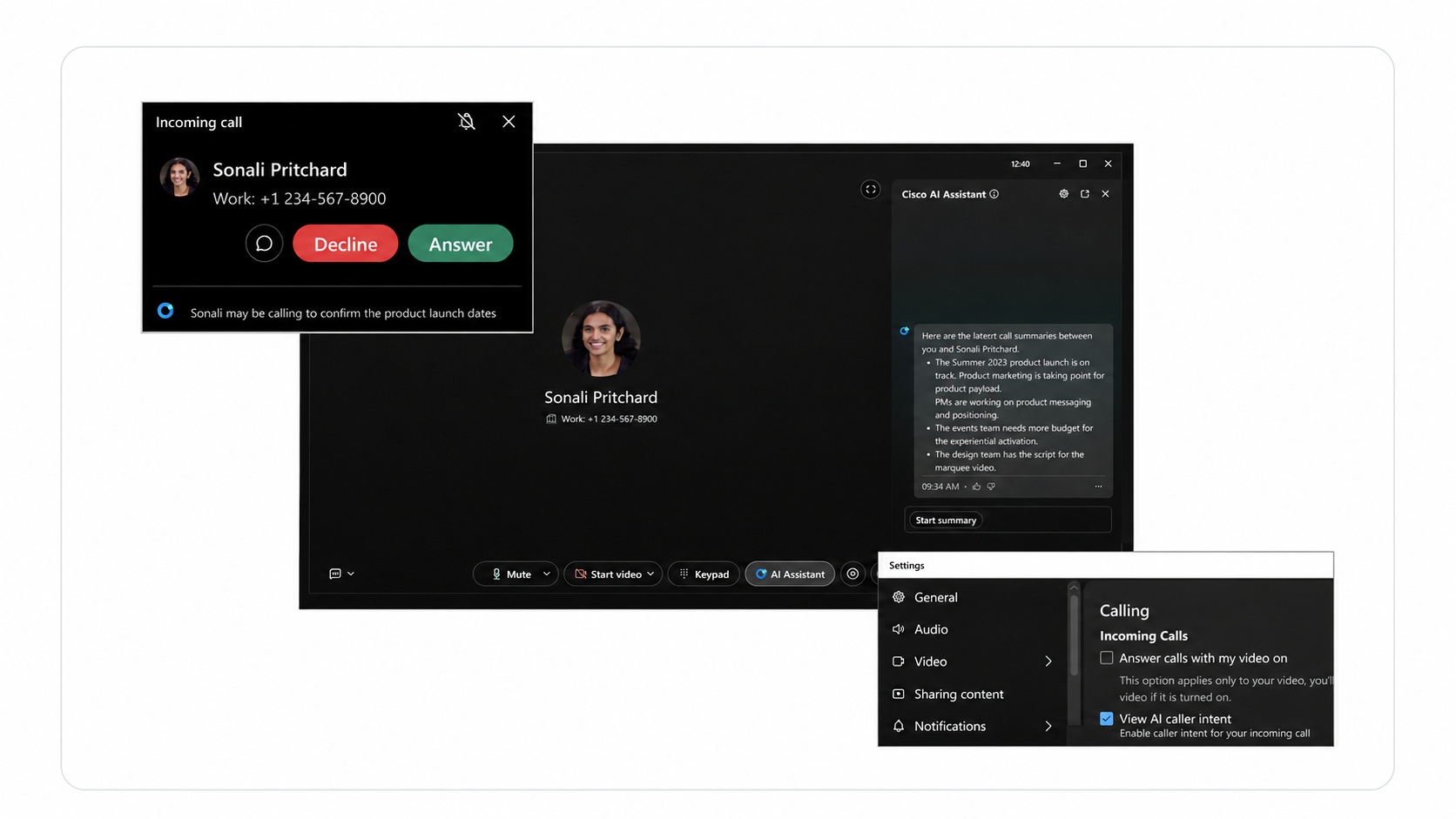
Caller intent for incoming calls
Caller Intent uses relevant previous calls to suggest why someone may be calling, so you can go into the call a bit more prepared.
How caller intent works
When you receive an incoming call, Webex App can show a short, AI-generated summary - Caller Intent - below the caller name and number to indicate why the caller might be calling.
Caller Intent is generated from relevant call summaries and transcripts from the last 30 days. It appears in the same language used in the previous call and supports the same languages as the AI assistant.
When you answer the call, Cisco AI Assistant opens automatically, showing a longer summary and relevant action items from previous calls. For more information, see Webex App | In-Call summaries with Cisco AI Assistant.
Availability
Caller Intent is available to professional users in all regions in Webex App for Windows and Mac.
Enjoy complimentary use of Caller Intent for a limited time - pricing and terms are subject to change.
For more information about AI data privacy, security, and safety, see AI Development: Data Privacy, Security, and Safety.
Turn caller intent on or off
You can choose whether Webex App shows Caller Intent for incoming calls.
| 1 |
Click your profile picture, and then go to . |
| 2 |
Under Incoming Calls, check or uncheck the View AI caller intent check box. |
| 3 |
Click Save. |
When Caller Intent is turned off, Webex App does not show caller intent on incoming calls.


