- Etusivu
- /
- Artikkeli

Kiitos palautteestasi.

 Tässä artikkelissa
 Onko sinulla palautetta?
Tämän artikkelin avulla voit määrittää Webex Contact Centerin ServiceNow-liittimen varmenteeseen perustuvalla todennuksella.
Määritä ServiceNow-liitin Webex Contact Centerille
Tämän artikkelin avulla voit määrittää ServiceNow-liittimen. ServiceNow-liitin on Interactive Voice Response (IVR) -liitin, joka luo tai poimii tietoja ServiceNowista ja käyttää sitä reitityspäätösten tekemiseen. Se käyttää varmentepohjaista todennusta täyttämään edistyneet yritystietoturvavaatimukset.
ServiceNow-liitin tarjoaa kehittyneitä todennusmenetelmiä HTTP-pyyntötoiminnon sisällä, jotka on suunniteltu käytettäväksi Flow Designer -moduulissa. Voit päivittää ja kiertää varmenteiden kokoonpanoja helposti Webex Control Hubissa.
ServiceNow-liittimen määrittäminen on vaiheittainen toimenpide, joka sisältää seuraavat tehtävät:
- Julkisen ja yksityisen avaimen varmenteiden luominen
- Varmenteen lataaminen ServiceNow-esiintymään
- ServiceNow-teknisen käyttäjän luominen
- ServiceNow OAuth -sovelluksen määrittäminen
- ServiceNow-liittimen määrittäminen Webex Contact Centerissä
Katso lisätietoja seuraavista osista.
Julkisten ja yksityisten avainvarmenteiden luominen
| 1 |
Asenna OpenSSL. |
| 2 |
Suorita seuraavat komennot: |
Mitä tehdä seuraavaksi
Lataa sertifikaatti ServiceNow-palveluun.
Lataa sertifikaatti ServiceNow-palveluun
Ennen kuin aloitat
- Luo julkisen ja yksityisen avaimen varmenteet.
| 1 |
Etsi päävalikosta x.509-varmenne ja luo uusi tietue. |
| 2 |
Anna nimi ja kuvaus. |
| 3 |
Pidä PEM formaattina. |
| 4 |
Käytä tyypp inä Trust Store Cert - sertifikaattia. |
| 5 |
Kopioi 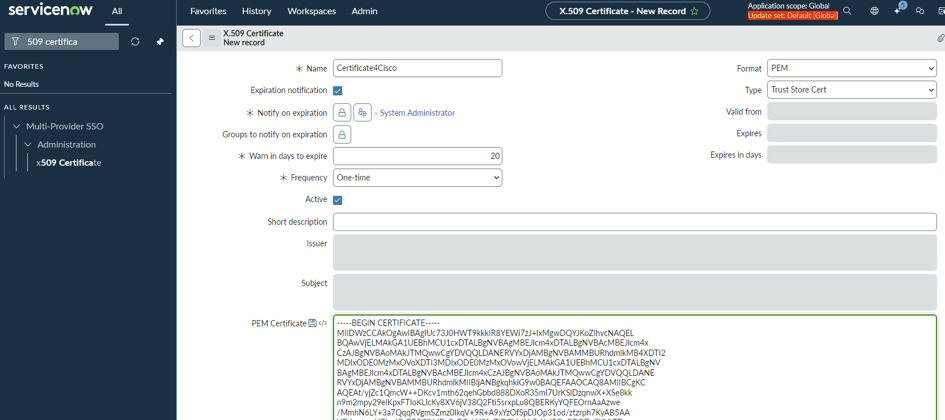 |
| 6 |
Valitse Vah vista tai asenna luotettu koodin allekirjoitussertifikaatti. 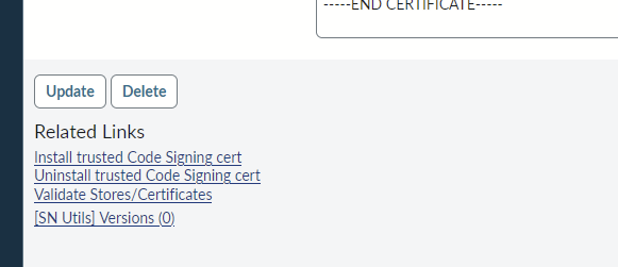 |
Mitä tehdä seuraavaksi
Luo ServiceNow-tekninen käyttäjä.
Luo ServiceNow-tekninen käyttäjä
Ennen kuin aloitat
- Luo julkisen ja yksityisen avaimen varmenteet.
- Lataa julkinen varmenne ServiceNow-esiintymään.
| 1 |
Siirry päävalikosta Käyttäjät - osioon ja luo uusi käyttäjä. |
| 2 |
Anna käyttäjätunnus ja valitse henkilöllis yy styypiksi Kone. |
| 3 |
Jos käytät varmenteen myöntämistä, kirjoita sähköpostiosoite. |
| 4 |
Varmista, että Vain verkkopalvelun käyttö - valintaruutu on käytössä. Tämä vaihtoehto ei ehkä ole käytettävissä kehittäjäinstansseissa. |
| 5 |
Valitse Tallenna. 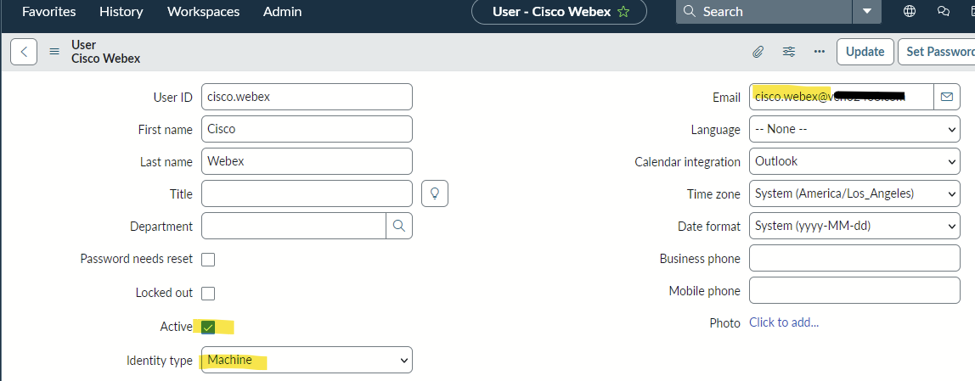 |
| 6 |
Määritä ServiceNow-sovellusliittymien edellyttämät roolit. Seuraavat roolit vaaditaan:
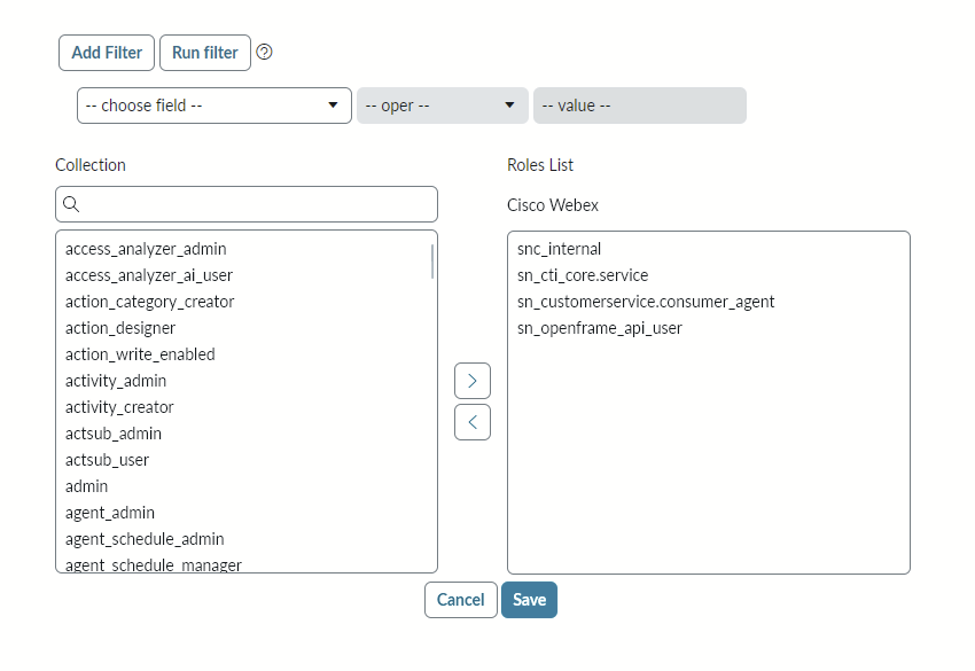 |
Mitä tehdä seuraavaksi
Määritä ServiceNow OAuth -sovellus.
Määritä ServiceNow OAuth -sovellus
Ennen kuin aloitat
- Luo julkisen ja yksityisen avaimen varmenteet.
- Lataa julkinen varmenne ServiceNow-esiintymään.
- Luo ServiceNow-tekninen käyttäjä.
| 1 |
Etsi päävalikosta Sovellus rekisteri ja luo uusi tietue valitsemalla Uusi. |
| 2 |
Valitse Uusi saapuvan integraation kokemus. 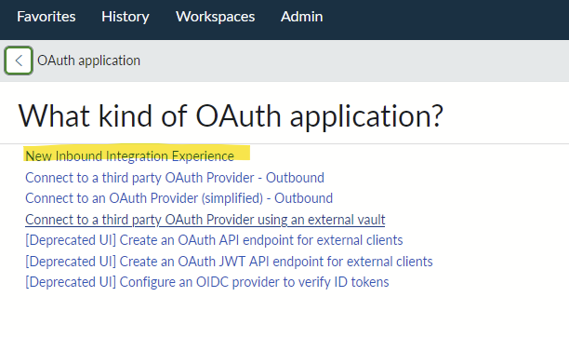 |
| 3 |
Napsauta Uusi integrointi ja valitse OAuth - JWT- haltijan apuraha. 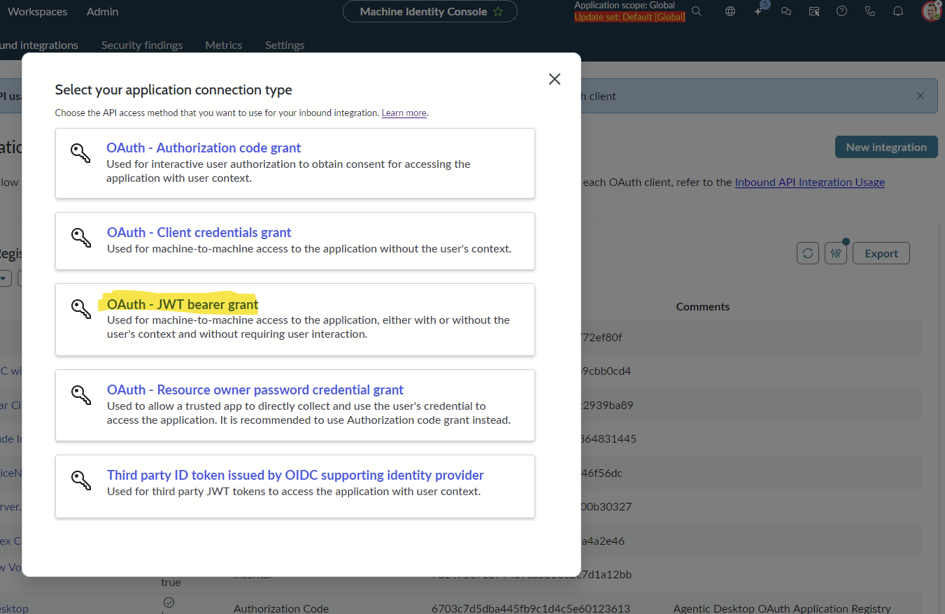 |
| 4 |
Anna nimi. Asiakastunnus ja Asiakassalaisuus luodaan, kun tallennat sovelluksen. 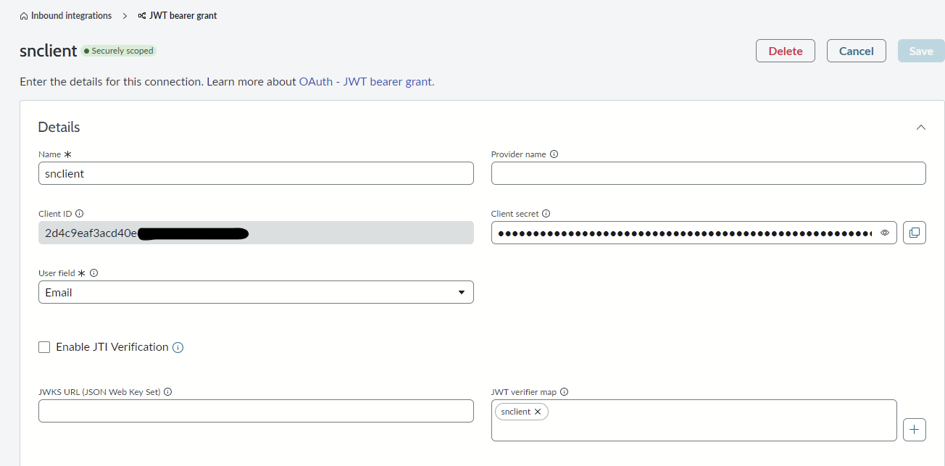 |
| 5 |
Poista Ota JTI-vahvistus käyttöön -asetus käytöstä. |
| 6 |
Napsauta + lisätä ksesi JWT-todentajakartan. |
| 7 |
Anna nimi, kopioi luotu lapsi ja valitse luomasi varmenne. 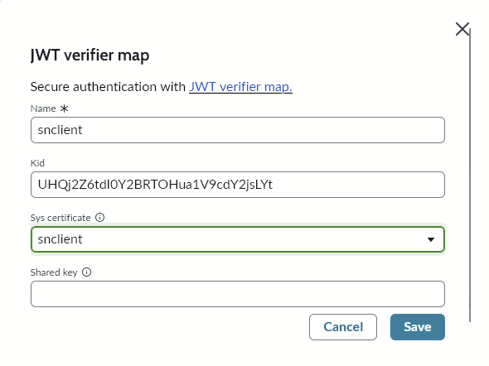 |
| 8 |
Määritä Auth-laajuus seuraavasti: 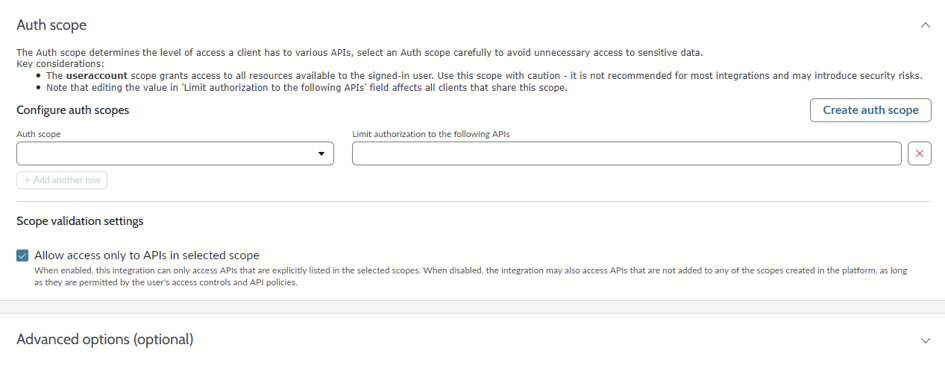 |
Luo ServiceNow Connector Webex Contact Centerissä
Ennen kuin aloitat
- Luo julkisen ja yksityisen avaimen varmenteet.
- Lataa julkinen varmenne ServiceNow-esiintymään.
- Luo ServiceNow-tekninen käyttäjä.
- Määritä ServiceNow OAuth -sovellus.
| 1 |
Kirjaudu asiakasorganisaatioosi Control Hubissa. |
| 2 |
Siirry kohtaan Palvelut > Yhteydenottokeskus > Vu okralaisen asetukset > Integroinnit > Liit timet. |
| 3 |
Valitse ServiceNow- kortilla Määritä tai Lisää lisää. |
| 4 |
Kirjoita Lisää kokoonpanotiedot -sivulla seuraavat tiedot:
|
| 5 |
Tall enna kokoonpano valitsemalla Tallenna. Webex Contact Center tarkistaa yhteyden ServiceNow-yhdistettyyn sovellukseen. Jos yhteys onnistuu, järjestelmä tallentaa tunnistetiedot ja näyttää vahvistusviestin. |
Mitä tehdä seuraavaksi
Kun liitäntä on tallennettu onnistuneesti, voit käyttää sitä Flow Designerissa. Lisätietoja on Flow Designer Guide -op paan HTTP-pyynnön asetukset -osiossa.


