- Home
- /
- Article

Thanks for your feedback.


 In this article
 Feedback?
Get ready to transform quality operations in your contact center with Webex AI Quality Management. For supervisors and quality managers, it helps evaluate interactions faster,uncover customer sentiment trends, and identify the areas where agents need the most support. By reducing manual review effort and surfacing actionable insights, Webex AI Quality Management enables teams to coach more effectively, improve agent performance, and continuously raise the quality of customer experiences.
Overview
Webex AI Quality Management for Webex Contact Center gives supervisors and quality managers AI-powered tools to evaluate interactions, understand customer sentiment, and surface coaching insights that improve agent performance. It helps teams reduce manual quality review, identify trends faster, and take targeted action to improve service quality.
Built on Cisco’s AI platform, Webex AI Quality Management helps supervisors and quality teams achieve better outcomes with greater consistency and less effort. The available capabilities support teams across the quality workflow, from evaluating interactions and analyzing sentiment to identifying coaching opportunities that help raise the bar for customer experience.
Key Features of AI Quality Management
Some of the key features of AI QM includes:
- Automated Evaluations enables supervisors and quality managers create customizable forms that use AI to score interactions, making quality reviews more consistent and reducing manual effort.
- Sentiment Analysis helps teams understand customer sentiment through AI-powered scoring based on interaction transcripts, making it easier to identify trends and prioritize follow-up.
- Coaching Insights provide AI-generated recommendations based on the KPIs defined for your team, helping supervisors recognize agent strengths, focus on improvement areas, and deliver more targeted coaching.
- Agent Performance Dashboard gives supervisors a centralized view of key agent metrics, such as average handle time, consult request and answer count, hold and transfer counts, wrap-up duration, and more.
- Analyzer Reports provide a scalable, centralized view of AI quality and performance metrics, allowing teams to identify trends and evaluate interactions across agents, teams, and queues without the need for manual, individual reviews.
A Webex AI Quality Management SKU (A-FLEX-AI-QM) or the AI Quality Management and AI Assistant bundled SKU (A-FLEX-AI-QMMB) is required to enable these capabilities. Your organization's administrator controls the AI Quality Management features that are available for your organization. If you can't see the AI Quality Management features, contact your organization's administrator.
Auto CSAT and Real-time transcriptions are also included as part of the AI Quality Management SKU. If your organization has purchased AI Quality Management, you can use these features in supported QM workflows and reports. You can enable these features from Control Hub.
Automated Evaluations
Automated Evaluations help quality teams scale interaction reviews without relying only on manual sampling. Using evaluation forms tailored to your business, AI can assess interactions against the criteria that matter most to your organization, such as communication quality, compliance, professionalism, and resolution. This gives supervisors and quality managers a more consistent way to review performance across agents and teams, while helping them focus their time on the interactions that need closer attention.
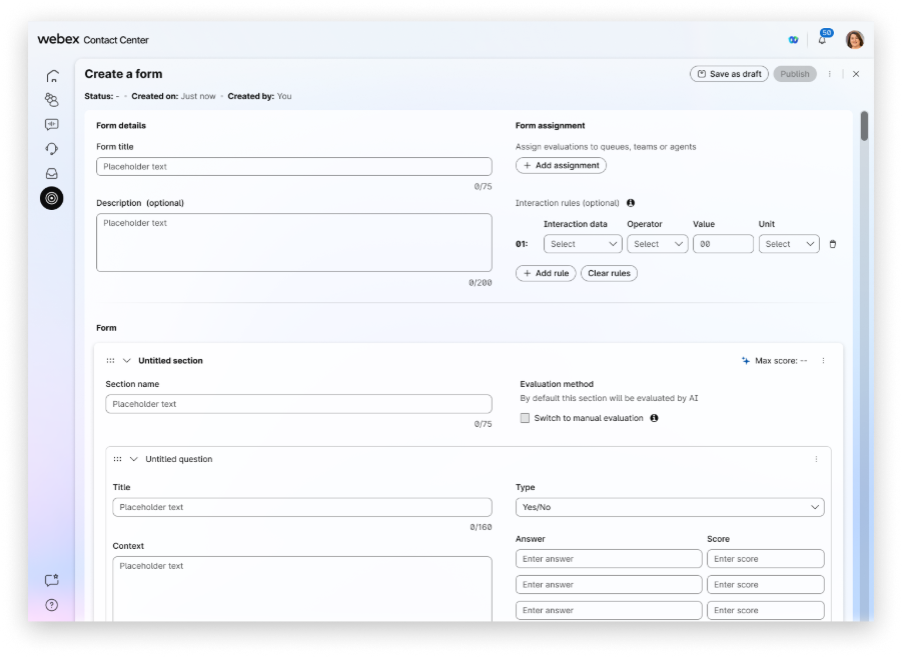
To know more about how to use this feature, see Automated Evaluations in Webex AI Quality Management.
Sentiment Analysis
Sentiment Analysis gives supervisors more visibility into the customer experience by identifying the overall sentiment of completed interactions. By analyzing customer conversations, it helps teams recognize patterns in how customers are responding across calls and uncover interactions that may reflect frustration, confusion, or successful resolution. This added context supports more informed quality reviews and helps supervisors better understand where service experiences are improving or where additional attention may be needed.
To know more about how to use this feature, see Sentiment Analysis in Webex AI Quality Management.
Coaching Insights
Coaching Insights help supervisors turn performance data into meaningful guidance for agents. Based on historical quality results and team performance indicators, AI surfaces focused recommendations that show where an agent is doing well and where improvement is needed most. These insights are designed to support more effective coaching conversations by highlighting specific behaviors, trends, and opportunities, so, supervisors can guide development with greater clarity and relevance.
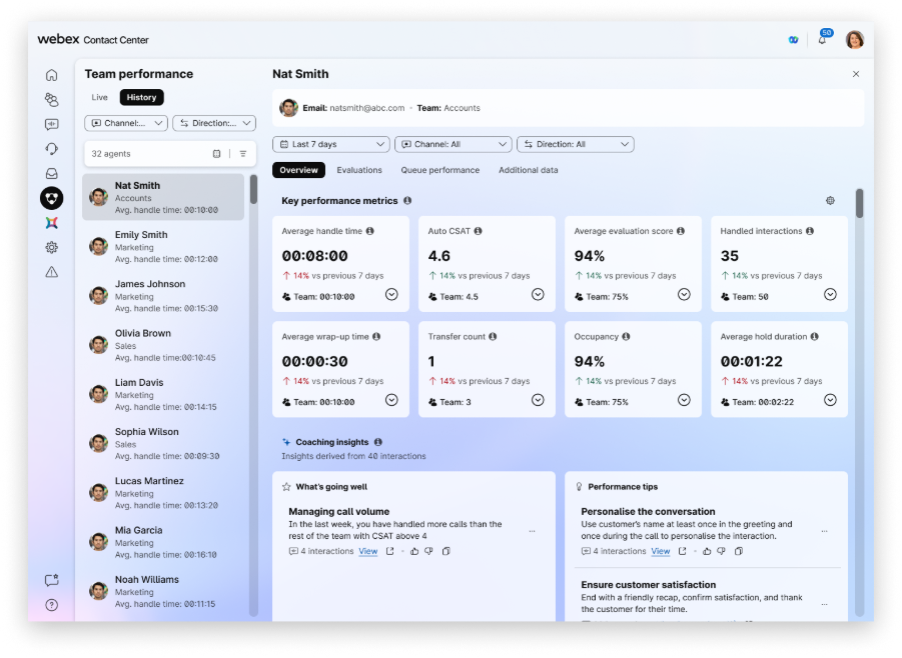
To know more about how to use this feature, see Coaching Insights in Webex AI Quality Management.
Agent Performance Dashboard
The Agent Performance Dashboard brings quality and performance data together in one place so supervisors can monitor agent and team trends more easily. It provides a centralized view of operational and quality-related metrics, helping supervisors track patterns over time, compare performance across teams, and identify where coaching or process improvements may have the greatest impact. With a clearer view of performance data, teams can make more informed decisions and respond more quickly to changing service needs.
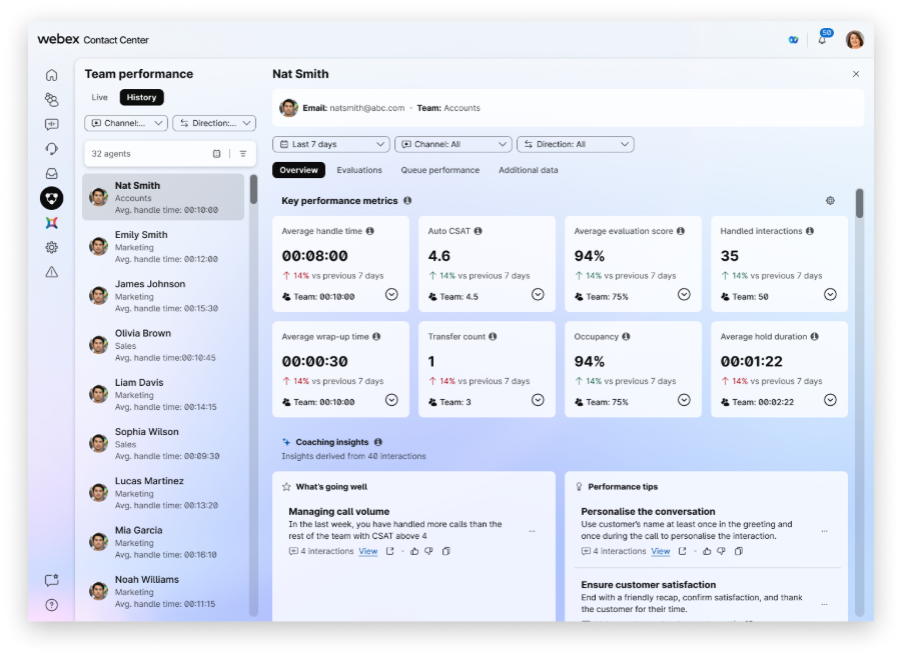
To know more about how to use this feature, see Performance Dashboard in Webex AI Quality Management.
Analyzer Reporting
Analyzer reports empower analysts, supervisors, and business users to review AI Quality Management data at scale. By moving beyond the need to open interactions one by one, you can leverage Analyzer to gain a comprehensive, high-level view of evaluation outcomes, customer experience signals, and performance trends across human agents, AI agents, teams, and queues.
This centralized reporting provides actionable insights, enabling teams to identify patterns, track performance metrics over time, and make data-driven decisions to improve overall interaction quality. By utilizing the available fields and filters, you can easily drill down into the specific data points that matter most to your business objectives.
To know more about how to use this feature, see Use Analyzer Reports for Webex AI Quality Management.
Frequently Asked Questions
This section answers frequently asked questions about using the AI Quality Management for your organization.
-
Why can't I find the AI Quality Management? What might be wrong?
The AI Quality Management is a paid add-on for Webex Contact Center. The features are visible only to those who've paid for the add-on.
-
My Organization has already subscribed to AI Quality Management. I still can’t see the features.
Your organization's administrator controls the AI Quality Management features that are available for your organization. Your administrator can choose to turn on specific features and leave other features turned off. If you can't see an AI Quality Management features, contact your organization's administrator.
-
Which languages does the AI Assistant support?
For now, the AI Quality Management supports English only. Support for non-English language will be made available soon.


