- Home
- /
- Article

Thanks for your feedback.

 In this article
 Feedback?
This article explains how agents are empowered to record messages which can be played automatically to the callers, thus helping agents to overcome burnout and work efficiently.
Overview
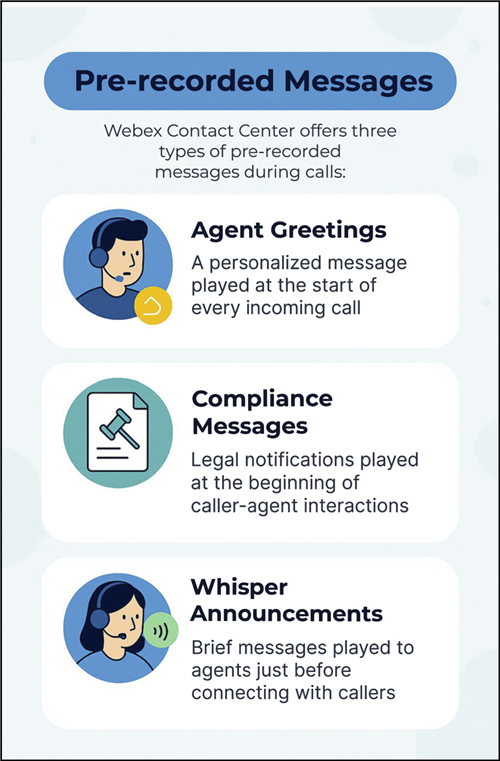
Webex Contact Center supports the following types of pre-recorded messages that are played during the beginning of the call either to the agent or to the caller, as required.
- Agent personal greetings: A personalized greeting message that plays automatically at the beginning of every incoming call.
- Compliance messages: A legal message that plays at the start of a caller—agent interaction.
- Whisper announcement: A brief, prerecorded message that plays to an agent just before the agent connects with a caller.
See the following sections for detailed information.
Agent personal greetings
Agents greet customers at the start of each incoming and outgoing interaction. Repeating the same greeting for every call can cause agent burnout and reduce efficiency. Webex Contact Center empowers agents to record a personalized greeting message that plays automatically at the beginning of every incoming call. This frees the agent from repeating the same introductory message and allows them to focus on addressing customers' need right away.
Agent greeting can include a caller welcome, agent identification, and other relevant contextual information, thereby delivering a clear, well-paced, and language-appropriate introduction. Agents have the following two options to record the greetings:
Agents can record the greetings and provide them to Administrators or Supervisors. The administrators then upload and tag these greetings using the enhanced prompt management view in the Control Hub, into the greeting store. For more information, see Manage Agent Personal Greeting section in Manage audio files article.
Audio files must be uploaded in WAV format as mono audio with a sample rate of 8Khz and encoding as 8-bit u-law.
Agents can also create, record, and update their personal greetings directly from the Agent Desktop using an intuitive telephony IVR interface.
When agents record a personal greeting from the Agent Desktop:
- The telephony channel must be the only channel in the available state.
- If the agent is in a non-default idle code, the system switches the agent to the default idle code before it starts the outdial call.
- If the agent is already in the default idle code, the state-change request can fail and the greeting is not recorded.
Agents may require multiple greetings when serving queues for different organizations. They might want to personalize greetings with the organization's name. The Greeting Purpose configuration addresses this by allowing an administrator or supervisor to tag a greeting with a purpose that the system matches in a flow when processing a call.
The Record Agent Greeting functionality can be enabled or disabled from the agent's Desktop Profile configuration.
Some important considerations for agent greeting include:
- Agent personal greeting is heard by both caller and agent.
- Agent personal greeting is included in call recordings.
- Agent personal greeting supports the following call scenarios:
Scenario
Agent greeting
Inbound call
Yes
CCB
Yes
Outdial
No
Outbound campaigns
No
Blind transfer (Queue/Agent/EP)
Yes
Consult
No
Consult transfer
No
Compliance messages
Compliance message is used when a legal message needs to be played at the start of a caller—agent interaction. This could be concerning the call be recorded or another important message.
Before using a compliance message an administrator must upload compliance messages to Audio Files in the Control Hub, into the prompt store. For more information, see Manage Audio Prompts in Manage audio files.
Audio files must be uploaded in WAV format as mono audio with a sample rate of 8Khz and encoding as 8-bit u-law.
Some important considerations for compliance message include:
- Compliance message is heard by both caller and agent.
- Compliance message is played only once per call.
- Compliance message is included in call recordings.
- Compliance message supports the following call scenarios:
Scenario
Compliance message
Inbound call
Yes
CCB
Yes
Outdial
Yes
Outbound campaigns
Yes
Blind transfer (Queue/Agent/EP)
Not applicable
Consult
No
Consult transfer
No
Whisper Announcement
A whisper announcement is a brief, prerecorded message that is played to an agent just before the agent connects with a caller. The announcement plays only to the agent; the caller hears the default ringing while the whisper announcement plays.
The content of the announcement can contain information about the caller that helps prepare the agent to handle the call.
By providing agents with this information upfront, whisper announcements help them handle calls more efficiently, leading to shorter call handling times and improved customer satisfaction.
When a whisper plays, you can’t:
- Put the call on hold, transfer, or conference.
- Request supervisor assistance.
These features become available again after the announcement completes.
A whisper announcement:
- is applicable to incoming calls and blind transfer to EP.
- can be a prompt or (text-to-speech) TTS string.
- can be combined with compliance message and agent greeting, in which case the whisper plays first.
- isn’t included in the call recording.
- supports all agent endpoint types like phone, soft client, and WebRTC.
How to play pre-recorded messages
Follow these steps to ensure that the feature is set up and functioning with in the Contact Center.
Before you begin
- Your organization uses Flex 3.0 licenses.
- Required audio files are uploaded. See Manage audio files section for details.
- For playing personal greetings, Personal Greeting toggle must be enabled for the agents in the given queue. See the Manage desktop profiles section for details.
| 1 |
Sign in to Control Hub. |
| 2 |
Go to . The flow page lists a system-generated flow along with other flows. This flow contains the required configuration for recording the personalized agent greetings directly from the Agent Desktop. You cannot delete or edit this flow. |
| 3 |
Locate and open the call flows associated with the identified queues for which you want the recorded message to play. |
| 4 |
For agent greeting and compliance messages, drag and drop the Set Announcement activiy into the Flow Canvas:
For whishper announcement, drag and drop the Set Whisper Announcement into the Flow Canvas. See
the Set Whisper Announcement section in the Flow Designer Guide for details.
|
| 5 |
Click Save. |
| 6 |
Click Publish to deploy the updated flow and make the changes active and operational. |


